Menus don’t stay tidy on their own. Six months after connecting your website to your till, you look properly and find two entries for the same pizza, a topping listed twice under slightly different names, and a side priced $1 higher online than at the counter.
None of it broke anything on day one. It crept in — and by the time a customer notices the price difference, nobody remembers which one is right.
Here’s why duplicate items in Clover appear, how to clean them up, and how to catch the next ones early.
Why duplicates happen
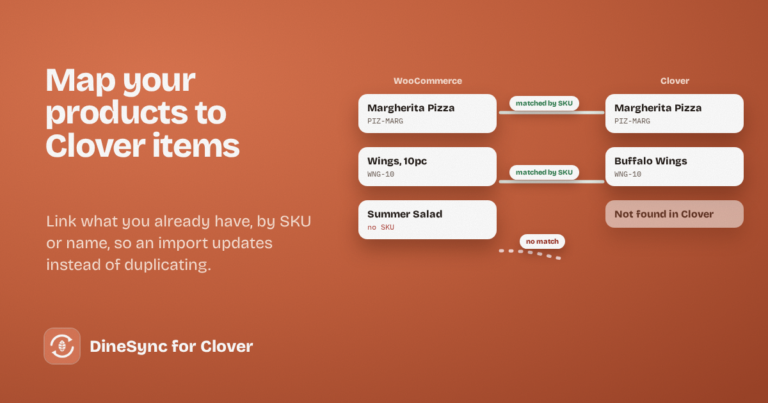
An import ran before the products were linked. This is the most common cause. If your website already has products and you import from Clover without mapping first, DineSync has no way to know that your “Margherita Pizza” and Clover’s “Margherita” are the same thing — so it creates a second one.
Items were added on both sides. Someone adds a special to the till on Friday, someone else adds it to the website on Saturday. Now there are two.
An item was renamed on one side. Products are matched by SKU first and then by name. If a name changes on one system and nothing links the pair, the next sync treats it as something new.
SKUs are missing or reused. SKUs are the most reliable way to match an item. Where they’re blank or the same code has been used twice, matching falls back to names — and names drift.
How to prevent them
Always map before you import. On a website that already has products, run Map Clover Items first. It links your existing products to their Clover items by SKU or name, so the import updates them rather than creating copies.
Give everything a SKU, and keep them unique. Even a simple scheme — PIZ-LG, WNG-10, SIDE-FRIES — is enough. It makes matching reliable and your reports easier to read.
Decide where items are created. Pick one system where new items get added, and let the other receive them. Adding in both places is what makes pairs.
How to clean up what’s already there
- Find the duplicates. Sort your products by name in WooCommerce and look for pairs. Do the same in your Clover inventory.
- Keep the one customers have ordered from. Check which has the sales history, especially in Clover, and delete the other.
- Run Map Clover Items. The originals get linked back together by SKU or name.
- Import or push to bring both systems back in line.
- If the links are a mess, use Clean & Re-Sync. It clears the links between the two systems without deleting a single product or order, so you can map from a clean start.
Why prices stop matching
Duplicates are easy to see once you look. Price mismatches aren’t — they hide in a menu of two hundred items.
They usually come from one of these:
- a price changed on the till and the website was never re-imported
- a price changed on the website and the push never ran, or a field toggle was off
- an item was duplicated, and the two copies drifted apart
The cost is quiet and constant: every order of that item is either losing you margin or charging a customer more than your menu board says.
Finding problems before your customers do
Checking a whole menu by hand is a job nobody does twice. Two hundred items, cross-referenced between two systems, is an afternoon — and it has to be repeated.
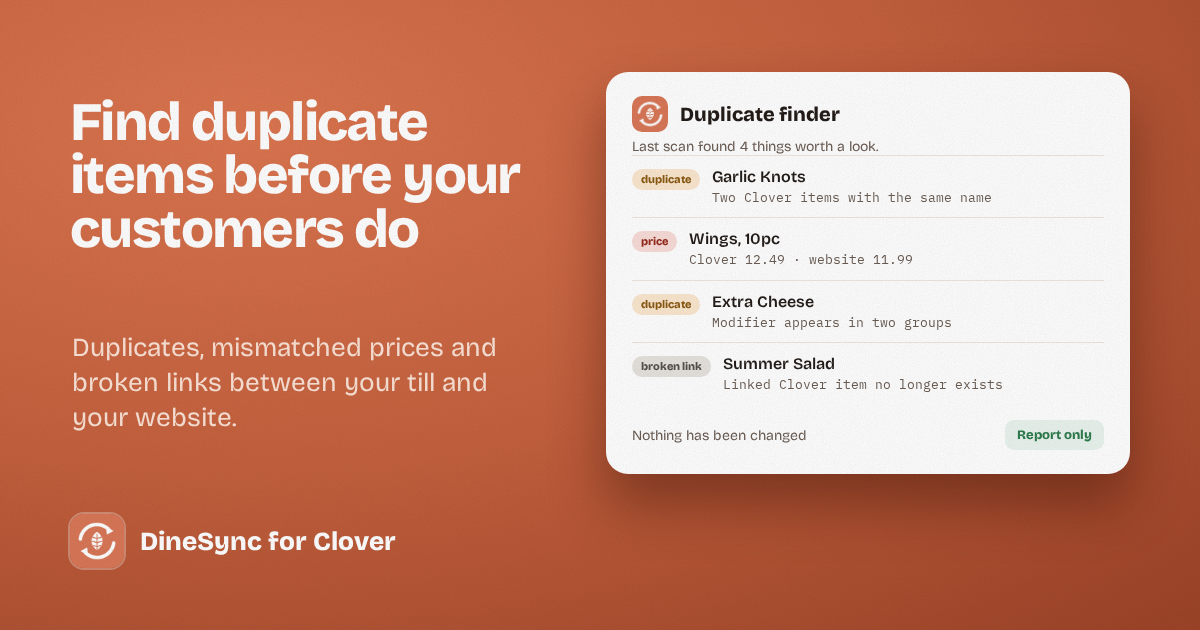
DineSync Pro’s duplicate finder does that check for you, on demand. It reports:
- duplicate names and SKUs in Clover
- duplicate names in WooCommerce
- price mismatches between linked products, so you can see exactly where your till and website disagree
- duplicate modifiers, like a topping that exists twice
- broken links — products pointing at Clover items that no longer exist
It is read-only. It changes nothing, deletes nothing, and fixes nothing by itself. It tells you where to look, and you decide what to do — which is the only sensible way to treat a live menu.
Pro also includes failed-order alerts with one-click retry, automatic menu sync, and a preview before bulk pushes. It costs $69.99 a month or $499.99 a year, with a 14-day free trial and no card needed.
A menu worth keeping tidy
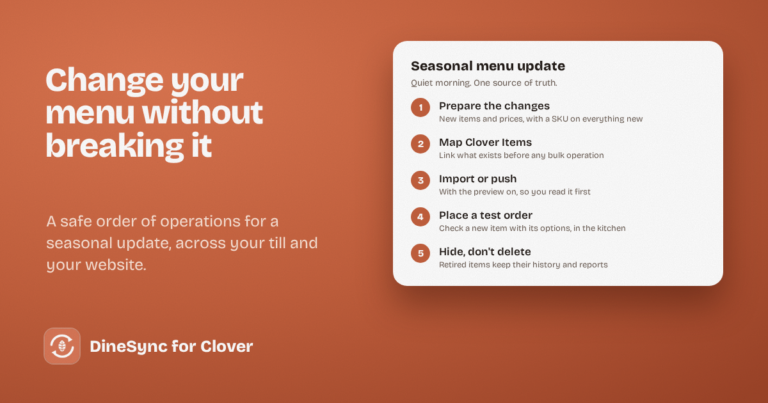
Run the finder after a big menu update, after seasonal changes, and every few months as a habit. Tidying five problems while they’re small is far easier than untangling fifty.
Get started
Install DineSync for Clover free → https://wordpress.org/plugins/dinesync-for-clover/
Try DineSync Pro free → https://monirtechsolutions.com/plugins/dinesync-for-clover/get-pro/?utm_source=blog&utm_medium=article&utm_campaign=duplicate-finder