Most independent restaurants think about this at some point, usually after reading a payout statement. The commission on every order adds up to real money, and it’s tempting to cut the apps loose and take orders yourself.
It’s a good move for a lot of restaurants. It’s a painful one if you do it before you’re ready. This guide covers what you need in place before leaving delivery apps — and why the smartest version isn’t a clean break at all.
Be honest about what the apps do for you
The commission buys two things, and it’s worth separating them.
Demand. People browse the apps hungry, with no restaurant in mind. That’s how new customers find you. It’s genuinely valuable, and your own website doesn’t replace it on day one.
Logistics. Drivers, tracking, and someone else handling the customer when a delivery goes wrong. If you don’t have your own drivers, this is the harder half to replace.
Your regulars, though — the people who already know your food and would order from you directly if it were easy — cost you commission on every order for nothing. That’s the part worth taking back first.
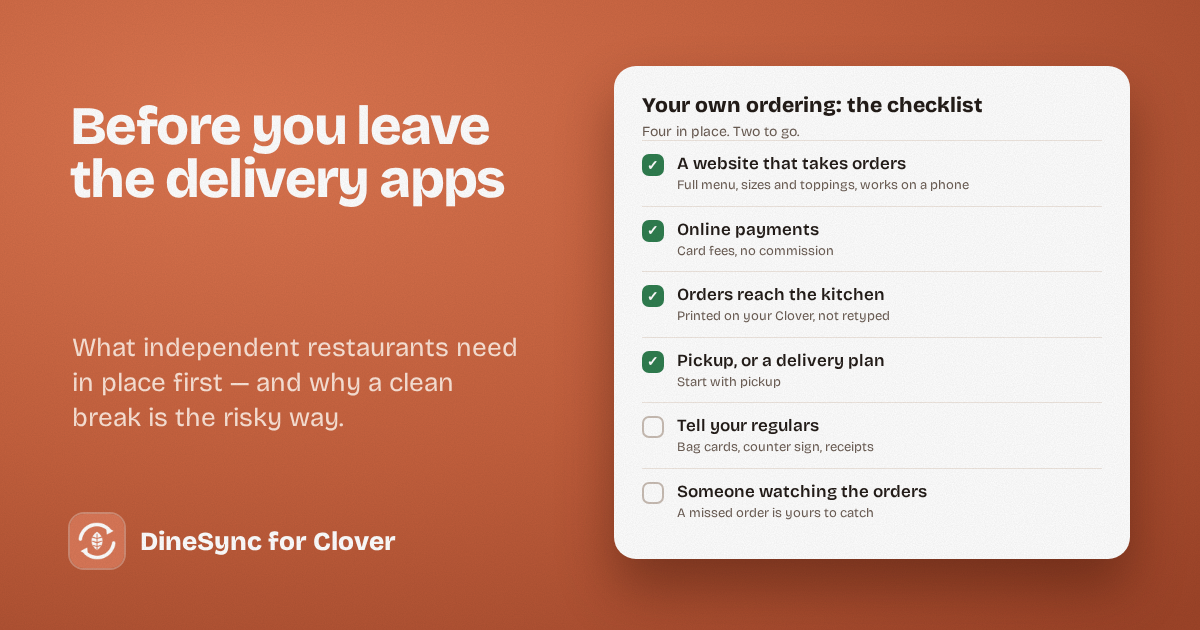
The checklist
1. A website that takes orders properly. Your full menu, real prices, sizes and toppings, and a checkout that works on a phone. Most restaurants use WordPress with WooCommerce, which handles this well and doesn’t take a cut.
2. Online payments. Stripe or a similar provider, so customers pay you directly at checkout. You pay card processing fees — a few percent — but no commission.
3. Orders reaching your kitchen. This is the step people underestimate. If online orders arrive as emails or on a separate tablet, someone has to read them and retype them into your POS. That’s slow on a quiet day and risky on a busy one.
If you run Clover, DineSync for Clover sends paid website orders straight to your Clover and prints them in your kitchen — every item, size and topping — so your staff work from the same tickets they already use. No second screen, no retyping.
4. A plan for delivery, or a good pickup offer. Pickup is the easy start: no drivers, no delivery zone, no cold food. Many restaurants find pickup orders are a large share of what the apps were carrying anyway. If you need delivery, price it honestly and start with a small radius.
5. A way to tell customers. Cards in bags, a sign at the counter, your website on every receipt, a note on social media. People can’t order direct if they don’t know they can.
6. Someone watching the orders. Once it’s your system, a missed order is yours to catch. More on that below.
Don’t switch off the apps on day one
The version that works for most restaurants is gradual:
- Get your own ordering live and test it properly with staff and a few regulars.
- Push your regulars to it with a small incentive — a free drink, a discount, a loyalty stamp. It costs less than the commission.
- Let the apps keep finding you new customers while your direct orders grow.
- Reduce your app reliance as your own volume rises, rather than betting the week on a clean break.
Watch the split for a couple of months before deciding anything permanent.
The part that surprises people
With an app, if something breaks, it’s their problem. Their support team deals with the customer, and a failed order shows up in their dashboard.
When you own your ordering, that’s yours. Orders almost always arrive fine — but on the rare night when one doesn’t, nobody is watching except you. And you find out when a customer arrives for food nobody cooked.
DineSync never loses a failed order silently: it’s recorded on the order with the reason, and one click sends it again. But someone has to look, and on a Friday rush nobody is looking.
DineSync Pro does the watching
Failed-order alerts. Pro emails you — and whoever’s on shift — when an order doesn’t reach your Clover, with a link straight to the order and one-click retry.
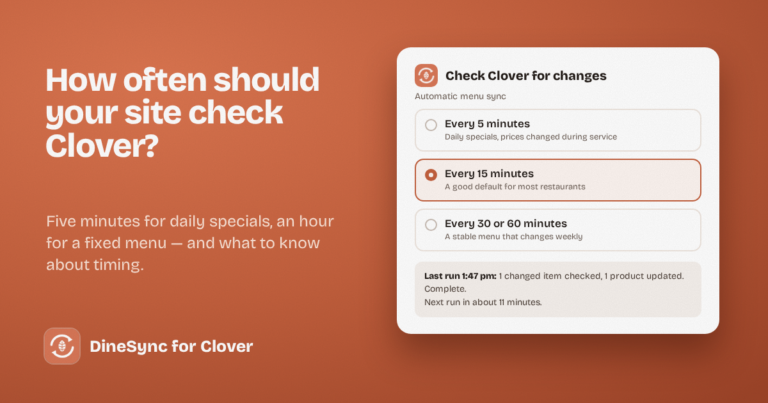
Automatic menu sync. Change a price on your till and your website follows on its own, as often as every five minutes. No more selling last season’s prices.
A preview before bulk menu changes, so a big update doesn’t surprise your till.
At $69.99 a month, flat, it’s usually less than the commission on a handful of orders — and it’s the piece that makes owning your ordering feel safe rather than exposed.
Start small
You don’t need to decide anything today. Put your own ordering live, connect it to your kitchen, and give your regulars a reason to use it. Then look at the numbers in two months and decide how much you still need the apps.
Install DineSync for Clover free → https://wordpress.org/plugins/dinesync-for-clover/
Try DineSync Pro free → https://monirtechsolutions.com/plugins/dinesync-for-clover/get-pro/?utm_source=blog&utm_medium=article&utm_campaign=leaving-apps