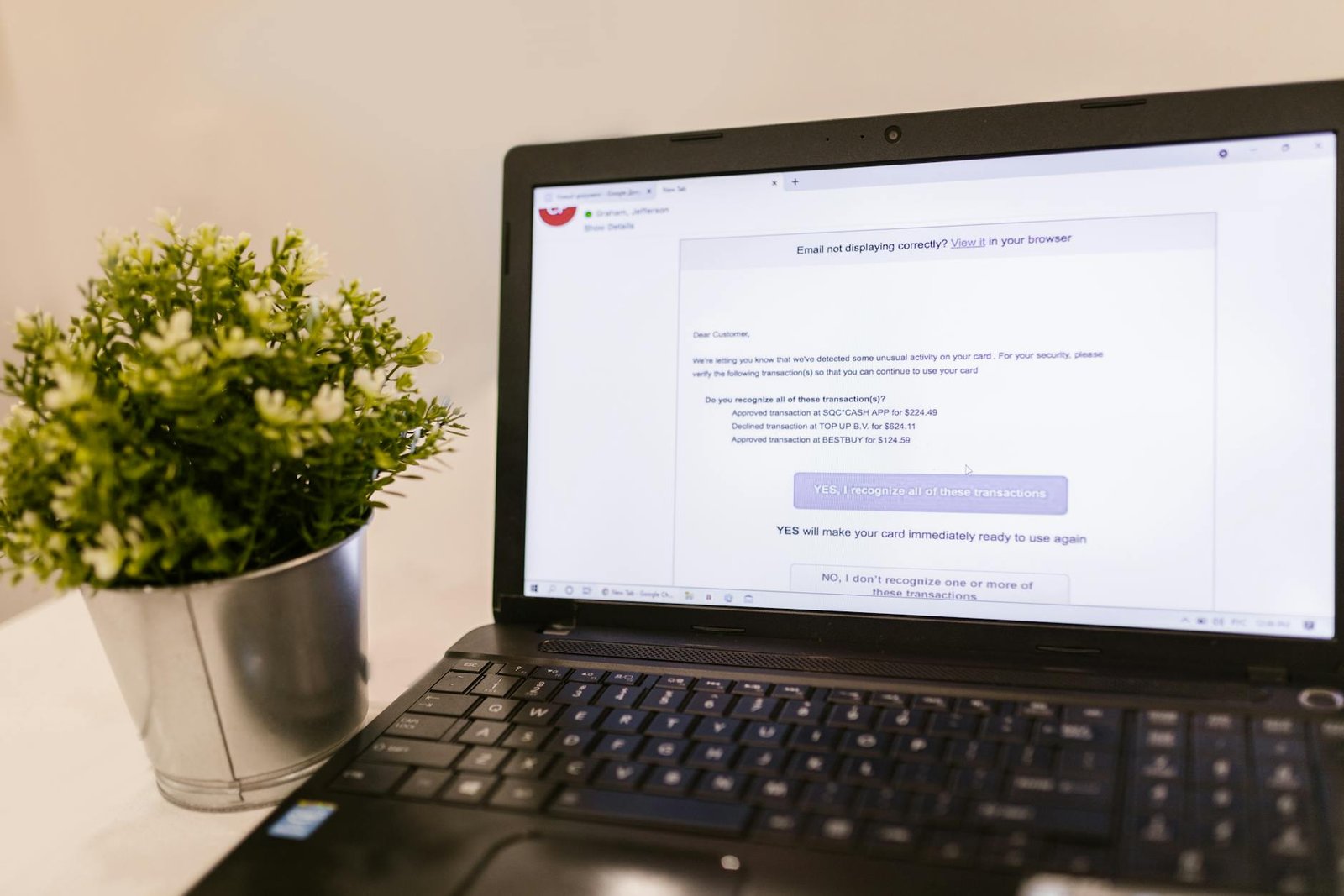
When customers start replying to messages you never sent, something has gone badly wrong with your WordPress site. Bounce notifications pile up for emails you didn’t write, your domain shows up on blocklists, and the invoices you actually need to deliver quietly disappear into spam folders. For a small business that runs on email — quotes, receipts, appointment reminders, support replies — that single failure mode can stall revenue in a matter of days.
The frustrating part is that two distinct problems often arrive wearing the same disguise. An SMTP hijack means an attacker is genuinely relaying mail through your site or your mail account. Authentication failure means your legitimate mail is being rejected because SPF, DKIM, or DMARC records don’t line up. They feel identical from the inbox, but they demand different fixes, and tackling them in the wrong order wastes time you don’t have.
This article walks through the full cleanup path: the two faces of WordPress email trouble, why your domain becomes attractive to spammers in the first place, the diagnostic checks that separate hijack from misconfiguration, the steps to lock things down after a compromise, how to rebuild sender reputation so real mail reaches the inbox again, and what the whole episode means for how a small business should handle email going forward.
The Two Faces of WordPress Email Trouble
When a small business owner calls about a WordPress email problem, the conversation almost always starts the same way: “Something is wrong with my email.” What follows next, though, splits sharply into two very different stories. One owner has just learned that customers are receiving pharmacy ads from her domain. The other owner is wondering why the contact form on his bakery site has gone silent for three weeks. Both problems wear the label “WordPress email trouble,” but they require opposite responses. This guide covers both cases, and the first job is telling them apart.
Scenario one: your site is being abused to send spam
In this scenario, your WordPress installation is sending real email — just not the email you authorized. Attackers have found a way in, usually through a vulnerable plugin, a weak admin password, or a contact form that accepts whatever it is fed, and they are pushing thousands of messages out through your site. The mail goes out under your domain name because, as one breakdown of the problem puts it, your WordPress site sends emails without proving who it is or where the message comes from. Mailbox providers see the flood, decide your domain is hostile, and your real mail starts bouncing too. The cleanup is part security incident, part deliverability rescue.
Scenario two: your legitimate emails are landing in spam
In this scenario, nothing has been hacked. Your site is well-behaved, but the email it sends — order confirmations, password resets, contact form notifications — never reaches the inbox. Sometimes the mail vanishes entirely; other times your WordPress website emails get lost in spam folders. The cause is usually that WordPress is handing mail to your server’s default PHP mail function instead of authenticating through a proper SMTP relay. Furthermore, the issue is not a site-breaking emergency in the way a crashed checkout page would be, which is exactly why so many owners let it fester for months.
Why a small business should care about either version
The business stakes look similar from both directions, even though the technical work is different.
- Pros of treating this as urgent: restores customer trust quickly, protects your sender reputation before mailbox providers blacklist your domain, recovers lead flow from form submissions you never knew were missing, and prevents the slow ghost-town inbox effect where you stop trusting your own contact form.
- Cons of ignoring it: abuse complaints can get your domain blocked at major providers, every silent contact form is a lost customer who assumes you do not respond, and rebuilding domain reputation after a spam incident takes weeks of throttled sending and warm-up work.
Consequently, the small operator who treats email as a checkbox feature pays for it twice: once in lost revenue from messages that never arrive, and again in the recovery work after a hijack the monitoring never caught.
Why Your Domain Gets Used to Send Spam
Attackers don’t randomly pick domains to abuse. They look for sites that send mail without proving who they are, and WordPress installations are an unusually rich pool of exactly that. Out of the box, a WordPress site sends email without proving who it is or where the message comes from, which is the small gap that turns into a wide door for anyone running a spam campaign. The CMS treats mail as a side feature, the host treats it as someone else’s problem, and the small business owner never sees the seam until the bounces start arriving.
The Authentication Gap WordPress Leaves Open
By default, WordPress hands transactional mail off through PHP’s basic mail function, which sends messages from the web server with no cryptographic signature, no published sender policy, and no proof that the message actually originated from your business. That’s the exact pattern that makes a domain attractive for spam relay, because an attacker who finds a vulnerable plugin or a weak admin password can push outbound mail through your site and have it appear to come from your address. Furthermore, the same gap that lets the attacker in is the gap that keeps legitimate mail from going out reliably, which is why so many owners discover the problem only when a contact form stops delivering notifications and they go hunting for the root cause.
Why Gmail and Outlook Treat You Like a Suspect
Once your domain has a reputation problem, the inbox providers stop guessing. Gmail and Microsoft Outlook apply strict filtering rules to messages that lack proper authentication, and they apply those rules the same way to your password reset emails as they do to whatever pharmacy ad an attacker pushed out under your name an hour earlier. The receiving server doesn’t know the difference; it only knows what your domain has been doing lately.
Here is the practical trade-off small operators face between the two postures:
- Unauthenticated WordPress mail (default): zero setup, works the day you install the site, sender reputation invisible until it collapses, mail silently lands in spam folders, domain easy to spoof.
- Authenticated mail through a configured SMTP service: a few hours of setup, requires DNS access, mail lands in the inbox, abuse attempts get rejected at the edge instead of riding on your reputation.
What This Means for Your Business
Translate the technical reality into the consequence that actually hits the P&L: your real outreach gets buried alongside the spam. The quote you sent a prospect on Tuesday sits in their junk folder. The receipt your e-commerce plugin tried to deliver never arrives, and the customer files a chargeback instead of an email. Consequently, the cost of leaving authentication unconfigured is not a future hypothetical, it’s the deals you’re already losing this quarter and don’t know to attribute to the mail layer.
Diagnosing the Hijack: What to Check First
Before you change a single password or file a deliverability ticket, you need evidence. A WordPress site sending spam can be doing it through half a dozen different channels, and the cleanup steps for each one are different. Treat the next hour like an investigation: pull logs, confirm what your site is actually sending, and walk the perimeter of the most-abused entry points. Specifically, you are looking for the gap between what your site should be sending (order confirmations, contact form notifications, password resets) and what it is sending.
Install a Mail Logging Plugin Before You Touch Anything Else
The fastest way to see ground truth is to install a logger. The free WP Mail Logging plugin records every message WordPress hands off to the mail layer, including the recipient, subject line, and timestamp. If your site is being abused, the log will fill up with messages you did not author, often addressed to recipients you have never heard of. If the log is empty while your domain still appears in spam complaints, the attacker is bypassing WordPress entirely and sending directly through your hosting account or a compromised mailbox.
A quick weigh-in on the category:
- Pros of a logger first: zero-cost, reversible, gives you a defensible paper trail, and surfaces both abuse and legitimate mail that is silently failing.
- Cons: it only captures what passes through
wp_mail(), so PHP scripts dropped by an attacker that callmail()directly will not appear. You will need server-level logs to catch those.
Confirm Your Hosting Mail Routing
Next, log into your hosting control panel. If you are on a stack that uses hPanel or a similar control panel, confirm that outbound mail is being routed where you expect — through your transactional provider, not through the shared server’s default sendmail. Look for unfamiliar forwarders, autoresponders pointing at addresses you don’t recognize, and mailboxes you didn’t create. A hijacker who has cPanel-level access will often plant a forwarder so replies and bounces never reach you, masking the abuse for weeks.
Audit Your Form Plugins
Furthermore, form plugins are one of the most common abuse vectors on a WordPress site. Notifications from Elementor Forms and Formidable Forms frequently break in ways that look like a deliverability problem but are really a configuration or spam problem. Open each active form, review its notification recipients, and check whether the “from” address is set to a mailbox your domain actually owns. If a form is configured to forward submissions to an external address with a spoofed sender, attackers will hammer it to relay messages through your reputation. Therefore, every form on the site needs to be accounted for, including ones on staging pages and old landing URLs you forgot existed.
Cleaning Up After an SMTP Hijack
Once you have confirmed your WordPress site is the source of the spam, the cleanup follows a predictable sequence: contain, harden the mail layer, then protect the entry points that let the abuse start. A small business owner does not need to do all of this personally, but you do need to know what to hand to your developer so nothing gets skipped.
Immediate Containment Steps
Start by rotating credentials. Change the WordPress admin password, the hosting control panel password, the database password, and the password for any mailbox tied to the domain. Disable unused admin accounts entirely. Next, audit installed plugins and themes, removing anything inactive or unfamiliar, because attackers frequently hide mail-sending code inside dormant extensions. Review scheduled tasks and outbound mail logs at the host level to confirm the volume has actually dropped after each change. Consequently, you want a clean baseline before reconnecting the site to a transactional mail service, otherwise you will be sending fresh spam through a clean pipe.
Lock Down the Mail Layer
The default WordPress wp_mail() function hands messages directly to the server’s PHP mailer, which is exactly the behavior attackers exploit. Routing mail through an authenticated SMTP service shuts that door. An SMTP plugin paired with a transactional provider is the standard fix, and there are several solid options to weigh against each other. WP Mail SMTP is one of the most popular choices, and alternatives such as WP Mail Bank and FluentSMTP are commonly cited in the same category.
Pros and cons of the SMTP plugin approach:
– Pros: forces authenticated delivery, produces a mail log you can audit, integrates cleanly with providers like Postmark, makes future deliverability problems much easier to diagnose.
– Cons: adds a recurring cost for the transactional service, requires correct DNS records to be useful, will not by itself stop spam submitted through your own forms.
Protect the Forms So It Does Not Happen Again
Hardening SMTP without filtering form submissions just means the next round of garbage goes out through your shiny new authenticated pipe. The cleanup is only durable when you pair the mail layer with spam protection on every form. The recommended pattern combines a delivery service, an SMTP plugin, and a spam filter such as OOPSpam so that only legitimate submissions ever reach the send stage. Moreover, this layered approach means a single misconfigured form cannot undo the rest of the work.
What this means for your business: budget for the transactional mail service and a spam-filtering tool as line items, not one-time fixes. They are operational costs, similar to your hosting plan, and they are what keep your domain reputation from cratering a second time.
Restoring Deliverability for Legitimate Mail
Once the bleeding has stopped and the abusive scripts are gone, you face a second problem that small business owners often underestimate: your real emails — order confirmations, contact form submissions, password resets — may still land in spam folders or never arrive at all. The same domain reputation damage that got you suspended in the first place now works against your legitimate transactional mail. Restoring deliverability is not one switch you flip. It is a stack of three small, complementary tools working together.
Stop Using Raw PHP Mail
WordPress, by default, hands outgoing email to the server’s PHP mail() function. That path has no authentication, no retry logic, no bounce tracking, and no way for Gmail or Outlook to verify the message actually came from your business. When your domain reputation is already shaky, raw PHP mail is the fastest way to keep it that way. The fix is to route outbound mail through a dedicated transactional email delivery service. Postmark is one well-known option; others in the same category include SendGrid, Mailgun, and Amazon SES. These services sign your messages with your domain’s DKIM keys, handle the SPF alignment, and give you a dashboard showing exactly what bounced and why. As one Elementor Forms troubleshooting guide notes, using an email delivery service is one of three things you have to get right before form notifications reliably reach the inbox.
The Three-Layer Stack
A working setup for a small business WordPress site combines three pieces, each doing one job:
- An SMTP plugin (such as WP Mail SMTP or FluentSMTP) that intercepts WordPress mail and hands it to your delivery service instead of PHP mail.
- A transactional delivery service (Postmark, SendGrid, Mailgun, SES) that authenticates and sends the message.
- Form-level spam protection (such as OOPSpam, Akismet, or hCaptcha) so junk submissions never trigger a notification in the first place.
Skipping any layer breaks the others. A plugin pointed at a misconfigured service still fails. A service with no spam filter on the form will happily deliver hundreds of bot submissions to your inbox until you stop trusting the notifications entirely. Plugin-based fixes handle the routing piece, but they do not replace authentication or filtering.
Free Plugin-Only vs. Paid Delivery Service
Free SMTP plugin pointed at a generic mailbox (e.g., a Gmail account):
- Pros: Zero monthly cost. Quick to set up. Familiar interface for the owner.
- Cons: Personal mailbox sending limits get tripped quickly. No detailed bounce data. Reputation is tied to the mailbox provider, not your domain. Gmail and Microsoft increasingly throttle this pattern for business sending.
SMTP plugin plus a paid transactional delivery service:
- Pros: Proper DKIM/SPF alignment under your domain. Bounce and complaint dashboards. Predictable monthly cost, often under $15 for a small site’s volume. Recoverable reputation if something goes wrong again.
- Cons: A real line item on the budget. Initial DNS configuration takes 30–60 minutes. You need to monitor the dashboard, not just assume mail is flowing.
Therefore, for any business that actually depends on form submissions or order emails reaching customers, the paid stack is the realistic choice. Furthermore, pairing it with form-level spam protection keeps your sending volume honest, which is exactly what the delivery service’s reputation algorithms reward.
What This Means for Your Small Business
A hijacked WordPress mailer is rarely just a technical nuisance. It quietly drains revenue through bounced order confirmations, lost contact form leads, and customers who assume you ignored them. When you put a delivery service, an SMTP plugin, and form-level spam protection in place, you are buying back three concrete things: a clean sender reputation, reliable inbox placement for legitimate messages, and fewer “did you get my message?” support tickets. That is a meaningful operational win for a five-person business that cannot afford to chase phantom leads.
Protecting Sender Reputation and Recovering Lost Leads
The most underrated outcome is reputation repair. Once Gmail and Outlook learn that mail from your domain is suspicious, they keep filtering you for weeks even after the spam stops. As one guide on Elementor delivery problems explains, the combination of an email delivery service like Postmark, an SMTP plugin like WP Mail SMTP, and a spam protection tool such as OOPSpam is what ensures you actually receive an inbox notification for each legitimate form submission. Translated to business terms: every quote request that used to vanish into a spam folder now lands where your sales process can act on it. For a contractor or law firm where a single lead is worth hundreds or thousands of dollars, the payoff shows up in the first month.
DIY Cleanup Versus Calling a Developer
Not every site needs a professional engagement. A plugin-only cleanup is often enough when the symptoms are mild and your stack is simple.
DIY plugin cleanup — pros:
– Low cost, often free for the basic SMTP plugin tier
– Can be completed in an afternoon by a comfortable site admin
– Logging plugins like WP Mail Logging make it easy to confirm whether messages are actually leaving the site
DIY plugin cleanup — cons:
– Does not catch a compromised plugin, backdoor, or rogue admin account
– Misconfigured SPF, DKIM, or DMARC records still cause silent failures
– No one is watching the logs after the initial fix
Bring in a developer when the spam keeps returning after a plugin install, when your host has suspended outbound mail, or when authentication records need to be coordinated with whoever manages your DNS.
The Realistic ROI
Furthermore, the math is friendlier than owners expect. A transactional email plan and a paid SMTP plugin tier typically run a modest monthly fee combined, which is trivial compared to the hours a staffer spends apologizing to a customer whose receipt never arrived. If your forms drive even one extra recovered lead a month, the stack pays for itself several times over.
Need Help with Your WordPress Site?
If your WordPress site needs maintenance, a security audit, or a performance overhaul, we’d be happy to discuss your specific needs. Monir Tech Solutions specializes in WordPress maintenance, security, and performance optimization for small businesses across the Boston area and beyond — including security hardening, speed optimization, and ongoing maintenance.
Reach out anytime at info@monirtechsolutions.com and we’ll respond within 24 hours.
The Bottom Line
A WordPress site sending spam from your domain and a WordPress site failing to deliver real email are two faces of the same underlying problem: your outbound mail path is unauthenticated, unmonitored, and trusting PHP to do a job it was never meant to do alone. Fix the path, and both symptoms resolve together.
The cleanup is layered, and each layer matters. Domain authentication with SPF, DKIM, and DMARC tells the rest of the internet which servers are allowed to speak for you, and providers like Gmail and Microsoft Outlook now apply strict filtering rules to messages without proper authentication. A dedicated transactional sender routes your mail through infrastructure built for deliverability instead of through a shared hosting IP that may already be on a blocklist. An SMTP plugin connects WordPress to that sender, and a logging plugin gives you the visibility to confirm every receipt, password reset, and form notification actually left the building. Spam protection on your forms closes the loop so attackers cannot weaponize your contact page in the first place.
Stop treating email as set-and-forget
Email is infrastructure, not a checkbox. Furthermore, the small businesses that get burned by SMTP hijacks are almost always the ones who assumed the default WordPress behavior was fine because “it worked last year.” It worked last year because nobody was looking. Treat your outbound mail the way you treat your backups: configured deliberately, monitored regularly, and tested before you need it.
One concrete step this week
Pick a single evening this week and install the free WP Mail Logging plugin on your site. Let it run for seven days. Then sit down with a coffee and review every outbound message it captured. You are looking for two things: messages you sent that never showed a successful status, and messages you did not send at all. That single audit will tell you, in concrete terms, whether you have a deliverability problem, an abuse problem, or both — and which of the layers in this guide deserves your attention first. Everything else flows from what that log reveals.