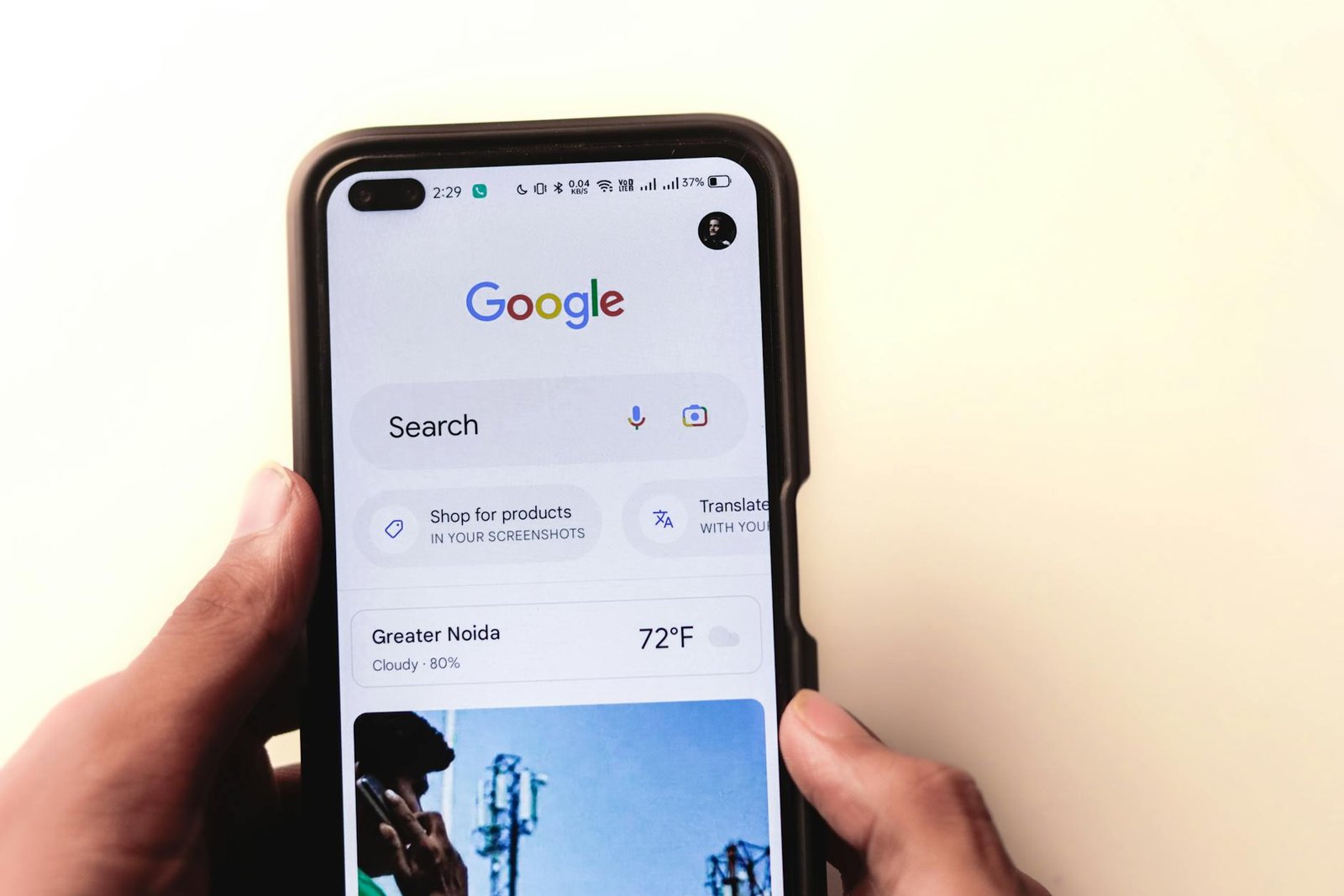
Picture this: a potential customer taps the message button on your Google Business Profile, types out a question about your hours, your pricing, or whether you can take on their project this month, and hits send. You never see it. They never hear back. What started as a warm, in-market lead quietly turns into a one-star review about how nobody at your business bothered to respond.
This scenario plays out at small businesses across the country every week, and most owners have no idea it is happening. Messaging looks active in the dashboard. The toggle is on. Yet messages stall, bounce, or land somewhere the owner never checks, often because of a verification step that is easy to miss when you first set up the profile. By the time you notice the gap, the damage is already in your review history.
In the sections ahead, we will walk through the real business cost of undelivered messages, the technical and account-level reasons they fail, the verification step most small business owners skip during setup, and a step-by-step checklist for fixing delivery. We will also cover how messaging fits into broader profile visibility, weigh the tradeoffs of managing your Google Business Profile in-house versus hiring help, and close with a concrete next step you can take this week.
The Real Cost of Undelivered Google Business Profile Messages
When a customer taps the “Message” button on your Google Business Profile, they have already done the hard work for you. They have searched, scrolled past competitors, and decided your business is worth contacting. If that message never reaches your phone, you have not just lost a notification. You have lost a warm lead at the exact moment their intent was highest, and you may never know it happened.
For owners in trades, hospitality, construction, and service industries, this is not a minor inconvenience. Missing customer messages through your Google Business Profile can cost you valuable leads and damage your reputation, because the prospect who did not hear back assumes you are closed, overbooked, or simply not interested. They move on to the next listing. The damage compounds when that same customer leaves a review mentioning the silence, or when a repeat pattern of unanswered chats quietly drags down your responsiveness signals inside Google’s own systems.
Lost Leads Are Only Half the Story
The financial hit from a single missed plumbing call or catering inquiry is easy to picture. Harder to see is the slow erosion of trust. Prospects who message you and hear nothing rarely follow up by phone. They form an opinion, and that opinion shapes whether they recommend you to a neighbor, a coworker, or a property manager. Consequently, an unreliable inbox does more long-term harm than a clunky website ever could.
Visibility and Messaging Are Connected
Your Google Business Profile is the listing page where you manage how your business appears in Google Search and Maps, and messaging is one of the signals Google watches. A profile that looks active, responsive, and verified tends to surface more prominently for nearby searches. A profile that drops messages looks neglected, and neglected profiles get shown less often. Furthermore, many owners discover the messaging problem only after they have already created the listing and stopped checking it, treating the Profile as set-and-forget.
Treating the Profile as a static listing — quick comparison:
- Pros: Zero ongoing time investment, no learning curve, no notifications to manage.
- Cons: Missed inquiries, weaker visibility on Search and Maps, reputational damage from slow or absent replies, and no early warning when delivery breaks.
The fix begins with two specific levers most owners overlook: a verification step that Google requires before messaging behaves reliably, and a notification setting buried inside the Messages dashboard. The sections ahead unpack both, starting with why messages fail to deliver in the first place.
Why Messages Fail to Deliver in the First Place
When a customer taps “Message” on your Google Business Profile and you never see the conversation, the failure almost always traces back to one of three breakdowns: notifications were never enabled, the mobile app is out of date, or the profile itself isn’t in a state Google trusts enough to route messages to. None of these are exotic edge cases. They are the default conditions most small business owners find themselves in after the initial profile setup, and each one quietly drops leads on the floor. The good news is that the diagnostics are straightforward, and the success rates for the standard fixes are high enough that working through them in order resolves the majority of cases.
The Notification and App Stack
The single most common culprit is disabled message notifications. According to ServoDev’s fix guide for Google Business Profile messages, enabling message notifications inside the dashboard under Messages → Settings has roughly an 85% success rate at restoring delivery for owners who report missing messages. That is a remarkable number, and it reflects how often the underlying connection is fine — Google simply isn’t pinging the device the owner actually checks.
Running an outdated Google My Business app is the next most frequent breakdown. The same guide reports about a 78% success rate when owners download the latest version of the app from their device’s app store. Older builds tend to lose push reliability as Google rotates its backend, and updating the binary brings the messaging pipeline back in line. Furthermore, missing customer messages through these failures isn’t a small inconvenience — it can cost you valuable leads and damage your reputation when prospective customers feel ignored.
Pros and cons of starting with the notification fix:
- Pros: Free, takes under two minutes, highest documented success rate, no risk to existing profile data.
- Cons: Doesn’t help if the underlying profile is unverified or suspended, and won’t surface messages that were dropped before notifications were turned on.
Broken Versus Invisible
There is an important distinction many owners miss: a profile that is broken is not the same as a profile that is simply invisible. As Captionsverse outlines in its breakdown of why businesses disappear from Google, you may have created a Google Business Profile and still not find it on Search or Maps at all. If the listing isn’t surfacing publicly, customers can’t reach the message button in the first place — so no amount of notification tinkering will help. Therefore, before you spend an afternoon toggling settings, confirm the profile is actually live and findable. If it isn’t, the problem is visibility and verification, not messaging plumbing, and the fix sits upstream of everything covered above.
The Verification Step Most Small Business Owners Skip
Creating a Google Business Profile and owning a verified one are two very different things, and the gap between them is where most messaging problems quietly live. A profile that has never been verified often shows up in a half-published state: the basic information may exist, but Google does not yet trust the listing enough to expose the full set of customer-facing features, including the message button. Owners assume they’re “on Google” because they filled out the form, then wonder why prospects never reach them. The honest answer is usually that the listing has not yet earned its place in the search experience.
What a Fully Verified Listing Actually Looks Like
A verified profile is what produces the right-rail experience customers recognize. As RentVision explains in its walkthrough on verifying an apartment’s Google Business Profile, once a prospective resident searches for your business directly, the profile shows prominently on the right side of the search engine results page. That placement is not cosmetic. It is the surface where the call button, directions, hours, and the chat entry point all sit together. If your listing is unverified, you don’t own that surface, and the message feature has nowhere to render.
RentVision goes further and describes the verified profile as one of the most visible and authoritative sources available in an apartment’s marketing strategy. The same logic applies to a dentist, a bakery, or a Boston-area contractor. Verification is what tells Google the entity behind the listing is real, which in turn tells customers their message will reach a real business.
What Verification Unlocks for Lead Capture
The practical payoff is twofold: prominent placement and trusted message delivery. HubSpot’s overview of Google Business Profile frames the listing as the page where you manage how your business appears across Google Search and Maps, which is precisely where a customer decides whether to tap “Message” or scroll on to a competitor. An unverified profile undercuts both halves of that decision.
Verified profile — pros:
– Right-rail placement on branded searches
– Messaging surface actually renders for customers
– Signals legitimacy that supports click-through and lead capture
Unverified profile — cons:
– Messaging features are commonly suppressed
– Listing may not appear in Search or Maps at all
– Customers default to a competitor whose profile looks complete
What This Means for Your Business
For a small business owner, verification is the difference between a marketing asset and a dormant form entry. Furthermore, it directly shapes lead capture: every day the profile sits unverified is a day messages cannot be delivered and prospects cannot self-qualify. Block out thirty minutes this week to confirm your verification status in the dashboard. If the badge isn’t there, start the verification flow before touching any other messaging setting, because nothing downstream will work until Google trusts the listing.
Fixing Message Delivery: A Step-by-Step Checklist
When messages stop reaching you, the temptation is to blame Google and wait it out. That approach costs leads. A methodical checklist, worked through in order, restores delivery faster than guesswork and gives you a baseline to monitor going forward. Walk these four steps in sequence, because each one validates an assumption the next step depends on.
Step 1: Confirm Notifications Are Enabled in the Dashboard
Open your dashboard and navigate to Messages then Settings to verify that notifications are actually switched on. This sounds trivial, but it is the single highest-yield fix on the list. Toggles get reset after profile changes, account merges, or platform updates, and owners frequently discover the switch silently flipped off weeks earlier. Confirm the notification email on file is one you actually check daily. If you share access with a marketing agency or a former employee, audit who else is receiving alerts and prune the list.
Step 2: Update the Mobile App and Test Verification
Outdated app builds are a common source of phantom delivery failures. Download or update the Google My Business app from your device’s app store before troubleshooting anything else, because stale builds can drop notifications without surfacing an error. Once updated, confirm your verification badge is present. If you created the profile but never finished verification, messaging will not function regardless of what the settings panel shows. Owners who created a profile but cannot find it on Search or Maps almost always have an incomplete verification on their hands, and re-running that flow is the unlock.
Step 3: Send a Test Message From a Separate Device
The final step is a live end-to-end test. Pull out a personal phone or ask a colleague to message the business from their own Google account, then time how long the notification takes to arrive. This is the only way to confirm the full delivery loop works in production, not just in settings.
Pros and cons of self-troubleshooting versus calling Google support:
- Pros of DIY: Free, immediate, and the four steps above resolve the majority of cases. You build institutional knowledge for future incidents.
- Cons of DIY: If verification itself is broken, you may loop through settings forever without progress. Furthermore, edge cases involving suspended profiles require human escalation.
- Pros of contacting support: Direct access to account-level diagnostics you cannot see from the dashboard.
- Cons of contacting support: Wait times can stretch across days, during which leads continue to leak.
What this means for your business: thirty minutes of disciplined checklist work today usually beats a week of waiting on a support ticket. Therefore, run all four steps before escalating, and document the date you completed each one so you have a clear timeline if you do need to file a case.
Profile Visibility and Why Messaging Alone Is Not Enough
Fixing the message delivery pipeline is necessary, but it is only half the work. A perfectly tuned messaging setup produces zero leads if customers cannot find your listing in the first place. The chat thread, the notification, the response time targets — none of it matters when your profile is buried below competitors or missing from Maps entirely. Therefore, treat messaging and visibility as two halves of the same system rather than two unrelated tasks on your to-do list.
The numbers make this point bluntly. Google handles roughly 90 to 93% of online queries in markets like Australia, 68% of online experiences begin at a search engine, and 53% of website traffic comes from organic search, according to this SEO data roundup from Titan Blue. Those proportions are similar in the United States. Consequently, if your Google Business Profile is not surfacing for the queries your customers actually type, your message button is effectively hidden behind a locked door.
Treat SEO and Profile Health as One System
Small business owners often split this work between a “website person” and whoever happens to manage the Business Profile. That split creates blind spots. Your profile listing, your website content, your category selection, your reviews, and your on-page SEO all feed the same ranking signal. Moreover, when a prospective customer searches for your business directly, your Google Business Profile appears prominently on the right side of the results page, which means the profile itself is often the first impression — not the homepage.
A practical comparison of how owners commonly approach this work:
Treating profile and SEO as separate projects
– Pros: Easier to assign to different vendors; cheaper in the short term
– Cons: Conflicting categories and descriptions; missed ranking opportunities; messaging button surfaces too rarely to generate volume
Treating profile and SEO as one connected system
– Pros: Consistent signals across Search and Maps; messaging sits in front of qualified traffic; one accountable owner
– Cons: Requires coordinated effort; harder to split across cheap freelancers
Visibility Is a Baseline, Not an Upgrade
A lot of business owners still think search visibility is optional, but that framing is years out of date. As one analysis of invisible-on-Google scenarios puts it, you may have created a Google Business Profile and still not find it on Search or Maps — verification status, category errors, and weak SEO signals can all keep you off the page. What this means for your business is straightforward: until your listing is reliably visible for your core service queries in your service area, investing in faster message response times produces diminishing returns. Audit your visibility first, confirm the listing actually appears for the searches you care about, and then let the messaging fixes from the previous sections do their job on traffic that is already arriving.
Managing the Profile In-House vs. Hiring Help
Once the technical fixes are in place, the next question is who keeps the Profile healthy week after week. Messaging settings drift, verification prompts expire quietly, and category rules change without notice. The choice usually comes down to two paths: keep the work in-house, or bring in an outside specialist who handles Google Business Profile listings for a living. Neither is automatically right. The correct answer depends on your message volume, your team’s bandwidth, and how much revenue your listing actually drives.
The In-House Option
Handling the Profile yourself means the person closest to the customer is also the person answering. That tends to produce faster, more accurate replies, because the owner or front-desk staff already knows pricing, availability, and the quirks of the business. It also costs nothing beyond existing labor. The risk is that small settings changes slip past a busy operator. As one walkthrough of message delivery problems notes, enabling notifications inside Messages → Settings is a high-impact step with around an 85% success rate at restoring delivery, yet it is exactly the kind of toggle a non-specialist forgets to recheck after an app update.
Pros and cons of self-managing:
- Pro: Lower out-of-pocket cost — labor is already on payroll.
- Pro: Direct control over tone and response speed for incoming chats.
- Pro: Faster reaction time when a lead messages during business hours.
- Con: Easy to miss settings changes, category updates, or verification lapses.
- Con: No second set of eyes when the listing quietly stops appearing in Search or Maps.
The Outsourced Option
A specialist agency or freelance consultant brings consistent monitoring and pattern recognition across dozens of listings. They tend to catch undelivered-message issues and visibility drops faster, because they have seen the same failure modes before. Providers in this space, such as Lift Conversions and similar Google Business Profile services, package ongoing optimization and monitoring as a monthly retainer. Moreover, an outside team usually owns the recovery process when something breaks, which matters more than people expect the first time a Profile gets suspended.
Pros and cons of outsourcing:
- Pro: Consistent monitoring of notification settings, categories, and verification status.
- Pro: Faster recovery from undelivered-messages incidents and visibility problems.
- Con: Monthly fees that compound across the year.
- Con: Less day-to-day familiarity with your specific products, staff, and customers.
What This Means for Your Business
Be honest about realistic ROI. If your Profile generates a handful of message leads a month and your average customer is worth a modest amount, a several-hundred-dollar monthly retainer is overkill. Keep it in-house, calendar a quarterly audit, and confirm notifications are still on. However, if missed messages translate into lost jobs in the four-figure range, or your listing has already been suspended once, hired help pays for itself quickly. A reasonable middle path is project-based engagement: hire a specialist once to audit and stabilize the Profile, then take it back in-house for daily replies.
Need Help with Your Local Search Presence?
If you want to improve how your small business shows up in Google search results and on Google Maps, we’d be happy to discuss your specific needs. Monir Tech Solutions specializes in SEO and Google Business Profile setup for Boston-area small businesses for small businesses across the Boston area and beyond — including local SEO, Google Business Profile optimization, and on-page improvements.
Reach out anytime at info@monirtechsolutions.com and we’ll respond within 24 hours.
The Bottom Line
Undelivered Google Business Profile messages almost always trace back to one of three culprits: notification settings that were never toggled on, an outdated or signed-out mobile app, or a profile that quietly lost its verified status. Owners spend hours tweaking ad budgets and rewriting website copy while a free, high-intent lead channel sits broken in the background. The fix is rarely technical and rarely expensive. It is procedural, and it starts with treating your Profile like the live customer-service channel it actually is.
Verification is the step most owners skip, and it is the one that unlocks everything else. A listing that has not completed verification can appear half-functional, with messages that look enabled but never deliver, and visibility that decays without explanation. As RentVision notes in its operator guide, a verified Profile is “one of the most visible (and authoritative) sources available” for being found on Search and Maps. Verification is also what separates a Profile that converts strangers into customers from one that quietly collects dust.
Your Game Plan for This Week
You do not need a consultant or a new tool to fix this. You need about twenty minutes and a second phone. Furthermore, the steps build on each other, so do them in order:
- Pros of doing this yourself now: no cost, full control of the dashboard, and you learn the system that drives a meaningful slice of your local leads.
- Cons: requires you to log in, locate the right settings menu, and resist the urge to “set it and forget it” once messages start arriving.
Open your Google Business Profile dashboard and navigate to Messages → Settings to confirm notifications are enabled. Then verify your Profile status is still active, sign into the Google Maps app on the phone that owns the listing, and send a test message from a personal device you do not normally use for business. If the message arrives within a minute, you are operational. If it does not, you have a concrete failure point to investigate rather than a vague suspicion.
Treat the Profile Like a Lead Channel
Your Google Business Profile deserves the same operational attention you give your inbox or your business phone line. Specifically, that means a recurring check on the calendar, a designated person responsible for replies, and a target response window measured in hours, not days. Missed messages are not just lost sales; they signal to Google’s ranking systems that your listing is unresponsive, which compounds the visibility problem over time. Fix the plumbing this week, and the rest of your local marketing gets easier.