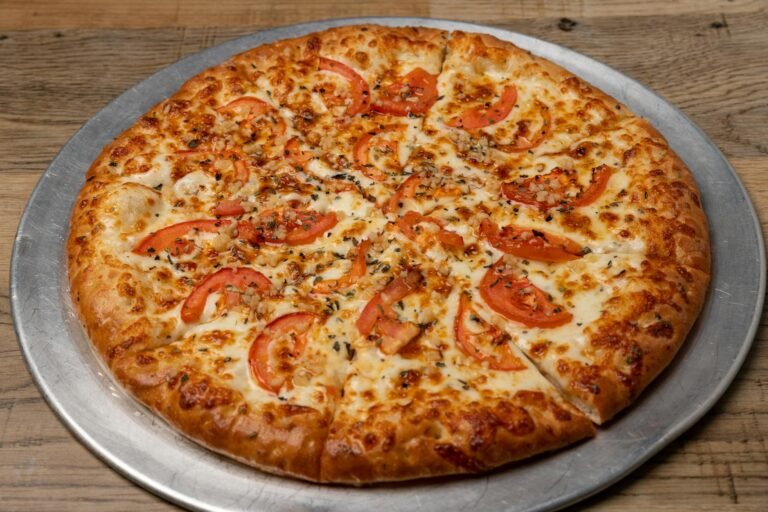
Picture a hungry customer parked outside your restaurant at 9 PM, phone in hand, staring at a Google listing that promises a $12 burger. You raised that price to $16 three months ago when beef costs jumped, but Google never got the memo. The customer feels the bait-and-switch coming and drives to the place down the street instead. That gap between what Google shows and what your kitchen actually charges is rarely a Google problem. It is almost always a schema markup problem, and a small restaurant owner can usually fix it without rebuilding the website or hiring an agency on retainer.
Schema markup is the structured data that tells search engines what your menu items are, what they cost, and when those prices changed. When it is missing, stale, or pointing at an outdated PDF, Google fills the gap with whatever it scraped last, sometimes years ago. The good news is that this is one of the more fixable SEO problems a small restaurant faces.
This article walks through why Google keeps surfacing old prices, what restaurant schema markup actually is in plain language, how customers really search for places to eat, the click-through numbers that make this worth your time, the concrete fix for a WordPress menu, when to handle it yourself versus calling a developer, and the bottom-line steps you can take this week.
Why Google Shows Outdated Prices for Your Restaurant
When a customer searches “margherita pizza near me” and sees your restaurant listed with a $12.99 price, they expect to pay $12.99 when they walk in the door. If your menu actually charges $16.99 now because cheese costs have climbed, you’ve created a problem before the customer ever sits down. The frustrating part for most owners is that nobody at Google misread your menu. Google was simply guessing — and without explicit instructions, it guessed wrong.
Google Is Reading Your Page, Not Understanding It
Search engines see your menu page as a wall of text and numbers. A figure like “$14.99” sitting next to “Margherita Pizza” looks like a price to a human reader, but to a crawler it is just a dollar sign followed by digits. It could be a price, a calorie count formatted oddly, a delivery minimum, or leftover text from a promotion that ended six months ago. Without structured data, Google has to make probabilistic guesses about which numbers belong to which dishes, and those guesses get cached, indexed, and surfaced in search results for months. That is why a price you updated on your WordPress site in March can still appear as the old price in a Google search result in May.
Schema markup solves this by labeling each value explicitly. Instead of leaving Google to guess, restaurant schema markup tells Google exactly that “$14.99” is the price of a specific menu item, tied to a specific restaurant, with a specific cuisine type and customer rating attached.
The Business Cost of a Wrong Number
Customers research before they visit. According to OpenTable research cited in industry coverage, 93 percent of people check online menus before deciding where to eat. That means the price Google displays is, for most of your prospective diners, the first financial promise your restaurant makes. When that promise is broken at the table, the damage is not just the bill dispute — it is the trust gap that follows. The customer wonders what else on the menu, the website, or the experience is similarly out of date.
Moreover, the stakes climb when you consider how voice search works. A query like “Hey Google, where is the closest restaurant that serves sushi?” pulls answers from structured data first. If your menu is not marked up, your restaurant may not appear in featured snippets or voice search answers at all — and the competitor down the block who did mark up their page will.
Why This Keeps Happening to Restaurants Specifically
Restaurant pages are uniquely hostile to crawlers because they pack many small data points — dish name, description, price, dietary tag, photo caption — into dense visual layouts. Consequently, the gap between what a human reads and what a machine extracts is wider for menus than for almost any other small business page. Without schema, here is the practical tradeoff owners face:
- Pros of leaving it alone: Zero effort. The page still functions for human visitors who land on your site directly.
- Cons of leaving it alone: Google guesses prices, indexes stale numbers, may surface a competitor in voice search, and your menu updates can take weeks to reflect in search results — if they reflect at all.
Schema markup is the mechanism that closes that gap. The rest of this article walks through what it actually looks like, how to add it to a WordPress menu page, and when the job is small enough to handle yourself.
What Restaurant Schema Markup Actually Is
Schema markup is structured code you add to a web page that tells Google exactly what each piece of content means. Instead of leaving Google to guess that “$14.99” on your page is a menu item price, schema explicitly labels that figure as the price of a specific dish, tied to a specific restaurant, with a specific cuisine type and customer rating. The numbers and names on the page do not change for human visitors. What changes is that a machine reading the page now has unambiguous labels for every fact, rather than a layout it has to interpret.
That distinction matters because Google’s default behavior is inference. When a search engine crawls a typical restaurant page, it sees a heading, some prices, maybe a photo, and it makes its best guess about which text belongs to which dish. Sometimes it guesses right. Often it pulls an old price from a cached image, a third-party directory, or a delivery aggregator that has not updated in months. Schema removes the guessing. As WPSlash explains in its guide to restaurant schema, when someone searches “best margherita pizza near me,” Google no longer just returns ten blue links. It composes a richer result, and labeled data is what fuels that composition.
The hasMenu Property and Why It Matters
Restaurant schema is organized hierarchically, and the top of that hierarchy is the hasMenu property. Before you start marking up individual sections of your menu, you start from the top of the data, as the That Agency overview of restaurant menus on Google walks through. The hasMenu property attaches a Menu object to your Restaurant entity. Inside that Menu, you nest MenuSections (Appetizers, Entrees, Desserts), and inside each section you nest individual MenuItems with their own name, price, description, and dietary tags.
Inferred data versus labeled data, in practical terms:
- Inferred (no schema): Google reads layout, guesses meaning, may pull stale data from third parties, displays inconsistent results.
- Labeled (with schema): Google reads explicit name/price/description fields, knows which restaurant owns them, and displays the data as you intended.
What This Means for Your Business
Labeled data ages better than scraped data. When you update a price on a schema-marked page, Google’s crawler picks up a structured change, not a layout shift it has to re-interpret. Furthermore, the same labeled data feeds voice search results, map cards, and the “popular dishes” panel that appears on many restaurant queries. For a small restaurant competing against chains with full marketing teams, schema is one of the few SEO investments where the payoff scales with how often your menu changes, not how much you spend on ads.
How Customers Actually Search for Restaurants
Most owners picture a customer typing the restaurant’s name into Google, scanning the homepage, and deciding whether to book. That assumption shapes every menu page, hero photo, and “About” paragraph on the site. It also misses how the majority of hungry people actually behave. According to That Agency’s analysis of local restaurant menus on Google, many restaurant owners assume that people first choose a restaurant name, then look for details. In practice, diners start with a craving and let Google narrow the field.
Menu-Led Queries Win Over Brand-Led Queries
Open a fresh browser and watch what people type. The phrases that dominate are menu-led, not brand-led: “best pasta near me,” “burgers open now,” “vegan lunch South Yarra,” “cocktails and share plates,” “gluten free brunch Melbourne,” “takeaway sushi nearby,” “steak restaurant with kids options,” and “late night dessert.” None of those queries name a restaurant. They name a dish, a dietary need, or a time of day. The restaurant that wins the click is the one whose menu data answers the question fastest.
Therefore, your homepage is not the entry point most diners use. Your menu is. If that menu lives only inside a PDF, an image, or a third-party app, search engines cannot match it against the specific phrases people are typing. As WP Slash notes in its guide to restaurant schema markup, when someone searches “best margherita pizza near me,” Google no longer just shows ten blue links — it pulls structured answers directly into the results.
Voice Search Raises the Stakes
Voice queries amplify the same pattern. A diner in a car asking “Hey Google, where is the closest restaurant that serves sushi?” is performing a menu-led search by definition — there is no brand in the question. By having an up-to-date menu available for Google to read and display, your restaurant can be placed within featured snippets and presented as an option within voice answers.
For an owner deciding where to invest, the trade-off looks like this:
Brand-first website (homepage, hours, photos):
– Pros: Looks polished; communicates atmosphere; reinforces returning-customer loyalty.
– Cons: Invisible to menu-led and voice queries; cannot feed featured snippets; misses the largest pool of new diners.
Menu-first, machine-readable structure:
– Pros: Eligible for rich results, voice answers, and “popular dishes” panels; matches how people actually search; scales every time you update a price.
– Cons: Requires schema work upfront; needs disciplined updates when dishes or prices change.
Specifically, an up-to-date, machine-readable menu is the entry point for being surfaced anywhere outside the traditional ten-blue-links result. It is the difference between being findable for “your name” and being findable for “the thing your customer is hungry for.”
The Real Click-Through and Visibility Numbers
The argument for restaurant schema markup is not theoretical. It is measurable, and the numbers point in one direction: most local restaurants are sitting on top of search real estate they never claim. A study by Milestone Research, analyzing over 4.5 million search queries, found that structured data can increase organic click-through rates by up to 30 percent. That is not a minor optimization. For a neighborhood restaurant doing meaningful weekly traffic from search, a 30 percent lift in click-throughs is the difference between a quiet Tuesday and a full one.
Why the Field Is So Open
Here is the part that should get a small restaurant owner’s attention. Roughly 73 percent of small businesses still have not implemented basic local schema markup. They are missing the structured signals that help Google understand what they sell, what it costs, and what customers think of it. The result is a search results page where the restaurants that have invested in schema are pulling away from the ones that have not — earning richer listings, more accurate menu previews, and the visual real estate that makes a hungry searcher tap their result instead of the next one down.
For a Boston restaurant competing against three other places within walking distance, that gap compounds every single day.
What This Means for Your Business
Furthermore, the value of schema is not abstract. Instead of Google guessing that “$14.99” on your page is a menu item price, structured data explicitly labels it as the price of a specific dish, tied to a specific restaurant, with a specific cuisine type and customer rating. That precision is what turns a plain blue link into a rich result a searcher actually trusts.
The decision facing most owners is genuinely binary: keep letting Google guess, or label your menu properly. Here is how that breaks down.
Do nothing and let Google guess
– Pros: No upfront work. No developer cost. No learning curve.
– Cons: Prices may display incorrectly or not at all. Competitors with schema win the visual real estate. Click-through stays flat while better-prepared restaurants pull ahead. Outdated prices keep surfacing in cached snippets.
Implement restaurant schema markup
– Pros: Up to 30 percent click-through lift cited in the Milestone Research data. Menu items, prices, cuisine, and ratings get displayed accurately. You join the minority of small businesses that have actually claimed this surface.
– Pros (continued): Google has a clearer picture of what you sell, which helps surface you for hungry, intent-driven searches.
– Cons: Requires a one-time technical implementation, either by your developer or through a WordPress plugin. Markup must be maintained when the menu changes.
Notably, the cons on the second option are work you would have to do anyway every time the menu changes. The cons on the first option compound silently, week after week, as more local competitors close the gap.
Fixing the Outdated Price Problem on a WordPress Menu
Stale prices rarely live in just one place. The pattern most small restaurants see is the same: a menu PDF uploaded two summers ago sitting in the media library, an aggregator listing nobody on staff has the login for anymore, and an HTML menu page that Google scraped months back when chicken parmesan was still two dollars cheaper. Each of those surfaces feeds the search result a customer eventually taps. When they disagree, Google picks whichever one it trusts most, and that is almost never the one you would choose.
Where the drift actually happens
PDFs are the worst offender because search engines treat them as opaque documents and recrawl them infrequently. Aggregator listings drift for a different reason: the data was correct on the day it was entered, and then nobody touched it again. Unlabeled HTML menus are the most fixable of the three. Google is guessing what the numbers on the page mean, and as WPSlash explains in its restaurant schema guide, schema makes the relationship explicit, labeling “$14.99” as the price of a specific dish tied to a specific restaurant with a specific cuisine type, instead of leaving Google to guess.
Using hasMenu as a single source of truth
The hasMenu property is the structural anchor. It sits inside your Restaurant schema and points to a Menu object, which then contains the individual items with their current prices. The benefit is mechanical: when you update one number in WordPress, the rendered schema updates, and the next crawl carries the corrected price into search. That is the single source of truth small operators almost never have today.
Once the markup is in place, validate it before going live. Google publishes a Schema Markup Testing Tool inside its Search Central structured data documentation that flags missing required fields and previews how rich results may render. Catching a malformed property in the testing tool costs you five minutes. Catching it after a customer complains about a $4 surprise costs you the customer.
Pros and cons of marking up the WordPress menu directly:
- Pros: one place to edit, structured for voice search and featured snippets, validates cleanly, no third-party login required, future menu changes flow automatically.
- Cons: requires the markup to be re-rendered every time a price changes, depends on someone on staff knowing the menu is the canonical source, does not retroactively fix the aggregator listings already in the wild.
What this means for your business
Furthermore, the refresh discipline matters more than the initial setup. Schema is not a one-time project; the markup has to reflect the menu as it exists this week. A practical rhythm for a small restaurant is to treat the menu page like the cash register. Whenever a price changes at the counter, it changes on the page the same day. Aggregator listings can be addressed in a monthly pass, but the WordPress menu is the surface you control directly, and it is the one Google will increasingly read into voice search answers and featured snippets when a customer asks where the closest sushi place is. Owning that surface is the lowest-cost way to keep the price a customer sees matching the price they pay.
When to DIY and When to Bring in a Developer
The honest answer for most small restaurants is that the first pass at schema markup is achievable without a developer, but the second and third passes — the ones that actually move clicks — usually are not. A WordPress plugin can stamp the basic Restaurant type onto your homepage in an afternoon. Translating a full menu, with sections, prices, dietary tags, and per-item descriptions, into clean JSON-LD that survives a menu refresh is a different job. Knowing which side of that line your restaurant sits on is the difference between a useful weekend project and a six-month source of stale prices.
Plugins versus custom JSON-LD
Off-the-shelf WordPress plugins are the entry point most owners reach for first, and for good reason. There are guided tutorials for adding restaurant schema to WordPress menu pages that walk a non-technical owner through plugin setup, basic fields, and validation. Custom JSON-LD, written by a developer and either injected through a child theme or managed in a header snippet, gives you control over every field Google reads.
Plugins — Pros
– Lower upfront cost; many are free or under $100 per year
– Faster to set up; usable on day one
– Built-in UI for non-technical staff to edit fields
Plugins — Cons
– Generic templates that may not match how your menu is actually structured
– Schema breaks when the plugin updates or conflicts with another plugin
– Limited control over nested types like MenuSection and MenuItem
Custom JSON-LD — Pros
– Mirrors your real menu structure, including modifiers and dietary tags
– Survives theme changes because it lives in a snippet you control
– Easier to validate against the official structured data documentation
Custom JSON-LD — Cons
– Higher upfront cost and a dependency on the developer for edits
– Requires a workflow so non-technical staff can still update prices
The ROI question and the signals that point to hiring help
Therefore the ROI question for an owner is narrow and answerable. If a developer engagement costs the equivalent of a slow week of dinner service, how many additional covers per week, sustained over a year, justify it? For a single-location spot with a stable menu, that math can be tight. For restaurants with multiple locations, frequent menu changes, or an existing aggregator presence that already shows conflicting prices, the math tilts toward professional help quickly. Moreover, the cost of leaving wrong prices in search results is not zero; it is paid in customers who walk in expecting the old number.
Signals that point toward bringing in a developer:
- Two or more locations with different menus or pricing
- Menus that change weekly or seasonally
- An existing third-party aggregator listing that contradicts your site
- A WordPress install with multiple SEO plugins already fighting each other
A single-location restaurant with a menu that changes twice a year and no aggregator conflicts is the case where full custom schema is genuinely overkill. A plugin, a validation pass, and a monthly check-in will carry that business further than a custom build it cannot maintain.
Need Help with Your Restaurant’s Website?
If you’re a restaurant owner looking to reduce dependency on third-party delivery platforms or improve your online ordering experience, we’d be happy to discuss your specific needs. Monir Tech Solutions specializes in restaurant websites and POS integration for small businesses across the Boston area and beyond — including Clover POS, WooCommerce, and custom online ordering.
Reach out anytime at info@monirtechsolutions.com and we’ll respond within 24 hours.
The Bottom Line
Outdated prices on your Google listing are almost never a Google problem — they are a structured data problem, and structured data is something you control. When the menu on your site and the menu Google displays disagree, the fix is rarely to call Google. It is to label your menu in a way Google can read, keep that label synchronized with your live prices, and verify the result with a tool built for exactly that purpose.
The Three Levers That Actually Move the Needle
Every restaurant fighting stale Google prices has the same three levers to pull. First, label your menu with restaurant schema so Google stops guessing that “$14.99” on your page is a price and instead understands it as the price of a specific dish at your specific restaurant, tied to a cuisine type and customer rating. Second, keep prices synchronized between your POS, your website, and any aggregator that syndicates your menu — because the slowest source of truth is the one Google ends up trusting. Third, validate every change with Google’s Rich Results testing tool before you assume the update went live. Skip any one of those levers and the other two stop working.
What You Get When the Three Levers Are In Place
The payoff is not theoretical. Accurate menu data feeds rich results, voice search answers, and featured snippets — the surfaces where customers now make decisions before they ever click. Furthermore, the same labeling work that fixes a wrong price is what makes your restaurant eligible for those surfaces in the first place.
The case for acting now:
– Pros: customers see current prices, fewer disputed checks at the table, eligibility for rich and voice search results, and a single source of truth your staff can actually maintain.
– Cons: requires an initial audit, a small ongoing review cadence, and a willingness to validate rather than assume.
Your Next Step This Week
Open your restaurant’s Google listing on a phone, side by side with the printed menu on your host stand. Walk the list top to bottom and flag every price that does not match — appetizers, entrees, drinks, and any item with a recent increase. That short, unglamorous audit is the single most useful thing an owner can do this week, because it converts a vague worry into a concrete punch list you can hand to your developer, your plugin support contact, or whoever maintains your site. Once the mismatches are written down, the fix becomes a project with an end. Until they are, every customer who lands on your listing is reading a menu nobody is responsible for.