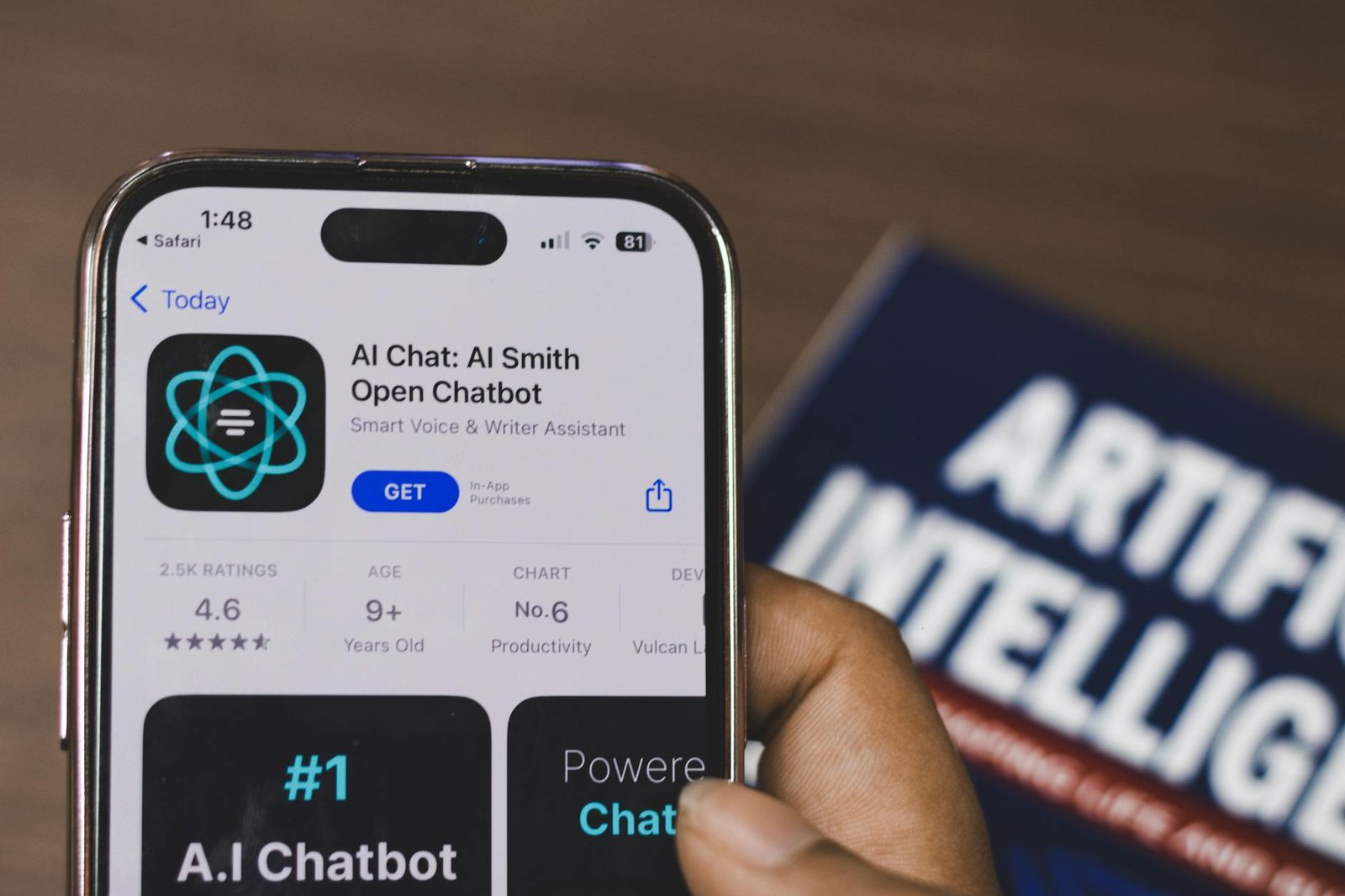
A customer messages your business at 9:47 p.m. on a Tuesday with a simple question about your hours. By morning, they’ve already booked with a competitor who answered in four minutes. That gap between when people ask and when small business owners can actually respond has gotten harder to bridge, and it’s where AI chatbots have started to earn their keep. The technology has matured well past the clunky decision-tree bots of a few years ago. Used thoughtfully, a modern chatbot can handle a meaningful share of routine inquiries around the clock — but only if you go in with a clear-eyed view of what it actually does well and where it still needs a human hand.
This article walks through the practical reality of deploying an AI chatbot for a small business in 2026. We’ll look at why adoption is accelerating, what the response-time data says about the cost of staying offline, and the specific tasks chatbots genuinely handle well today. From there, we’ll cover where to deploy them so customers actually find them, how to think about accuracy and trust, what to look for when choosing a platform, and the concrete trade-offs between the major options. The goal: a realistic framework you can use to decide whether a chatbot belongs in your operation, and what to expect once it does.
Why Small Businesses Are Turning to AI Chatbots in 2026
The chatbot of 2026 is a different product than the clunky decision-tree widget many small business owners tested a few years ago and quietly turned off. Today’s tools are conversational, context-aware, and capable of handling the majority of customer interactions without any human involvement, according to industry guides like BotHero.ai’s small business overview. That maturity curve is the single biggest reason adoption has accelerated among independent operators, retailers, professional service firms, and local trades — the categories that historically lacked the budget for a full support desk.
The always-on problem small businesses can’t solve with payroll
The pain point driving most chatbot evaluations is simple and familiar. Customers expect instant responses, but a small business owner cannot be available 24 hours a day, 7 days a week. Hiring a second-shift agent to cover evenings and weekends is rarely viable at small-business volume, and outsourced answering services tend to handle only the simplest intake. Consequently, the gap between when a prospect asks a question and when someone replies is where deals quietly die.
Notably, this is exactly the slot AI chatbots have grown into. Platforms positioned for this audience — Tidio is one of the more visible examples — market themselves explicitly as AI customer service agents that cover the conversation while the owner is on a job, asleep, or with another customer.
Why small operators benefit more than enterprise
Coverage on small-business publications consistently frames small operators as the biggest beneficiaries of the current generation of tools, in part because accuracy on repeat tier 1 questions has improved enough that owners no longer have to babysit the bot. A larger company already has staff fielding “what are your hours” and “do you ship to my zip code.” A two-person shop does not, and that is precisely the workload chatbots now absorb cleanly.
The trade-offs still matter, though, and they show up clearly when you weigh the model against traditional support coverage:
Pros of an AI chatbot for a small business:
– 24/7 coverage without a second shift on payroll
– Instant response on repeat questions that would otherwise interrupt the owner
– Captures leads and bookings outside business hours
– Scales with traffic spikes without a hiring cycle
Cons to plan around:
– Accuracy depends on how well your content and FAQs are written
– Edge cases and emotional conversations still need a human handoff
– Setup and tuning is real work, not a one-click install
– Monthly subscription costs add up across tools
What the rest of this article will cover
This guide is not a sales pitch for any one vendor. Furthermore, it is not a promise that a chatbot replaces your team. The goal is a realistic walkthrough of what these tools genuinely do well in 2026, where they still fall short, and which categories of platforms — from lightweight website widgets to full-stack customer service suites like those rounded up in Jotform’s 2026 list — deserve attention based on the size and shape of your operation. From there, the later sections move into deployment placement, accuracy expectations, platform selection criteria, and the concrete trade-offs between the leading options on the market today.
The Cost of Being Offline: What the Response-Time Numbers Say
Here is the number that should make every small business owner uncomfortable: 79% of leads that submit a form or ask a question online expect a response within five minutes. Not within the hour. Not by end of business. Five minutes. That expectation has been baked in by years of two-day Amazon delivery, instant chat on enterprise sites, and a generation of customers who treat a slow reply as a closed door.
The second number is worse. After that five-minute window closes, the odds of qualifying that lead drop by 80%. The contact does not just cool — it effectively disappears. A prospect who pinged you at 7:42 p.m. and heard nothing back by 7:47 has, statistically speaking, already moved on to the next result on the search page.
The Math of a 9-to-6 Schedule
Run the math against a typical small business schedule and the picture sharpens. A 9 a.m. to 6 p.m. weekday operation covers nine hours of the twenty-four-hour day. That leaves fifteen hours of dead air every single weekday — plus the entire weekend. Add it up and you get over 60% of the week where potential customers are getting silence instead of answers.
That silence is not neutral. Every form submission that lands at 9:14 p.m. on a Tuesday, every chat bubble opened at 11 a.m. on a Saturday, every question typed during a lunch break that you spent away from your desk — each one is governed by the same five-minute rule. The schedule that feels normal to you as the owner is, from a revenue standpoint, a leaking roof.
Reframing the Decision
This is why the conversation about chatbots needs to be re-centered. Small business owners often evaluate them as a technology upgrade, weighing features against cost and asking whether the office really “needs” automation. That framing misses the point.
Consequently, the more useful frame is revenue protection. The question is not “do I want a chatbot?” but “what is the realistic dollar value of the leads I am currently losing between 6 p.m. and 9 a.m., and every hour of the weekend?”
Pros of treating always-on coverage as revenue protection:
- Forces a real ROI calculation against measurable lost-lead value rather than a vague productivity claim.
- Reframes the spend as defending existing demand, which is easier to justify than chasing new demand.
- Aligns the chatbot’s job description with the five-minute response rule that already governs the market.
Cons and caveats:
- The math only holds if the bot can actually qualify or capture the lead — a bot that frustrates the visitor is worse than silence.
- Revenue protection still requires a human follow-up loop; an unanswered chatbot conversation is the same problem in a new wrapper.
- Owners in low-volume, high-touch industries may find the lost-lead value too small to justify a paid platform.
The five-minute rule is not going to relax. Therefore, the practical question for the rest of this guide is which tools actually meet it without creating new problems, and where they fit on a small business website.
What AI Chatbots Can Realistically Do for a Small Business
Set against that five-minute expectation, a well-configured chatbot is not a gimmick. It is a way for a two-person shop to look like a ten-person shop without hiring eight more people. The honest framing is narrower than the marketing copy suggests, but the narrow version is still genuinely useful. A modern chatbot can handle customer support, answer queries 24/7, generate leads, and even help with content creation — all at a fraction of the cost of hiring extra staff. For a small business owner weighing a part-time hire against a software subscription, that is the comparison that actually matters.
Always-on coverage for the questions you already answer
The first and most defensible use case is round-the-clock coverage of the questions you are already tired of answering by email. Hours, parking, return policy, service area, lead times, whether you do free estimates, whether you take a particular insurance plan. These are not hard questions. They are repetitive ones, and they arrive at 9 p.m. on a Sunday as often as they do at 11 a.m. on a Tuesday. A chatbot offers 24-7-365 access to information and assistance, eliminating wait times for frustrated or curious users. Furthermore, the top tools deploy across websites, SMS, WhatsApp, Facebook Messenger, and more, which matters because your customers are not all on the same channel. The plumber’s customers prefer text. The boutique’s customers prefer Instagram. Meeting them where they already are is cheaper than retraining them.
Automating a meaningful share of conversations
The second use case is volume reduction on the conversations that do reach a human. Tidio markets the ability to automate up to 67% of conversations as a reference point, and while your mileage will vary by industry and how cleanly your FAQs are written, even a third of conversations handled without staff time is real money. Therefore, the practical math is straightforward: count the inbound questions you get in a week, multiply by the minutes each one steals, and ask whether reclaiming a meaningful slice of that is worth the subscription.
Lead qualification before a human steps in
The third use case, particularly relevant for B2B and service firms, is lead qualification. A chatbot can ask the four or five questions you would otherwise ask on a discovery call: project scope, timeline, budget range, location, decision-maker status. By the time a prospect hits your inbox, you already know whether they are worth a callback.
Where chatbots earn their keep:
– Pros: 24/7 coverage, predictable monthly cost, multichannel reach, qualified leads instead of cold ones, frees owners from repetitive tier-1 questions.
– Cons: Setup time to write good answers, ongoing tuning when your business changes, hard ceiling on what they can resolve without escalation, brand risk if responses go wrong.
What this means for your business is simple. Do not buy a chatbot to replace your team. Buy one to absorb the first layer of inbound noise so your team has time for the conversations that actually close revenue.
Where the Channels Live: Meeting Customers Where They Already Are
A chatbot that only lives on your website is solving half the problem. Your customers are not all sitting on your homepage waiting to ask a question. Some are texting. Some are scrolling Facebook. Some are deep in a WhatsApp thread with three other vendors comparing quotes. If your bot cannot meet them where they already are, it is not really reducing your support load. It is just adding another inbox you have to monitor.
According to a roundup of small-business chatbot platforms from Jotform, the top tools now support deployment across multiple channels including websites, SMS, WhatsApp, and Facebook Messenger, so customers can engage on whichever platform they already prefer. That distinction matters more than it sounds. A plumbing company in Dorchester probably gets most of its inbound through SMS and Facebook. A boutique consultancy might see almost everything come through the website contact form. The right channel mix is not universal, and the bot you choose needs to match the reality of where your customers actually message you.
Why Multichannel Matters More Than It Looks
Small businesses rarely have the staff to run a separate playbook for every channel. Moreover, customers do not think in channels. They think in conversations. Someone who asks a question on Messenger at 9pm expects the same answer they would get if they called at 10am. A bot deployed across channels gives you consistency without requiring a human to be logged into four apps at once. That consistency is the actual product. The chatbot is just the delivery mechanism.
Integrations Are Where the Real Work Happens
Channel coverage is the front door. Integrations are the plumbing. The same Jotform overview notes that platforms such as HubSpot, Salesforce, Slack, and Google Calendar connect into these bots so team members can move work forward without copy-pasting between systems. A booking confirmed by the bot should land on your calendar. A new lead should land in your CRM. A flagged complaint should ping the right person in Slack. Without that wiring, the bot is just a chat window that creates more manual work downstream.
Pros of going wide on channels and integrations:
- Customers reach you on their preferred platform
- Conversations and data flow into the tools you already use
- One bot logic, applied consistently everywhere
Cons:
- More surface area to test and maintain
- Each integration is another thing that can break or drift out of sync
- Setup time and per-integration costs add up quickly
The Practical Question for Owners
Before chasing every channel and every integration, answer one question honestly: where do your customers actually message you today? Pull the last thirty days of inbound. Count the website chats, the Facebook messages, the SMS threads, the missed calls. Therefore, the answer almost always points to one or two channels that carry the bulk of the volume. Start there. Wire up your CRM or calendar if booking and lead capture are the real bottlenecks. Skip the rest until volume on those channels justifies the work. A bot deployed well on two channels beats a bot deployed poorly on six.
Setting Realistic Expectations: Accuracy, Trust, and the Limits of Automation
A chatbot that gets the answer wrong is worse than no chatbot at all. Small business owners rarely have the time or staff to babysit a bot, proofread every reply, or apologize to a customer who got bad pricing information from an automated assistant. That is why accuracy, not features, is the single most important variable when you evaluate a tool. The realistic goal is not a bot that handles everything. It is a bot that handles the repeat tier 1 questions reliably, in your voice, and knows when to step aside.
How Vendors Are Framing Trust
The leading platforms have noticed that buyers are skeptical, and they are pitching trust as the headline feature. Lyro, for example, is marketed as an AI agent that trains on verified data sources so its responses stay reliable and helpful, and it answers in your brand voice rather than a generic chatbot register. Tidio, the platform Lyro sits inside, claims its automation can handle up to 67% of conversations while keeping support fast and human. Other vendors take a similar tack. A 2026 roundup notes that today’s bots are “intelligent, conversational, and capable of handling the majority of customer interactions without any human involvement,” with small businesses as the biggest beneficiaries.
The language matters because it sets the ceiling. Notably, no credible vendor is promising 100% deflection. The honest pitch is “the majority,” and that is the number you should plan around.
The Realistic Ceiling
Plan for the bot to handle the predictable middle of your inbox: hours, pricing, returns, appointment changes, where-is-my-order. Anything emotional, ambiguous, or genuinely novel still needs a human. A refund dispute, a furious customer, a wedding-photographer client asking whether you can shoot in two cities on the same day — none of that belongs to the bot. Build your escalation path before you launch, not after a complaint.
Pros of leaning hard on automation:
– Lower per-ticket cost and faster response on repeat questions
– 24/7 coverage without staffing nights or weekends
– Consistent answers, in a consistent voice
Cons of leaning hard on automation:
– Wrong answers erode trust faster than slow answers
– Edge cases and emotional conversations get worse, not better
– You still need a human on call for the handoff
Pros of keeping a human in the loop for escalations:
– Complex issues land with someone who can actually resolve them
– The bot’s mistakes get caught before they become refund requests
– Customers feel heard when it matters most
Cons of keeping a human in the loop:
– Higher fixed cost than full automation
– Requires clear rules for when the bot hands off
– Coverage gaps if your one human is asleep
Therefore, the right posture for most small businesses is automate the boring middle, escalate the rest, and measure both the deflection rate and the complaint rate every month. If complaints tick up, tighten the bot’s guardrails before you celebrate the deflection number.
Choosing a Platform: What to Look For in 2026
The chatbot market has matured considerably, and the practical effect for small business owners is that you no longer need a custom build to get something useful running on your site. Roundups now routinely cover 10 of the best chatbot platforms for 2026, each with features specifically tailored to smaller operations rather than enterprise call centers. That abundance is good news, but it also means the decision has shifted from “should we get a chatbot” to “which one actually fits how we work.” Picking well takes a short list of criteria and a willingness to test before you commit.
Features That Actually Matter
Start with the questions that map to business outcomes. What share of your repeat questions can the bot resolve without a human? Can you train it on your own verified content, so it speaks in your voice and quotes your real policies? Will it deploy across the channels your customers already use, and does it plug into the tools your team lives in day to day? Platforms such as HubSpot, Salesforce, Slack, and Google Calendar integrations are common selling points for a reason — a chatbot that lives in a silo creates more work, not less.
Furthermore, watch how a vendor talks about its own staying power. Tidio, for example, keeps appearing in current 2026 coverage because setup is simple, pricing stays accessible, and its AI handles a large share of repeat questions out of the box. Those three traits — simple onboarding, predictable cost, and a meaningful deflection rate on day one — are a reasonable baseline for any tool you evaluate.
Off-the-Shelf SMB Platforms vs. Custom Enterprise Builds
Most small businesses should start with a packaged SMB platform rather than commission something bespoke. The trade-offs are worth naming out loud.
Off-the-shelf SMB platforms — pros:
– Live in days or weeks, not quarters
– Subscription pricing scales with usage instead of a large upfront build
– Integrations with common CRMs, calendars, and helpdesks ship in the box
– Vendor handles model updates and uptime
Off-the-shelf SMB platforms — cons:
– Less flexibility on edge-case workflows
– You inherit the vendor’s roadmap and any pricing changes
– Brand voice customization is bounded by the platform’s templates
Custom or enterprise-style deployments — pros:
– Deep integration with proprietary systems
– Full control over data handling and model selection
– Workflows can match unusual business logic exactly
Custom or enterprise-style deployments — cons:
– Materially higher cost and longer timeline
– Ongoing maintenance becomes your problem
– Frequently overkill for a business handling a few hundred conversations a month
What this means for your business: if you are a Boston bakery, a regional law firm, or a ten-person SaaS, the off-the-shelf path is almost always the right starting point. Run a 30-day trial on the two platforms that best match your channels, measure resolution rate and customer complaints, and let the data — not the sales deck — pick the winner.
Need Help with Your Small Business Website?
If you’re a small business owner looking to build, redesign, or improve your website, we’d be happy to discuss your specific needs. Monir Tech Solutions specializes in small business website design, development, and maintenance for small businesses across the Boston area and beyond — including custom websites, e-commerce, POS integration, and ongoing support.
Reach out anytime at info@monirtechsolutions.com and we’ll respond within 24 hours.
The Bottom Line
AI chatbots in 2026 are no longer a futuristic experiment for enterprise call centers — they are a practical, affordable way for small businesses to cover the hours they cannot staff, qualify leads while you sleep, and automate the repeat questions that drain your team’s attention.
The realistic expectation is straightforward. A well-configured chatbot will absorb the majority of routine customer interactions, but humans still own the hard conversations — the angry refund, the high-value enterprise inquiry, the nuanced situation that needs judgment. That division of labor is the entire value proposition. You are not replacing your team; you are giving them air cover so they can focus on the work that actually requires a person. Accuracy matters here, because small businesses rarely have the bandwidth to babysit a bot, and a hallucinating chatbot creates more cleanup than it saves. Pick a platform that lets you ground the bot in your own content and escalate cleanly when it does not know the answer.
What to Hold Onto
A few takeaways worth keeping as you move forward:
- Off-the-shelf wins for most SMBs. Platforms like Tidio and the SMB-focused options covered in Jotform’s 2026 roundup keep showing up because setup is simple, pricing stays accessible, and the AI handles a large share of repeat questions out of the box.
- Trial before you commit. A 30-day pilot tells you more than any sales demo.
- Measure two things. Resolution rate on routine questions and customer complaint volume. If both move in the right direction, the bot is earning its seat.
Your Move This Week
Here is the concrete next step. Pull your support inbox, chat logs, or voicemail from the last 30 days and do a simple response-time audit. Specifically, look at two windows: after-hours (anything outside your staffed schedule) and weekends. Count the messages, then estimate how long each one waited for a human reply. That gap is your baseline — and it is almost certainly the number that an AI chatbot will move first.
Pros and cons of starting with this audit before shopping for a platform:
- Pros: Grounds your vendor conversations in real numbers, makes ROI easy to calculate after the trial, surfaces your top 10 repeat questions for free.
- Cons: Takes an hour or two of unglamorous spreadsheet work before you get to the fun part of demoing tools.
Therefore, block 90 minutes on your calendar this week. Run the audit, list the ten questions you answer most often, and shortlist two SMB-focused platforms from the options reviewed in this year’s small-business chatbot guides to trial against that list. Let the data pick the winner. That is how a small business gets the upside of AI without betting the customer relationship on it.