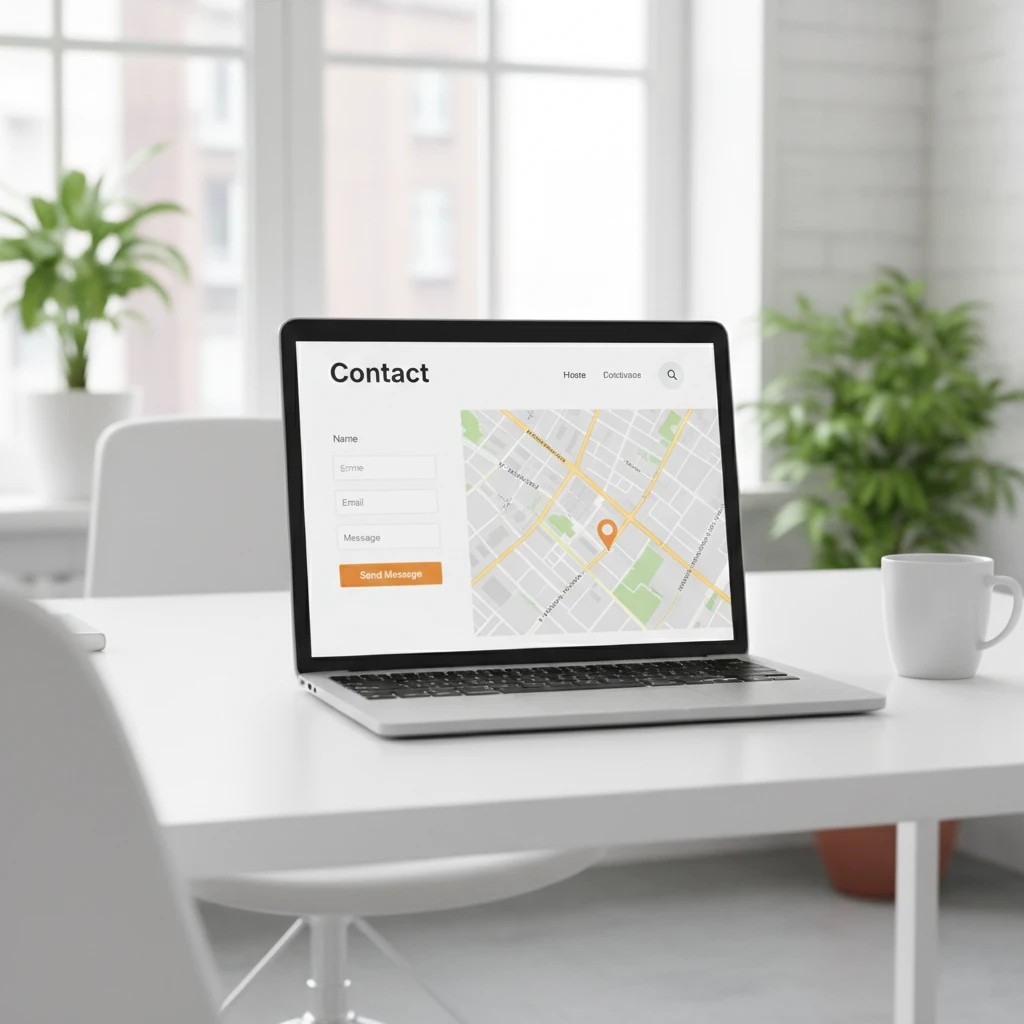
Your contact page might be the most important page on your entire website. Every potential customer who wants to reach you visits this page first. However, many small businesses treat it as an afterthought.
A poorly designed contact page loses leads every single day. Conversely, an effective contact page converts curious visitors into actual customers. Therefore, getting this page right deserves your full attention.
This guide shows you exactly how to create a contact page that works hard for your business.
Why Your Contact Page Matters
Many business owners underestimate their contact page’s importance. However, this single page directly impacts your bottom line significantly.
It’s Often the Final Step
Visitors browse your website learning about your business. They check your services and read your content carefully. Finally, they decide to reach out through your contact page.
This page represents the critical conversion moment. Everything else on your website leads here ultimately. Therefore, a weak contact page wastes all your other marketing efforts.
First Impressions Work Both Ways
Your contact page reveals how you treat potential customers. A confusing, cluttered page suggests disorganized business practices. Conversely, a clean, helpful page builds immediate confidence.
Visitors judge your professionalism by this page specifically. Make sure that judgment works in your favor.
It Affects Search Rankings
Google notices when visitors struggle with your contact page. High bounce rates and quick exits signal problems to search engines. Consequently, poor contact pages can hurt your overall SEO performance.
Additionally, contact pages with proper local business information boost local search rankings. Therefore, optimization benefits both users and search visibility.
Essential Elements Every Contact Page Needs
Effective contact pages share certain key elements. Include all of these to maximize your conversion potential.
Clear Contact Information
Display your phone number prominently on the page. Many visitors prefer calling over filling out forms. Therefore, make your number impossible to miss.
Include your email address for those who prefer writing. Also, add your physical address if you have a location customers visit. Furthermore, display your business hours so visitors know when to expect responses.
A Simple Contact Form
Forms capture leads even outside business hours. However, complexity kills form completions dramatically. Therefore, keep your form as simple as possible.
Ask only for essential information initially. Name, email, and message are usually sufficient. Every additional field reduces completion rates measurably. You can gather more details after making initial contact.
Multiple Contact Options
Different people prefer different communication methods. Some visitors want to call immediately. Others prefer email for documentation purposes. Meanwhile, some people love live chat options.
Offering multiple options accommodates all preferences equally. Consequently, you capture leads you’d otherwise lose to friction.
A Map for Physical Locations
If customers visit your location, include an embedded map. Google Maps integration works perfectly for this purpose. Visitors can get directions with a single click.
Additionally, maps add visual interest to the page layout. They also reinforce your local business presence effectively.
Social Media Links
Some visitors prefer connecting through social platforms. Therefore, include links to your active social media profiles. However, only link to profiles you actually maintain regularly.
Dormant social accounts damage credibility significantly. Therefore, remove links to profiles you’ve abandoned completely.
Designing Your Contact Page for Conversions
Design choices directly impact how many visitors actually contact you. Follow these principles for maximum effectiveness.
Keep It Clean and Simple
Cluttered pages overwhelm and confuse visitors unnecessarily. Remove anything that doesn’t help people contact you. Therefore, eliminate distracting sidebars, excessive links, and irrelevant content.
White space helps important elements stand out visually. Don’t fear empty areas on your contact page. Actually, simplicity increases conversions consistently.
Make the Form Visually Prominent
Your contact form should be immediately visible without scrolling. Place it prominently near the top of the page. Additionally, use contrasting colors to make it stand out.
Visitors shouldn’t hunt for ways to contact you. The path to reaching out should be completely obvious immediately.
Use a Clear Call to Action
Your form’s submit button needs compelling text. “Submit” is boring and vague to most visitors. Instead, use action-oriented phrases that motivate clicks.
Try alternatives like “Get Your Free Quote” or “Send Message.” These phrases feel more personal and purposeful. Consequently, they generate more clicks than generic alternatives.
Ensure Mobile Responsiveness
Over 60% of website traffic comes from mobile devices. Therefore, your contact page must work perfectly on phones. Test it thoroughly on actual mobile devices.
Forms should be easy to complete on small screens. Phone numbers should be clickable for instant calling. Additionally, maps should be interactive and usable on mobile.
Add Trust Signals
Visitors need confidence before sharing their information. Therefore, add elements that build trust around your form.
Consider including customer testimonials near the contact form. Display any certifications or awards your business has earned. Additionally, mention your response time commitment prominently.
Writing Effective Contact Page Copy
Words matter significantly on your contact page. The right copy encourages action while the wrong copy creates hesitation.
Use a Welcoming Headline
Start with a headline that invites conversation warmly. Avoid cold, corporate language that feels impersonal. Instead, make visitors feel genuinely welcome.
Good examples include “Let’s Talk About Your Project” or “We’d Love to Hear From You.” These headlines feel friendly and approachable. Consequently, they encourage visitors to reach out.
Explain What Happens Next
Visitors want to know what to expect after submitting. Therefore, clearly explain your response process somewhere on the page.
Will you call them back? How quickly will they receive a response? What information should they prepare? Answering these questions reduces anxiety about reaching out.
Address Common Concerns
What might prevent someone from contacting you? Perhaps they worry about aggressive sales tactics afterward. Maybe they’re unsure if their project is big enough.
Address these concerns directly on your contact page. For instance, mention that consultations are free with no obligation. This reassurance removes barriers to contact effectively.
Keep Copy Concise
Contact pages aren’t the place for lengthy content. Visitors have already decided to reach out presumably. Therefore, don’t delay them with walls of unnecessary text.
Use short paragraphs and bullet points where appropriate. Get visitors to the form quickly without friction.
Contact Form Best Practices
Your contact form deserves special attention and care. Small details dramatically affect completion rates here.
Minimize Required Fields
Every required field is a potential abandonment point. Therefore, require only absolutely essential information initially.
Name and email are typically necessary for follow-up. A message field lets visitors explain their needs. Phone number can often be optional rather than required.
Consider what information you truly need versus what you want. You can always gather additional details in follow-up conversations.
Use Smart Field Labels
Label each field clearly so visitors understand requirements. Place labels above or inside fields consistently throughout. Additionally, use placeholder text to show expected formats.
For phone numbers, show the expected format like “(555) 555-5555.” For messages, suggest what information would be helpful. These guides improve form completion significantly.
Add Field Validation
Validation catches errors before form submission occurs. Real-time validation works better than post-submission error messages. Therefore, show feedback as visitors complete each field.
Mark successful entries with green checkmarks visually. Show clear error messages in red for problems. This immediate feedback prevents frustrating submission failures.
Include a Privacy Statement
Visitors worry about how you’ll use their information. Therefore, include a brief privacy statement near your form. Link to your full privacy policy for complete details.
Simply stating “We’ll never share your information” provides reassurance. This small addition noticeably increases form completion rates.
Create a Thank You Response
After submission, redirect visitors to a thank you page. This page confirms their message was received successfully. Additionally, it sets expectations for your response timeline.
Include next steps on your thank you page helpfully. Perhaps suggest browsing your portfolio while they wait. This keeps visitors engaged with your website longer.
Common Contact Page Mistakes to Avoid
Many businesses make these same errors repeatedly. Learning from their mistakes improves your results immediately.
Hiding Contact Information
Some websites bury contact details deep within pages. Visitors must click multiple times to find basic information. Obviously, this frustrates people and loses potential leads.
Make your contact information easily accessible everywhere. Consider adding it to your header or footer sitewide. The easier you are to reach, the more people will reach out.
Asking Too Many Questions
Long forms intimidate visitors and kill conversion rates. Requiring detailed project specifications upfront asks too much. Consequently, visitors abandon forms halfway through completion.
Remember, the goal is starting a conversation initially. Save detailed questions for after you’ve made contact successfully.
Using Captchas Incorrectly
Spam prevention is important, but captchas frustrate legitimate visitors. Difficult captchas cause form abandonment regularly. Therefore, choose user-friendly spam prevention methods.
Honeypot fields work invisibly without annoying real visitors. reCAPTCHA v3 operates in the background automatically. These options block spam without creating friction for legitimate contacts.
Neglecting Mobile Users
Forms that work beautifully on desktop often fail on mobile devices. Small buttons, tiny fields, and horizontal scrolling frustrate mobile users. Consequently, you lose leads from the majority of visitors.
Test your contact page thoroughly on multiple mobile devices. Ensure every element works perfectly on small screens.
Slow Page Load Times
If your contact page loads slowly, visitors leave before contacting you. Every second of delay reduces conversions measurably. Therefore, optimize your contact page for speed.
Compress images and minimize unnecessary scripts thoroughly. Consider lazy loading for elements below the fold. Fast loading keeps visitors engaged and ready to convert.
No Confirmation Message
Visitors who submit forms need confirmation of success. Without clear feedback, they wonder if anything happened. Consequently, they might submit multiple times or simply leave.
Always show a clear success message after submission. Redirect to a thank you page or display an obvious confirmation. This simple addition prevents confusion and duplicate submissions.
Advanced Contact Page Strategies
Once you’ve mastered the basics, consider these advanced techniques for better results.
Segment Your Contact Options
Different visitors have different needs and intentions. Therefore, consider offering segmented contact options for various purposes.
Create separate forms for sales inquiries versus support requests. Alternatively, use a dropdown menu asking about inquiry type. This routing gets messages to the right people faster.
Add Live Chat
Live chat captures visitors who want immediate responses. Many people prefer real-time conversation over email delays. Therefore, adding chat can significantly increase lead capture.
If you can’t staff live chat constantly, use chatbots for initial responses. Collect basic information and promise human follow-up shortly. This approach works better than no chat option at all.
Include FAQ Elements
Some visitors have questions before they’re ready to contact you. Adding a brief FAQ section addresses common concerns proactively. Consequently, more visitors become confident enough to reach out.
Keep FAQs focused on contact-related questions specifically. How quickly do you respond? Is there a consultation fee? What information should they prepare?
A/B Test Your Page
Small changes can dramatically affect conversion rates. Therefore, test different versions of your contact page systematically.
Try different headlines, button colors, and form layouts. Compare results over time to identify winners. Continuous testing improves performance gradually but significantly.
Track Form Analytics
Monitor how visitors interact with your contact form. Analytics reveal where people abandon the form specifically. Therefore, you can fix problem areas with precision.
Tools like Hotjar show exactly how users interact with forms. This data identifies friction points you might otherwise miss completely.
Optimizing for Local Search
Your contact page significantly impacts local SEO performance. Therefore, proper optimization helps nearby customers find you.
Include Complete NAP Information
NAP stands for Name, Address, and Phone number consistently. This information should match your Google Business Profile exactly. Inconsistencies confuse search engines and hurt rankings.
Use the exact same formatting everywhere your business appears online. Consistency signals legitimacy to search algorithms effectively.
Add Schema Markup
Schema markup helps search engines understand your contact information. LocalBusiness schema tells Google exactly what your business offers. Consequently, you may appear in enhanced search results.
Your web developer can add schema markup to your contact page. Alternatively, WordPress plugins like Yoast handle this automatically.
Embed Google Maps Properly
An embedded Google Map reinforces your local presence significantly. It also provides user convenience for getting directions. Therefore, including a map serves both SEO and user experience.
Make sure your map marker matches your stated address exactly. Discrepancies create confusion for both visitors and search engines.
Measuring Contact Page Success
You can’t improve what you don’t measure accurately. Therefore, track key metrics for your contact page consistently.
Form Submission Rate
Calculate what percentage of contact page visitors actually submit forms. This conversion rate indicates how effectively your page works. Industry averages vary, but 10-20% is reasonable for contact pages.
If your rate falls below 5%, something needs attention urgently. Test different elements to identify and fix problems.
Bounce Rate
Bounce rate shows how many visitors leave without taking action. High bounce rates suggest your page doesn’t meet visitor expectations. Consequently, investigate what’s driving people away.
Compare your contact page bounce rate to site averages. Significantly higher rates indicate specific page problems.
Time on Page
How long do visitors spend on your contact page? Very short times suggest people aren’t finding what they need. Conversely, very long times might indicate confusion or difficulty.
Aim for enough time to complete the form comfortably. Typically, 1-3 minutes indicates healthy engagement levels.
Source Analysis
Track where your contact form submissions come from originally. This data reveals which marketing channels drive actual leads. Therefore, you can invest more in high-performing sources.
Use UTM parameters to track specific campaigns accurately. Google Analytics shows this information in acquisition reports.
The Bottom Line
Your contact page serves as the gateway between website visitors and real business relationships. Therefore, investing time in optimization pays significant dividends.
Start with essential elements: clear contact information, a simple form, and multiple contact options. Then, refine your design and copy for maximum conversions. Finally, monitor performance and continuously improve.
A well-crafted contact page works around the clock capturing leads. Every improvement increases the return on all your other marketing efforts.
Make your contact page a priority today. Your future customers are trying to reach you right now.
Need help creating an effective contact page? Get a free quote or contact us to discuss your website needs.