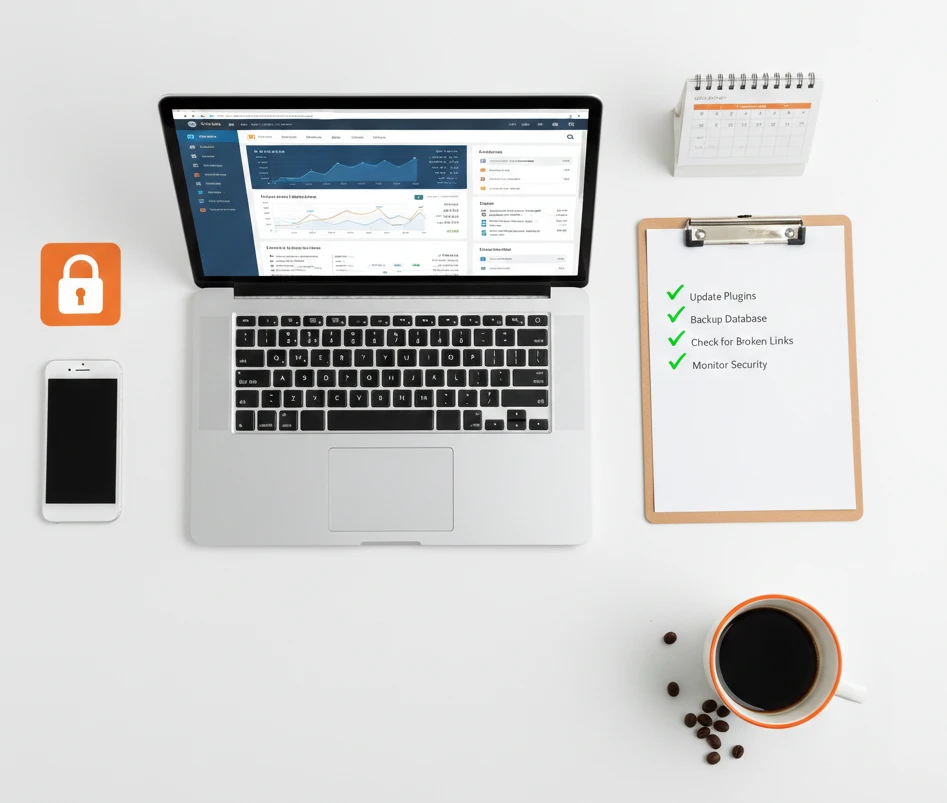
Your website needs regular care to stay healthy. Think of it like a car that needs oil changes. Without proper maintenance, both will eventually break down.
Many business owners launch their site and then forget about it. Unfortunately, problems start appearing over time. The site slows down gradually. Security gets compromised unexpectedly. Forms stop working silently.
However, website maintenance doesn’t have to be complicated. In fact, this guide breaks everything down into simple, manageable tasks.
Why Website Maintenance Matters
Skipping maintenance creates real problems for your business. Therefore, understanding the risks is essential.
Security Risks
Hackers specifically target outdated websites. They actively search for old plugins with known vulnerabilities. According to research, over 90% of hacked WordPress sites run outdated software.
What happens after a successful hack? First, hackers steal customer data. Then, they spread malware to your visitors. Ultimately, they destroy your reputation overnight.
Fortunately, regular updates prevent most attacks. These updates close security holes before hackers exploit them. As a result, maintenance becomes your strongest defense.
Poor Performance
Websites naturally slow down over time. Databases gradually fill with unnecessary junk. Images continuously pile up in your media library. Meanwhile, old plugins drag everything down.
Why does speed matter so much? Research shows that 40% of visitors leave if pages take over 3 seconds to load. Consequently, slow websites lose customers and sales daily.
Search Engine Rankings
Google consistently rewards fast, secure websites with higher rankings. Conversely, Google penalizes neglected sites by pushing them down in results. Therefore, your visibility suffers without proper maintenance.
Additionally, Google now warns visitors about non-secure sites. These browser warnings immediately scare people away. As a result, potential customers leave before seeing your content.
Broken Features
Contact forms sometimes break without warning. Links occasionally stop working after updates. Images randomly disappear from pages. Obviously, these problems frustrate your visitors.
However, regular checks catch issues before customers notice them. Therefore, preventive maintenance saves both money and reputation.
Weekly Maintenance Tasks
Certain tasks need attention every week. Fortunately, these quick checks only take about 15 minutes total.
Check for Updates
First, log into your dashboard every week. Next, look for any available updates. Finally, review your platform, theme, and plugins for notifications.
However, never update without preparation. Before anything else, ensure you have a recent backup. Then, apply updates one at a time carefully. This methodical approach helps you identify problems quickly.
Test Your Contact Form
Regularly submit test messages through your form. Afterward, verify the message reaches your inbox properly. Also, remember to check spam folders for missed inquiries.
Why is this step so important? Unfortunately, many businesses lose valuable leads because forms break silently. Therefore, weekly testing prevents this costly problem.
Run a Quick Security Scan
Take time to check your security plugin’s dashboard weekly. Specifically, look for any warnings or blocked threats. Most security plugins display this information clearly.
Have you noticed unusual activity in the logs? If so, investigate the situation immediately. Remember, early detection always prevents major problems.
Check Website Speed
Visit Google’s PageSpeed Insights regularly. Simply enter your website URL and wait for results. Then, review the recommendations carefully.
Has your speed score dropped recently? If so, something definitely needs attention. Note the specific recommendations and address critical issues promptly.
Monthly Maintenance Tasks
These important tasks require more time each month. Nevertheless, completing them keeps your site healthy long-term.
Verify Your Backups
Ideally, your site backs up automatically every day. However, automatic doesn’t always mean reliable. Therefore, verify that backups actually work each month.
How exactly do you verify backups? First, download a recent backup file to your computer. Next, open it and confirm it contains your files and database. This simple verification can save you from complete disaster.
Scan for Broken Links
Links naturally break over time on every website. External sites occasionally shut down permanently. Internal pages sometimes get moved or deleted accidentally.
Fortunately, free tools like Broken Link Checker make scanning easy. Simply run a complete site scan monthly. Afterward, fix or remove any broken links discovered. As a result, visitors enjoy smoother browsing experiences.
Review Your Analytics
Check your Google Analytics data at least monthly. Specifically, look for unusual patterns or sudden changes.
Is your traffic dropping unexpectedly? This decline might signal technical problems. Similarly, pages with high bounce rates clearly need improvement. Additionally, note which content performs best for future planning.
Update Outdated Content
Carefully read through your most important pages monthly. Ask yourself whether everything remains accurate. Specifically, verify that prices and contact information are current.
Outdated content seriously damages your credibility with visitors. Therefore, keeping information fresh and accurate matters greatly.
Test All Your Forms
Submit test entries through every form on your website. Check contact forms first, then newsletter signups. Don’t forget booking forms and quote request forms too.
Afterward, verify that confirmation emails send correctly. Also, confirm that submissions reach the right team members.
Test on Mobile Devices
Open your website on your actual phone monthly. Navigate through all key pages carefully. Specifically, try finding your contact information as a visitor would.
Websites change unexpectedly after updates sometimes. What worked perfectly last month might have issues now. Therefore, testing on real mobile devices catches these problems.
Quarterly Maintenance Tasks
Every three months, dig deeper into your website’s overall health.
Conduct a Security Audit
Thoroughly review all your security settings quarterly. Carefully check every user account in your system. Immediately remove any accounts you don’t recognize.
Furthermore, update passwords for all admin accounts regularly. Strong, unique passwords protect your site much better than weak ones.
Optimize Performance
Run a comprehensive speed test on your entire site. Completely clear your website’s cache afterward. Then, optimize any new images you’ve uploaded recently.
Consider removing plugins you no longer actively use. Each installed plugin slows your site down slightly. Therefore, fewer plugins mean noticeably faster loading times.
Clean Your Database
Databases naturally collect clutter over months of use. Post revisions pile up unnecessarily. Spam comments accumulate in moderation queues. Meanwhile, temporary data builds up in the background.
Fortunately, database optimization plugins handle cleanup easily. Run one quarterly to clear out the junk. This maintenance significantly improves overall performance. However, always create a backup before cleaning.
Review Hosting Performance
Check your hosting account’s resource usage quarterly. Specifically, look for approaching limits or warnings. Also, investigate any recent downtime incidents.
Are you experiencing performance problems lately? If so, contact your hosting provider immediately. You might simply need a plan upgrade to handle increased traffic.
Check SEO Health
Use Google Search Console to monitor SEO quarterly. Specifically, look for crawl errors in your reports. Also, check for security issues or indexing problems.
Fix any errors you discover right away. Additionally, submit your updated sitemap if you haven’t recently.
Annual Maintenance Tasks
Once yearly, conduct a comprehensive website review covering everything.
Complete Security Review
Change all your important passwords at least annually. Thoroughly review every user account in your system. Also, check file permissions on your server carefully.
Does your business handle sensitive customer data? If so, consider investing in a professional security audit. This investment genuinely protects both your business and customers.
Audit Design and Content
Step back and evaluate your entire website objectively. Honestly assess whether the design still fits your brand. Also, determine if all content remains relevant and accurate.
Take time to look at competitor websites too. Has your industry evolved while your site stayed static? If so, consider making updates to stay competitive.
Evaluate Your Hosting Provider
Review your host’s performance over the entire past year. Specifically, count any outages or downtime incidents. Also, evaluate how responsive their support team was.
Compare your current prices with competitor offerings too. You might find significantly better value elsewhere. However, never switch providers just to save a few dollars.
Verify SSL Certificate Renewal
Most SSL certificates require annual renewal automatically. Many hosting providers handle this process for you. Nevertheless, always verify that renewal actually happened successfully.
Expired SSL certificates display scary browser warnings to visitors. These warnings cause visitors to leave immediately. Obviously, you must prevent this situation.
Review Legal Compliance
Check your privacy policy at least once annually. Similarly, review your terms of service for accuracy. Remember, laws and regulations change frequently.
Ensure your cookie consent system works properly too. Also, verify that data handling complies with current regulations. This diligence protects your business legally.
Essential Maintenance Tools
These recommended tools make website maintenance much easier and more effective.
Backup Solutions
UpdraftPlus works excellently for WordPress websites. The free version handles basic backup needs well. Meanwhile, the premium version adds more storage options.
BlogVault offers fully automated backups with easy restoration. It’s particularly perfect for less technical website owners.
Your Hosting Provider might already include backup services. Therefore, check what’s included in your current plan first.
Security Plugins
Wordfence provides comprehensive security for WordPress sites. It includes both firewall protection and malware scanning. Impressively, even the free version is quite robust.
Sucuri offers professional website firewall and monitoring services. It’s especially ideal for sites that have been hacked before.
iThemes Security provides user-friendly protection features. It’s particularly great for beginners learning security basics.
Performance Tools
WP Rocket is a premium caching plugin worth the investment. It dramatically improves website speed and performance. Most users see immediate improvements after installation.
Imagify automatically optimizes images as you upload them. It effectively reduces file sizes without losing visible quality.
Google PageSpeed Insights is completely free to use anytime. Use it regularly to test and monitor your site speed.
Monitoring Tools
Google Search Console clearly shows how Google views your website. It’s absolutely essential for SEO monitoring. Best of all, it’s completely free.
UptimeRobot constantly monitors your website availability. It immediately alerts you when your site goes down unexpectedly. This service provides valuable peace of mind.
Google Analytics thoroughly tracks all visitor behavior patterns. It helps you spot problems through sudden traffic changes.
DIY vs Professional Maintenance
Should you handle maintenance yourself, or hire professional help? Consider these important factors carefully.
When to Do It Yourself
Handle maintenance yourself if you have time available weekly. Basic WordPress maintenance is definitely learnable with practice. Fortunately, many helpful tutorials exist online.
DIY maintenance works especially well for simple websites. It also keeps costs down when budgets are tight.
When to Hire Professionals
Consider hiring professional help if technology frustrates you. Similarly, hire help if your time is more valuable elsewhere.
Complex websites particularly benefit from expert care. E-commerce stores definitely need professional attention. Likewise, membership sites and high-traffic sites require expertise.
Does your business handle sensitive customer data? In that case, professional security protection becomes absolutely essential.
Typical Maintenance Plan Costs
Professional maintenance plans typically cost between $50 and $300 monthly. However, several important factors affect the final pricing.
Specifically, more complex sites naturally cost more to maintain. Additionally, more frequent update schedules increase monthly costs. Furthermore, faster support response times add premium pricing. Finally, more included features raise overall prices too.
What Good Plans Include
Quality maintenance plans include regular backups with offsite storage. They should also include continuous security monitoring capabilities. Furthermore, malware removal services are absolutely essential.
Good plans additionally include uptime monitoring services. They should also provide performance optimization regularly. Moreover, monthly reports add important accountability.
Lastly, ensure priority support is always available. This benefit matters most during website emergencies.
Creating Your Maintenance Schedule
Organization makes maintenance much more manageable overall. Therefore, create a simple schedule and follow it consistently.
Weekly Checklist
Every week, check for available updates first. Then, test your contact form functionality. Afterward, review the security dashboard carefully. Finally, check overall site speed performance.
Altogether, this weekly routine takes approximately 15 minutes.
Monthly Checklist
Each month, verify that backups are working properly. Then, scan your site for broken links. Next, review your analytics data thoroughly. Additionally, update any outdated content you find. Also, test all forms on your website. Finally, check your site on mobile devices.
In total, monthly maintenance takes about one hour.
Quarterly Checklist
Every quarter, conduct a thorough security audit. Then, optimize your site performance completely. Next, clean your database of unnecessary data. Additionally, review your hosting performance metrics. Finally, check your overall SEO health status.
Altogether, quarterly maintenance takes approximately two hours.
Set Calendar Reminders
Block specific time on your calendar for maintenance tasks. Treat these appointments like any important business meeting. Remember, consistency matters much more than perfection.
Even just 30 minutes weekly makes a significant difference. Small, regular efforts consistently prevent major problems.
Common Maintenance Mistakes
Many business owners make these same errors repeatedly. Therefore, learn to avoid them.
Ignoring Available Updates
Updates exist for very good reasons always. They fix dangerous security vulnerabilities. They also fix annoying bugs and glitches. Consequently, ignoring updates puts your entire site at risk.
Yes, updates occasionally cause temporary issues. Nevertheless, not updating remains far more dangerous overall.
Having No Backup Strategy
Some business owners have absolutely no backups at all. Others have automatic backups but never test them. Surprisingly, both situations are equally dangerous.
Therefore, test your backups regularly without fail. Remember, a backup you can’t restore has zero value.
Updating Without Backing Up First
Always create a backup before updating anything important. Updates occasionally break websites unexpectedly. Without recent backups, recovery becomes extremely difficult.
This precautionary step takes only two minutes. However, it saves potentially hours of stressful headaches.
DIY Security After Getting Hacked
Did hackers recently compromise your website? If so, seriously consider hiring professional help. Hackers typically leave multiple hidden backdoors behind. Unfortunately, missing even one means they’ll definitely return.
Professional cleanup services are absolutely worth the expense. Security experts know exactly where to look for threats.
Forgetting Mobile Users
Testing only on desktop computers isn’t nearly enough. Many problems only appear on mobile phone screens. Therefore, regularly test on actual mobile devices.
Currently, over 60% of web traffic comes from mobile users. Consequently, mobile experience is critically important.
The Bottom Line
Website maintenance certainly isn’t glamorous or exciting work. Nevertheless, it genuinely protects your valuable online investment. Moreover, it keeps customers coming back consistently.
Start simply with weekly basics first. Then, add monthly tasks as good habits form. Gradually build up to quarterly and annual reviews.
Whether you DIY or hire professional help, maintenance must happen regularly. Neglected websites eventually fail without exception. Conversely, well-maintained websites consistently thrive and grow.
Your website works hard for your business around the clock. Therefore, return the favor with regular, consistent care.
Need help maintaining your website? Get a free quote for our maintenance plans or contact us to discuss your specific needs.