Implementing website accessibility for small business opens your doors to millions of potential customers while improving your site for everyone. After all, approximately 1.3 billion people worldwide live with some form of disability, according to the World Health Organization. Consequently, an inaccessible website excludes a significant portion of potential customers from doing business with you.
However, many small business owners mistakenly believe accessibility is only relevant for large corporations. Specifically, they assume accessibility requires expensive redesigns or complex technical implementations. As a result, they miss opportunities to serve more customers while potentially exposing themselves to legal risks. According to WebAIM’s analysis, 96.3% of home pages have detectable accessibility errors.
This comprehensive guide covers essential accessibility principles every small business website should implement.
What Is Website Accessibility?
Website accessibility ensures people with disabilities can perceive, understand, navigate, and interact with your website effectively. Therefore, understanding what accessibility means helps you prioritize improvements appropriately.
Accessibility addresses various types of disabilities and limitations. Specifically, visual impairments range from color blindness to complete blindness. Similarly, hearing impairments affect how people consume audio and video content. Additionally, motor impairments impact how people navigate using keyboards or assistive devices. Furthermore, cognitive disabilities affect how people process and understand information.
The Web Content Accessibility Guidelines (WCAG) provide internationally recognized standards. Specifically, WCAG organizes requirements around four principles: perceivable, operable, understandable, and robust. Additionally, guidelines include three conformance levels: A (minimum), AA (recommended), and AAA (highest). Most legal requirements reference WCAG 2.1 Level AA as the standard.
Accessibility benefits extend far beyond people with permanent disabilities. Specifically, temporary impairments like a broken arm affect website navigation. Similarly, situational limitations like bright sunlight or noisy environments create accessibility needs. Furthermore, aging populations increasingly need accessibility features as vision, hearing, and motor skills change.
Why Accessibility Matters for Small Businesses
Investing in website accessibility for small business delivers benefits beyond serving disabled customers. Therefore, understanding the full value proposition motivates appropriate investment.
Expanding Your Customer Base
Accessible websites reach customers that competitors exclude. Specifically, people with disabilities represent significant purchasing power. According to the American Institutes for Research, Americans with disabilities control over $490 billion in disposable income annually.
Friends and family of disabled individuals also factor into purchasing decisions. Specifically, people often avoid businesses that exclude their loved ones. Consequently, accessibility affects more customers than disability statistics alone suggest.
Aging populations increasingly need accessibility features. Specifically, as baby boomers age, vision, hearing, and motor challenges become more common. Furthermore, this growing demographic has significant spending power and time to research purchases online.
Improving SEO Performance
Many accessibility improvements simultaneously benefit search engine optimization. Consequently, accessibility investment delivers double value through improved search rankings.
Alternative text for images helps screen readers and search engines alike. Specifically, descriptive alt text tells both assistive technology and Google what images contain. Additionally, proper image descriptions improve image search visibility.
Semantic HTML structure improves both accessibility and SEO. Specifically, proper heading hierarchies help screen readers and search engines understand content organization. Furthermore, structured markup signals content relevance to search algorithms.
Transcripts and captions for video content provide searchable text. Specifically, search engines cannot watch videos but can index transcripts. Additionally, captioned videos rank better and reach broader audiences.
Reducing Legal Risk
Accessibility lawsuits against businesses have increased dramatically. Specifically, website accessibility lawsuits in the United States numbered over 4,000 in recent years. Furthermore, small businesses are not exempt from these legal actions.
The Americans with Disabilities Act (ADA) applies to business websites. Specifically, courts have increasingly interpreted ADA requirements to include digital properties. Additionally, similar laws exist in other countries, affecting businesses with international customers.
Proactive accessibility implementation costs less than reactive legal defense. Specifically, building accessibility in from the start is more efficient than retrofitting after complaints. Furthermore, legal settlements often include required accessibility improvements anyway.
Building Brand Reputation
Accessibility demonstrates values that customers appreciate. Specifically, inclusive practices signal that you care about all customers equally. Additionally, accessibility commitment differentiates you from less thoughtful competitors.
Social media amplifies both positive and negative accessibility experiences. Specifically, people share frustrations about inaccessible websites publicly. Conversely, businesses that prioritize accessibility receive positive recognition. Furthermore, reputation effects extend beyond the disabled community.
Professional web design agencies like Monir Tech Solutions understand that accessibility strengthens brand perception while expanding market reach. Specifically, building accessibility into websites from the beginning creates better experiences for all visitors. Furthermore, accessibility-conscious design reflects the values that today’s consumers increasingly expect from businesses.
Essential Accessibility Improvements
Several high-impact improvements address the most common accessibility barriers. Therefore, prioritize these fundamentals before advancing to more complex requirements.
Text Alternatives for Images
Screen readers cannot see images, so text alternatives are essential. Consequently, every meaningful image needs appropriate alternative text.
Alt text describes image content and purpose concisely. Specifically, describe what the image shows and why it matters in context. For instance, “Team members collaborating in conference room” beats “image1.jpg” or simply “team.”
Decorative images that add no meaningful content should have empty alt attributes. Specifically, use alt=”” for purely decorative elements so screen readers skip them. Additionally, this approach prevents unnecessary interruptions for screen reader users.
Complex images like charts and infographics need detailed descriptions. Specifically, provide the information the image conveys, not just what it looks like. Furthermore, consider adding longer descriptions nearby or through accessible techniques.
Functional images used as links or buttons need alt text describing their function. For instance, a magnifying glass icon used for search should have alt=”Search” rather than alt=”magnifying glass.” Additionally, functional descriptions help users understand what will happen when they interact.
Keyboard Navigation
Many users navigate websites using only keyboards. Consequently, ensuring complete keyboard accessibility is fundamental.
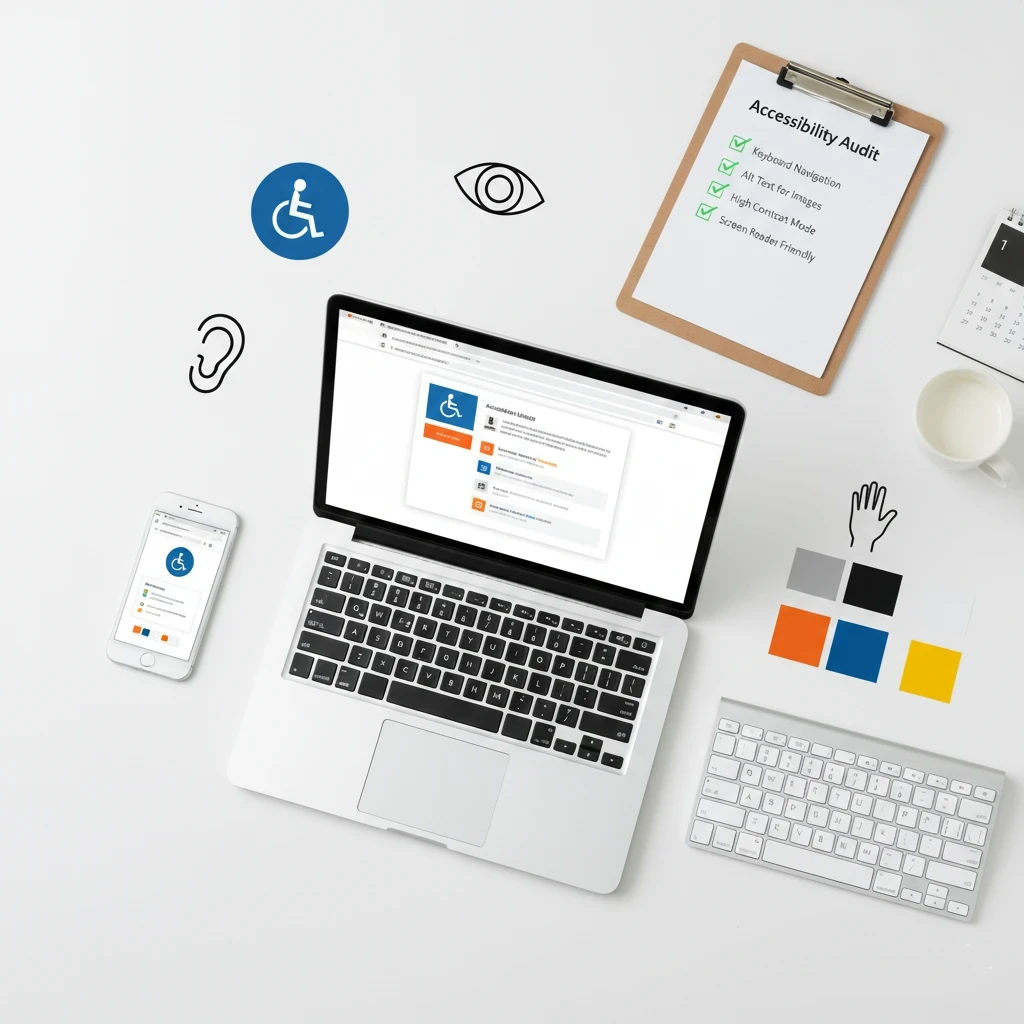
All interactive elements must be keyboard accessible. Specifically, links, buttons, forms, and menus must work without a mouse. Additionally, custom interactive components need appropriate keyboard support.
Visible focus indicators show users where they are on the page. Specifically, highlighted outlines indicate which element currently has keyboard focus. Furthermore, removing default focus styles without replacement creates significant barriers.
Logical tab order follows visual content flow. Specifically, pressing Tab should move through elements in expected sequence. Additionally, unexpected tab order confuses and frustrates keyboard users.
Skip links allow users to bypass repetitive navigation. Specifically, “Skip to main content” links let keyboard users avoid tabbing through menus repeatedly. Furthermore, skip links are especially valuable on pages with extensive navigation.
Color and Contrast
Color choices significantly impact readability for many users. Consequently, thoughtful color decisions improve accessibility substantially.
Sufficient contrast between text and background ensures readability. Specifically, WCAG requires 4.5:1 contrast ratio for normal text and 3:1 for large text. Additionally, free tools like WebAIM’s Contrast Checker verify your color combinations meet requirements.
Color should not be the only indicator of meaning or function. Specifically, don’t rely solely on red to indicate errors or green for success. Instead, combine color with text labels, icons, or patterns. Furthermore, approximately 8% of men have some form of color blindness.
Link styling should distinguish links from surrounding text without relying only on color. Specifically, underlines or other visual indicators help users identify clickable elements. Additionally, this practice helps all users recognize interactive elements quickly.
Form Accessibility
Forms represent critical interaction points where accessibility issues directly prevent conversions. Consequently, accessible forms deserve careful attention.
Labels must be properly associated with form inputs. Specifically, use the label element with matching for and id attributes. Additionally, placeholder text alone is insufficient since it disappears when users start typing.
Error messages should clearly identify problems and suggest corrections. Specifically, vague errors like “Invalid input” don’t help users fix issues. Instead, explain what’s wrong and how to fix it: “Email address must include @ symbol.”
Required fields need clear indication beyond just color. Specifically, use text labels like “required” or symbols explained in advance. Additionally, screen readers should announce when fields are required.
Logical grouping organizes related fields for easier comprehension. Specifically, use fieldset and legend elements to group related inputs. Furthermore, clear organization helps all users complete forms more easily.
Semantic HTML Structure
Proper HTML structure helps assistive technology understand and present content correctly. Consequently, semantic markup forms the foundation of accessible websites.
Heading hierarchy should follow logical sequence without skipping levels. Specifically, use H1 for main page title, H2 for major sections, H3 for subsections, and so on. Additionally, don’t choose heading levels based on visual appearance alone.
Lists should use proper list markup for grouped items. Specifically, use ul for unordered lists and ol for ordered lists. Additionally, navigation menus benefit from list structure that screen readers can announce.
Landmarks identify page regions for easy navigation. Specifically, elements like header, nav, main, and footer help users jump to relevant sections. Furthermore, proper landmarks dramatically improve navigation efficiency for screen reader users.
Tables need appropriate markup to convey relationships. Specifically, use th elements for headers and scope attributes to associate headers with data. Additionally, complex tables may need additional accessibility techniques.
If implementing these technical accessibility requirements feels overwhelming, consider working with professionals who understand website accessibility for small business websites thoroughly. Schedule a free consultation with Monir Tech Solutions to discuss how we can help make your website accessible to everyone.
Multimedia Accessibility
Audio and video content requires special accessibility consideration. Therefore, multimedia accessibility deserves focused attention.
Video Accessibility Requirements
Videos exclude deaf and hard-of-hearing users without proper accommodations. Consequently, video accessibility features are essential.
Captions provide synchronized text of spoken content. Specifically, captions include dialogue, speaker identification, and relevant sound effects. Additionally, captions benefit users watching without sound in various situations.
Audio descriptions narrate visual information for blind users. Specifically, descriptions explain what’s happening visually between dialogue. Furthermore, audio descriptions may be required for compliance depending on your jurisdiction.
Transcripts provide complete text alternatives to video content. Specifically, transcripts include all spoken content and describe visual elements. Additionally, transcripts are searchable, benefiting SEO while serving accessibility needs.
Audio Content Accessibility
Podcasts, audio messages, and other audio content need accessibility features. Consequently, audio-only content requires text alternatives.
Transcripts make audio content accessible to deaf users. Specifically, complete transcripts capture all spoken information. Additionally, transcripts help users who prefer reading to listening.
Player controls must be keyboard accessible. Specifically, users need to play, pause, and adjust volume using keyboards. Furthermore, clearly labeled controls help all users operate audio players.
Testing Your Website’s Accessibility
Regular testing identifies accessibility issues before they affect users. Therefore, establishing testing practices ensures ongoing accessibility.
Automated Testing Tools
Automated tools quickly identify many common accessibility issues. Consequently, regular automated testing catches problems early.
WAVE (Web Accessibility Evaluation Tool) provides free browser-based testing. Specifically, WAVE highlights issues directly on your pages with explanations. Additionally, WAVE identifies both errors and alerts requiring manual review.
axe DevTools integrates accessibility testing into browser developer tools. Specifically, axe provides detailed issue reports with remediation guidance. Furthermore, axe catches issues during development before they reach production.
Lighthouse in Chrome DevTools includes accessibility audits. Specifically, Lighthouse scores your pages and identifies improvement opportunities. Additionally, Lighthouse integrates accessibility with performance and SEO testing.
Automated tools have limitations and cannot catch all issues. Specifically, tools catch approximately 30-40% of accessibility problems. Therefore, manual testing remains essential alongside automated checking.
Manual Testing Methods
Manual testing catches issues that automated tools miss. Consequently, combining automated and manual testing provides comprehensive coverage.
Keyboard-only navigation reveals interaction barriers. Specifically, try completing all tasks using only your keyboard. Additionally, note any areas where you cannot access content or functions.
Screen reader testing shows how assistive technology users experience your site. Specifically, try NVDA (free for Windows) or VoiceOver (built into Mac/iOS). Furthermore, listening to your site reveals issues invisible in visual testing.
Zoom testing ensures content remains usable when magnified. Specifically, zoom to 200% and verify all content remains accessible. Additionally, check that no content gets cut off or overlaps at larger sizes.
Color contrast checking verifies sufficient contrast throughout your site. Specifically, test all text, buttons, and interface elements against their backgrounds. Furthermore, check contrast in all states including hover and focus.
User Testing with Disabled People
Testing with actual disabled users provides invaluable insights. Consequently, user testing should supplement automated and manual testing.
Recruit diverse testers representing different disabilities and assistive technologies. Specifically, people with different disabilities encounter different barriers. Furthermore, experienced assistive technology users navigate differently than testers trying these tools for the first time.
Observe real usage patterns rather than just checking compliance. Specifically, watch how users actually interact with your site. Additionally, real-world usage reveals practical issues that technical testing misses.
Gather qualitative feedback about the overall experience. Specifically, ask what frustrated users and what worked well. Furthermore, user insights guide prioritization and improvement efforts.
Creating Accessible Content
Accessibility extends beyond technical implementation to content creation. Therefore, content creators need accessibility awareness.
Writing Accessible Content
How you write affects comprehension for users with cognitive disabilities. Consequently, clear writing improves accessibility for everyone.
Use plain language that’s easy to understand. Specifically, avoid jargon, complex sentences, and unnecessary technical terms. Additionally, aim for an eighth-grade reading level for general audiences.
Break content into digestible sections with clear headings. Specifically, short paragraphs and frequent subheadings improve scannability. Furthermore, logical organization helps users find information quickly.
Provide context and explanations for complex topics. Specifically, don’t assume background knowledge your audience might lack. Additionally, define terms and acronyms when first used.
Use descriptive link text that makes sense out of context. Specifically, “Read our accessibility guide” beats “Click here.” Additionally, screen reader users often navigate by links alone, so descriptive text is essential.
Accessible Document Creation
PDFs, Word documents, and other files need accessibility features. Consequently, document accessibility extends your overall accessibility efforts.
Use built-in heading styles rather than manual formatting. Specifically, heading styles create document structure that assistive technology can navigate. Additionally, proper styles enable automatic table of contents generation.
Add alternative text to images within documents. Specifically, document images need alt text just like website images. Furthermore, most document applications include alt text options in image properties.
Check accessibility before publishing using built-in tools. Specifically, Microsoft Office and Adobe Acrobat include accessibility checkers. Additionally, addressing issues before distribution prevents problems for users.
Common Accessibility Mistakes to Avoid
Many websites share common accessibility problems. Therefore, avoiding these frequent mistakes prevents the most significant barriers.
Missing alt text on images excludes screen reader users entirely. Specifically, images without alt text provide no information to blind users. Instead, provide descriptive alternative text for all meaningful images.
Poor color contrast makes content unreadable for many users. Specifically, low contrast strains eyes and becomes completely illegible for some. Instead, verify contrast ratios meet WCAG requirements.
Inaccessible forms prevent users from completing important actions. Specifically, unlabeled inputs and unclear errors block conversions. Instead, properly label all fields and provide helpful error messages.
Mouse-only interactions exclude keyboard users completely. Specifically, hover-only content and drag-and-drop without alternatives create barriers. Instead, ensure all functionality works via keyboard.
Auto-playing media creates problems for screen reader users and others. Specifically, unexpected audio interferes with screen reader output. Instead, let users choose to play media.
Missing skip links force keyboard users through repetitive navigation. Specifically, tabbing through menus on every page wastes significant time. Instead, provide skip links to main content.
Removed focus indicators leave keyboard users lost on the page. Specifically, removing outline styles without replacement eliminates essential navigation cues. Instead, maintain or improve visible focus indicators.
Relying on color alone excludes colorblind users from understanding. Specifically, color-only indicators are invisible to many users. Instead, combine color with text, icons, or patterns.
Getting Started with Accessibility
Improving website accessibility for small business sites doesn’t require perfection immediately. Therefore, start with high-impact improvements and build from there.
Prioritization Framework
Not all accessibility issues carry equal weight. Consequently, strategic prioritization maximizes impact from limited resources.
Critical issues completely block access for some users. Specifically, missing form labels, keyboard traps, and missing alt text are critical. Furthermore, address critical issues before anything else.
Serious issues significantly impair user experience. Specifically, poor contrast, confusing navigation, and missing captions are serious. Additionally, serious issues affect large numbers of users substantially.
Moderate issues cause inconvenience without blocking access. Specifically, redundant links, inconsistent navigation, and missing skip links fall here. Furthermore, address moderate issues as resources allow.
Minor issues represent best practice improvements. Specifically, minor issues might include suboptimal heading structure or verbose alt text. Additionally, minor issues deserve attention after addressing more significant problems.
Quick Wins to Implement Now
Several improvements require minimal effort but deliver significant impact. Consequently, start with these quick wins immediately.
Add alt text to all images that lack it currently. Specifically, audit your site for missing alternative text. Additionally, write concise, descriptive text for each meaningful image.
Check and fix contrast on key text elements. Specifically, verify body text, headings, and buttons meet contrast requirements. Furthermore, adjust colors where necessary to achieve compliance.
Test keyboard navigation and fix obvious barriers. Specifically, try using your site with only a keyboard. Additionally, address any places where navigation gets stuck or functions don’t work.
Add visible focus indicators if you’ve removed default styles. Specifically, ensure keyboard users can see where they are. Furthermore, custom focus styles can match your brand while serving accessibility needs.
Next Steps for Your Business
Ready to improve website accessibility for your small business? Start with these priority actions:
First, run an automated accessibility audit using WAVE or similar tools. Second, test your site using only a keyboard to identify navigation barriers. Third, check color contrast on your most important pages and elements. Finally, add missing alt text to all meaningful images throughout your site.
Accessibility improvement is an ongoing journey, not a one-time project. Therefore, establish regular testing and improvement practices for continuous progress.
Get Professional Help with Your Website
Building an accessible website requires technical knowledge and attention to detail. At Monir Tech Solutions, we specialize in creating affordable, accessible websites for small businesses including restaurants, retail stores, and real estate professionals.
Our team delivers:
- Professional website design built with accessibility in mind from the start
- WCAG-compliant development practices throughout
- Mobile-responsive layouts that work for all users on all devices
- SEO optimization that benefits from accessibility best practices
- 24/7 support so you’re never left without help
- Budget-friendly pricing with no hidden monthly fees
Ready to build a website that welcomes all customers?
👉 Get a Free Quote — Tell us about your project and receive a customized quote with no obligation.
👉 Schedule a Free Consultation — Book a no-obligation call to discuss your website accessibility needs with our team.
Every customer matters, and every customer deserves access to your business. Let’s build a website that truly welcomes everyone.