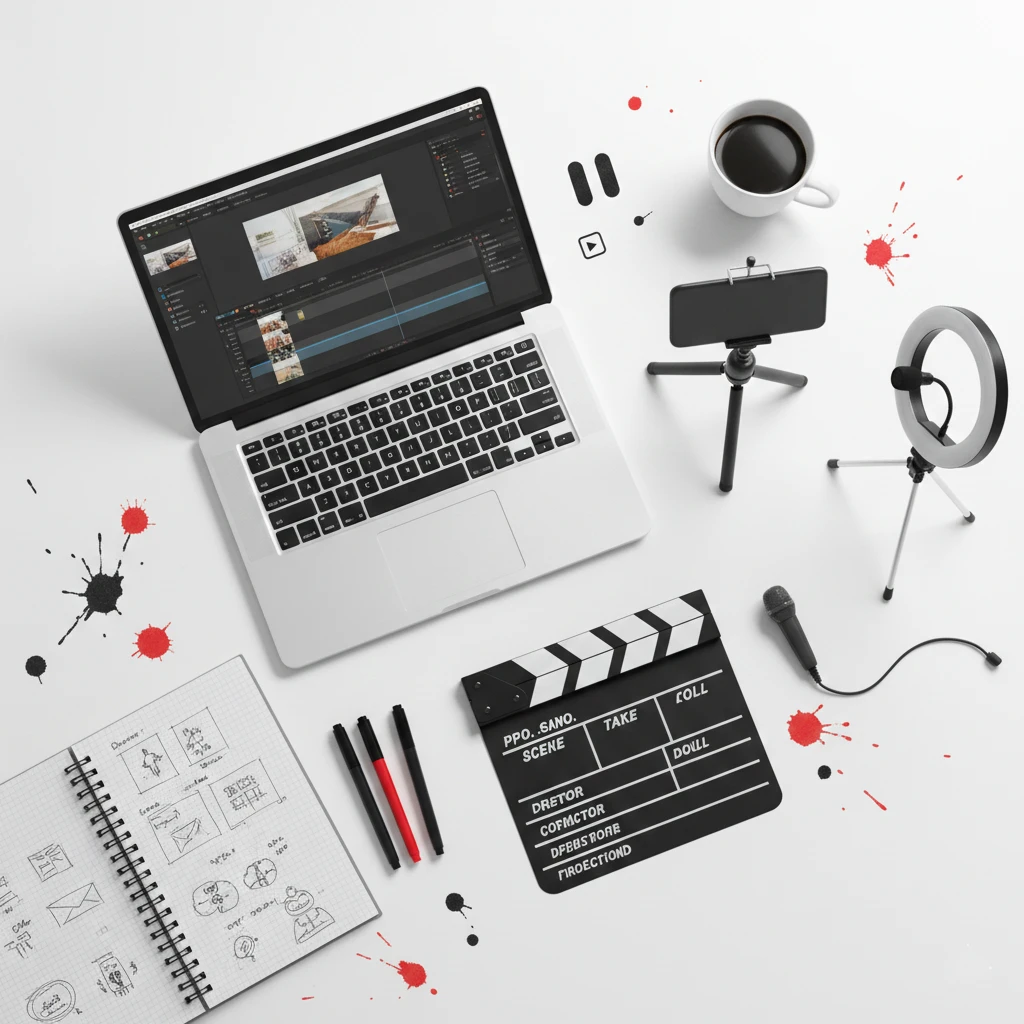
Adding video to your small business website dramatically increases engagement, builds trust, and drives conversions. After all, viewers retain 95% of a message when watching video compared to just 10% when reading text, according to Insivia research. Consequently, video has become an essential element for businesses serious about connecting with their audience online.
However, many small business owners feel intimidated by video creation. Specifically, they worry about equipment costs, technical skills, and appearing unprofessional on camera. As a result, they miss opportunities to connect with potential customers who prefer video content. According to Wyzowl’s State of Video Marketing survey, 91% of businesses now use video as a marketing tool.
This comprehensive guide covers everything you need to know about incorporating video into your website strategy effectively.
Why Video Matters for Small Business Websites
Video offers unique advantages that other content formats cannot replicate. Therefore, understanding these benefits helps justify the investment in video content.
Engagement increases dramatically with video content. Specifically, visitors spend 88% more time on websites that feature video. Consequently, increased time on site improves both user experience metrics and conversion opportunities. Furthermore, engaged visitors are more likely to explore additional pages and take desired actions.
Trust builds faster through video. Seeing real people and behind-the-scenes footage humanizes your business. Specifically, video allows visitors to connect with faces and voices rather than just text. Additionally, this personal connection accelerates the trust-building process that precedes purchasing decisions.
Complex information becomes accessible. Some concepts are difficult to explain through text alone. Specifically, demonstrations, tutorials, and process explanations work better in video format. Furthermore, visual learners particularly appreciate video content that shows rather than tells.
SEO benefits extend your reach. Google increasingly favors video content in search results. Specifically, pages with video are 53 times more likely to rank on Google’s first page. Additionally, video thumbnails in search results attract more clicks than text-only listings.
Conversion rates improve measurably. Landing pages with video can increase conversions by up to 80%. Specifically, video addresses objections, demonstrates value, and builds confidence before purchase decisions. Consequently, video on your small business website directly impacts your bottom line.
Types of Videos for Small Business Websites
Different video types serve different purposes throughout your website. Therefore, understanding your options helps you prioritize which videos to create first.
Brand Introduction Videos
Brand videos introduce your business, values, and personality to new visitors. Consequently, they belong prominently on your homepage or about page.
Effective brand videos communicate who you are and what you stand for. Specifically, they should convey your mission, values, and unique approach within 60-90 seconds. Additionally, brand videos help visitors quickly determine if your business aligns with their needs.
Show your team, workspace, and culture authentically. Specifically, viewers want to see the real people behind your business. Furthermore, authentic footage builds more trust than polished corporate productions that feel impersonal.
Keep brand videos concise and focused. Specifically, attention spans are short, so every second should provide value. Additionally, viewers who want more information will explore further after a compelling introduction.
Product or Service Demonstration Videos
Demonstration videos show your offerings in action. Consequently, they help visitors understand what they’re considering purchasing.
For physical products, show them being used in real situations. Specifically, demonstrate features, size, quality, and functionality clearly. Additionally, multiple angles and close-ups help viewers evaluate products they cannot physically examine.
For services, explain your process and what customers can expect. Specifically, walk viewers through how you work and what deliverables they’ll receive. Furthermore, process transparency reduces uncertainty that prevents conversions.
Address common questions within demonstration videos. Specifically, anticipate what viewers want to know and answer proactively. Consequently, comprehensive demonstrations reduce the need for pre-sale inquiries.
Customer Testimonial Videos
Testimonial videos provide social proof through authentic customer experiences. Consequently, they build credibility more effectively than written reviews alone.
Real customers speaking genuinely outperform scripted testimonials. Specifically, viewers can detect inauthenticity, which damages rather than builds trust. Instead, guide customers with questions but let them answer in their own words.
Include specific results and outcomes when possible. For instance, “They increased our website traffic by 40%” beats “They did great work.” Additionally, specifics make testimonials more believable and memorable.
Professional web design agencies like Monir Tech Solutions recognize that testimonial videos significantly impact conversion rates. Specifically, seeing and hearing satisfied customers builds confidence that text testimonials cannot match. Furthermore, video testimonials humanize the customer experience in ways that resonate with potential buyers.
Tutorial and How-To Videos
Educational videos demonstrate expertise while providing genuine value. Consequently, they attract visitors through search and establish your authority.
Create tutorials addressing common questions in your industry. Specifically, identify problems your target audience faces and create helpful solutions. Additionally, educational content attracts potential customers earlier in their buying journey.
Keep tutorials focused on single topics. Specifically, comprehensive guides work better as series than single lengthy videos. Furthermore, focused topics improve searchability and viewer retention.
Include subtle connections to your services without being promotional. Specifically, demonstrate expertise while showing how professional help adds value. However, prioritize genuinely helping viewers over selling.
Behind-the-Scenes Videos
Behind-the-scenes content humanizes your business and builds connection. Consequently, these videos work well on about pages and social media.
Show your workspace, team interactions, and daily operations. Specifically, let viewers see the people and processes behind your products or services. Additionally, transparency builds trust and differentiates you from faceless competitors.
Highlight your company culture and values in action. Specifically, showing how you work reveals more than telling visitors what you believe. Furthermore, culture-focused content attracts customers who share your values.
Keep behind-the-scenes videos authentic rather than overly produced. Specifically, casual footage often performs better than polished productions for this content type. Additionally, authenticity reinforces the transparency these videos aim to create.
FAQ and Explainer Videos
FAQ videos answer common questions in engaging format. Consequently, they reduce customer service burden while improving user experience.
Create individual videos for frequently asked questions. Specifically, short, focused answers serve viewers better than lengthy comprehensive videos. Additionally, separate videos allow visitors to find exactly what they need quickly.
Use animation or screen recordings when appropriate. Specifically, some explanations work better with visual aids than talking heads. Furthermore, variety in video styles keeps your content interesting.
Creating Professional Videos on a Budget
High-quality video doesn’t require expensive equipment or professional production. Therefore, these strategies help you create effective videos affordably.
Essential Equipment for Getting Started
Basic equipment produces surprisingly professional results when used correctly. Consequently, start simple and upgrade only as needed.
Smartphones capture excellent video quality for most business purposes. Specifically, recent iPhone and Android devices shoot high-definition video with impressive quality. Additionally, you likely already own a capable camera in your pocket.
Tripods or stabilizers prevent shaky footage that looks unprofessional. Specifically, even inexpensive smartphone tripods dramatically improve video quality. Furthermore, stable footage communicates professionalism regardless of other production values.
External microphones improve audio quality significantly. Specifically, audio quality matters more than video quality for viewer retention. Additionally, affordable lavalier microphones plug directly into smartphones for clear voice recording.
Lighting equipment ensures you look professional on camera. Specifically, ring lights or simple LED panels eliminate unflattering shadows. Furthermore, good lighting compensates for many other production limitations.
Optimizing Your Recording Environment
Where and how you record significantly impacts final quality. Therefore, environmental preparation deserves attention before pressing record.
Choose quiet locations free from background noise and interruptions. Specifically, air conditioning, traffic, and conversations all degrade audio quality. Additionally, turn off notifications on nearby devices before recording.
Control lighting conditions for flattering, consistent illumination. Specifically, face windows or lights rather than having them behind you. Furthermore, avoid mixed lighting from different color temperature sources.
Select appropriate backgrounds that look professional without distraction. Specifically, cluttered or messy backgrounds undermine your credibility. Instead, choose clean, branded, or intentionally styled backgrounds.
Test everything before recording to catch problems early. Specifically, record short test clips and review them before full production. Additionally, checking audio levels, lighting, and framing prevents wasted effort.
Tips for Appearing Confident on Camera
Many business owners feel uncomfortable on camera initially. However, several techniques help you appear more natural and confident.
Prepare talking points rather than full scripts. Specifically, scripted delivery often sounds unnatural and robotic. Instead, know your main points and speak conversationally around them.
Practice before recording to become comfortable with your content. Specifically, rehearsal reduces nervous energy and improves delivery. Additionally, practice helps you identify and smooth out awkward phrasing.
Look at the camera lens rather than the screen. Specifically, eye contact with the lens creates connection with viewers. Furthermore, looking elsewhere makes you appear distracted or untrustworthy.
Speak slightly slower than normal since nerves often accelerate speech. Specifically, deliberate pacing improves clarity and comprehension. Additionally, pauses feel longer to speakers than to viewers.
Record multiple takes without judgment. Specifically, professionals rarely use first takes, so neither should you. Furthermore, knowing you can try again reduces performance pressure.
If creating professional video content feels overwhelming, consider working with experts who understand how to optimize video for small business websites. Schedule a free consultation with Monir Tech Solutions to discuss how video can enhance your website’s effectiveness.
Editing Videos for Maximum Impact
Raw footage requires editing to become polished, professional content. Therefore, understanding basic editing principles improves your final results.
Essential Editing Techniques
Several fundamental techniques transform raw footage into engaging videos. Consequently, mastering these basics significantly improves your content.
Cut unnecessary content to maintain viewer attention. Specifically, remove pauses, mistakes, tangents, and anything that doesn’t serve your message. Additionally, tighter editing creates more engaging, professional-feeling videos.
Add text overlays to emphasize key points. Specifically, on-screen text reinforces verbal messages and aids comprehension. Furthermore, text helps viewers who watch without sound understand your content.
Include branding elements consistently across videos. Specifically, intro sequences, logos, and color schemes create cohesive brand presentation. Additionally, consistent branding builds recognition over time.
Incorporate background music appropriately. Specifically, subtle music adds professional polish and emotional tone. However, music should never overpower spoken content or distract from your message.
Add captions or subtitles for accessibility and engagement. Specifically, many viewers watch videos without sound, especially on mobile devices. Additionally, captions improve comprehension and make content accessible to hearing-impaired viewers.
Recommended Editing Software
Various software options suit different skill levels and budgets. Therefore, choose tools that match your needs and capabilities.
iMovie (Mac) and Windows Video Editor provide free, beginner-friendly options. Specifically, these built-in applications handle basic editing needs competently. Additionally, tutorials for these tools are abundant and free.
DaVinci Resolve offers professional-grade editing for free. Specifically, this powerful software handles complex projects while remaining accessible to beginners. Furthermore, the free version includes nearly all features most businesses need.
Canva provides simple video editing with design-focused features. Specifically, Canva works well for adding text, graphics, and branding elements. Additionally, templates help create professional-looking videos quickly.
Adobe Premiere Pro serves professionals who need advanced capabilities. Specifically, subscription costs and learning curves make this better for frequent video creators. However, the investment may be worthwhile for businesses prioritizing video content.
Optimizing Videos for Your Website
How you integrate videos into your website affects both user experience and performance. Therefore, optimization ensures videos enhance rather than hinder your site.
Video Hosting Options
Where you host videos impacts loading speed, functionality, and user experience. Consequently, choose hosting strategically based on your priorities.
YouTube hosting offers free, reliable video delivery with built-in audience. Specifically, YouTube’s infrastructure handles bandwidth efficiently at no cost. Additionally, YouTube videos can appear in search results, extending your reach. However, YouTube may display competitor ads or suggested videos.
Vimeo hosting provides cleaner, ad-free presentation. Specifically, Vimeo’s player looks more professional without YouTube branding. Additionally, paid plans offer customization options and privacy controls. Furthermore, Vimeo works well for businesses wanting polished presentation.
Self-hosting gives complete control but requires technical resources. Specifically, hosting videos on your own server can slow site performance significantly. Therefore, self-hosting rarely makes sense for small businesses unless privacy requirements demand it.
Wistia and similar platforms offer business-focused features. Specifically, these tools provide analytics, lead capture, and marketing integrations. However, costs may not justify features for businesses with limited video needs.
Page Speed Considerations
Videos can slow website loading if implemented poorly. Therefore, proper implementation maintains site performance.
Lazy loading delays video loading until visitors scroll to them. Specifically, this technique prevents videos from slowing initial page load. Additionally, lazy loading improves Core Web Vitals scores that affect search rankings.
Thumbnail images display before video playback begins. Specifically, static images load faster than video players. Additionally, compelling thumbnails encourage clicks while maintaining page speed.
Avoid autoplay except in specific circumstances. Specifically, autoplaying videos frustrate visitors and consume bandwidth unexpectedly. Furthermore, autoplay with sound particularly damages user experience and may cause immediate bounces.
Compress video files before uploading to reduce file sizes. Specifically, smaller files load faster without visible quality loss. Additionally, most hosting platforms compress automatically, but pre-compression provides more control.
Strategic Video Placement
Where videos appear on your pages affects whether visitors watch them. Therefore, strategic placement maximizes video engagement.
Above-the-fold placement ensures visibility without scrolling. Specifically, important videos should appear where visitors see them immediately. Additionally, homepage hero sections work well for brand introduction videos.
Contextual placement integrates videos with relevant content. Specifically, product videos belong on product pages, and testimonials near conversion points. Furthermore, contextual placement ensures visitors encounter videos when most relevant.
Clear calls-to-action accompany strategic videos. Specifically, what should viewers do after watching? Additionally, videos near conversion points should have obvious next steps available.
Measuring Video Performance
Tracking video metrics reveals what works and guides improvement. Therefore, establishing measurement practices enables data-driven optimization.
Key Metrics to Track
Different metrics indicate different aspects of video success. Consequently, track metrics aligned with your specific goals.
View count shows how many times your video has been watched. However, views alone don’t indicate engagement quality or business impact. Therefore, view count serves as a starting point, not a complete picture.
Watch time and completion rate reveal engagement quality. Specifically, videos that retain viewers through completion indicate compelling content. Additionally, drop-off points identify where content loses viewer interest.
Click-through rate measures whether viewers take desired actions. Specifically, do viewers click calls-to-action after watching? Furthermore, CTR directly connects video content to business outcomes.
Conversion attribution tracks whether video viewers become customers. Specifically, understanding which videos influence purchases guides resource allocation. Additionally, some platforms offer built-in attribution tracking.
Using Analytics to Improve
Data should drive continuous improvement in your video strategy. Therefore, analyze performance regularly and act on insights.
Identify top-performing videos to understand what resonates. Specifically, what topics, formats, and styles generate the best engagement? Additionally, success patterns should inform future video creation.
Analyze drop-off points to improve retention. Specifically, where do viewers stop watching? Furthermore, addressing drop-off causes improves future video performance.
Test different approaches systematically. Specifically, try varying lengths, styles, topics, and placements. Additionally, controlled testing reveals what works best for your specific audience.
Video Types for Different Industries
Different industries benefit from different video approaches. Therefore, consider these industry-specific recommendations for video on your small business website.
Restaurants and Food Service
Restaurant videos should emphasize atmosphere and food appeal. Specifically, show your dining environment, signature dishes, and kitchen activity. Additionally, chef introductions and behind-the-scenes footage build connection with food enthusiasts.
Food preparation videos showcase quality and care. Specifically, watching dishes being prepared creates anticipation and demonstrates freshness. Furthermore, these videos often perform well on social media, extending your reach.
Retail Businesses
Product demonstration videos help online shoppers evaluate items. Specifically, show products from multiple angles, demonstrate functionality, and indicate scale. Additionally, styling suggestions and use-case examples inspire purchases.
Unboxing and review-style videos build anticipation. Specifically, showing packaging and presentation creates excitement about receiving orders. Furthermore, authentic product reviews build trust more effectively than traditional advertising.
Service Businesses
Process explanation videos demystify what customers can expect. Specifically, walk viewers through how you deliver services step-by-step. Additionally, transparency reduces anxiety about hiring service providers.
Results and transformation videos demonstrate your capabilities. For instance, contractors can show before-and-after project footage. Similarly, consultants might share case study videos showing client outcomes. Furthermore, visual proof of results builds confidence in your abilities.
Real Estate
Property tour videos save time for both agents and buyers. Specifically, comprehensive video tours help buyers pre-qualify properties before in-person visits. Additionally, video tours reach out-of-town buyers who cannot visit easily.
Neighborhood highlight videos add value beyond property listings. Specifically, showcase local amenities, schools, and community features. Furthermore, helping buyers understand neighborhoods differentiates you from competitors showing only properties.
Common Video Mistakes to Avoid
Many businesses undermine their video efforts through preventable mistakes. Therefore, avoiding these errors improves your results.
Poor audio quality destroys otherwise good videos. Specifically, viewers tolerate imperfect video but abandon content with bad audio. Instead, prioritize audio quality above all other production elements.
Videos that are too long lose viewer attention. Specifically, respect viewer time by keeping content concise and focused. Instead, create shorter, focused videos rather than lengthy comprehensive ones.
Lacking clear purpose results in unfocused content. Specifically, every video should have a defined goal and call-to-action. Instead, plan what you want viewers to do or know after watching.
Inconsistent branding creates disjointed presentation. Specifically, videos should feel connected to your overall brand identity. Instead, maintain consistent visual elements, tone, and messaging.
Neglecting mobile viewers ignores the majority of video consumption. Specifically, ensure videos display and function properly on smartphones. Instead, test all videos on mobile devices before publishing.
No optimization for search limits discoverability. Specifically, video titles, descriptions, and tags affect searchability. Instead, include relevant keywords and compelling descriptions.
Next Steps for Your Business
Ready to add video to your small business website effectively? Start with these priority actions:
First, identify which video type would provide the most impact for your business. Second, gather basic equipment including a tripod and external microphone. Third, plan your first video with clear purpose and talking points. Finally, record, edit, and publish your first video, then analyze performance to guide future efforts.
Video content builds momentum over time. Therefore, start creating today and commit to consistent improvement.
Get Professional Help with Your Website
Great videos deserve a great website to showcase them. At Monir Tech Solutions, we specialize in building affordable, high-performing websites for small businesses including restaurants, retail stores, and real estate professionals.
Our team delivers:
- Professional website design optimized for video integration
- Fast-loading pages that display video content smoothly
- Mobile-responsive layouts that present videos perfectly on all devices
- Strategic video placement for maximum engagement and conversions
- 24/7 support so you’re never left without help
- Budget-friendly pricing with no hidden monthly fees
Ready to build a website that showcases your video content effectively?
👉 Get a Free Quote — Tell us about your project and receive a customized quote with no obligation.
👉 Schedule a Free Consultation — Book a no-obligation call to discuss your website and video strategy needs with our team.
Video content transforms how visitors connect with your business. Let’s build a website that presents your videos professionally and converts viewers into customers.