When a customer pays on your website, the money goes to your payment provider — Stripe, for most restaurants. But your takings live in Clover, where your counter sales are. So what should Clover show for an order that was paid somewhere else?
This is the question most restaurant owners ask before connecting the two systems, usually followed by a worry: if Clover records a payment, does that mean my customer gets charged twice?
Here’s exactly how Stripe payments in Clover are recorded, and why the answer to that second question is no.
What happens when a customer pays
- The customer chooses their items on your website and pays at checkout.
- Stripe takes the payment. The money goes to your Stripe account, as it would for any online sale.
- Once the payment succeeds, DineSync sends the order to your Clover — items, sizes, toppings, customer details and total.
- The payment is recorded on the Clover order, so it shows as paid rather than an open bill someone needs to chase.
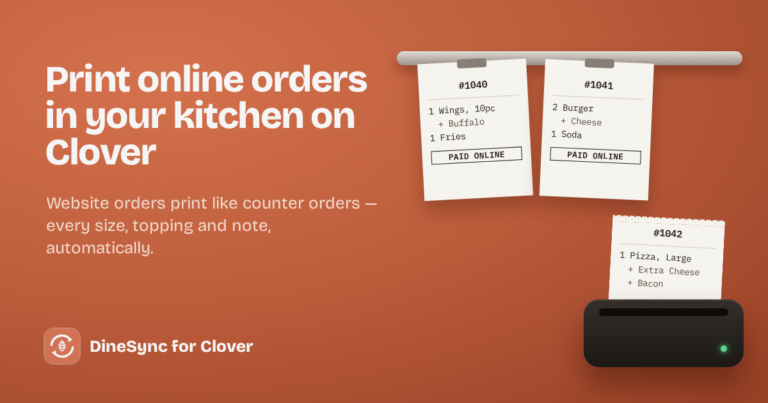
- The ticket prints in your kitchen.
The important part is step 2 happening before step 3. The order only goes to Clover once the money is actually in.
Why nobody is charged twice
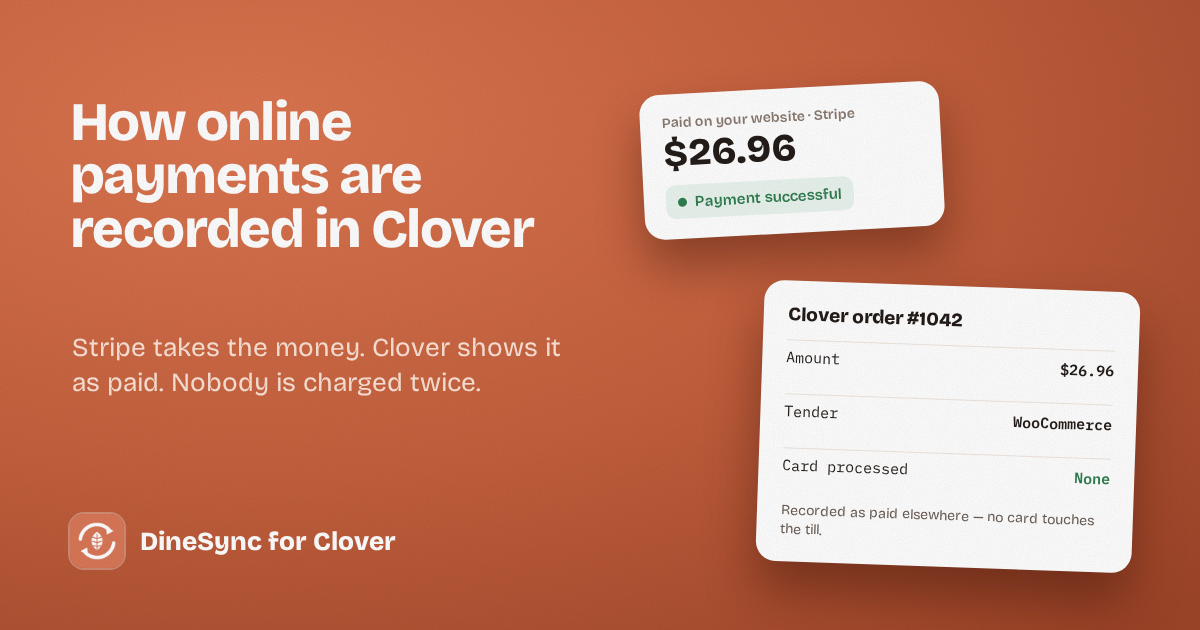
The payment DineSync records in Clover isn’t a charge. It’s a note that says: this order was paid elsewhere, for this amount.
Three things make that safe:
No card details ever reach DineSync. Your customer’s card is handled by Stripe, inside Stripe’s own checkout. The plugin never sees a card number, so it couldn’t charge one even in principle.
The payment is recorded against a “WooCommerce” tender. In Clover, a tender is how a payment was taken — cash, credit, and so on. DineSync uses its own tender labelled WooCommerce, which is deliberately not one of Clover’s card-processing tenders. Nothing goes through Clover’s card processing.
Clover stores no card transaction for these orders. That’s the field Clover fills in whenever money moves through them. For a DineSync order it’s empty, because no money did.
The only charge your customer ever sees is Stripe’s.
One warning worth passing to your staff
Software can’t double-charge here, but a person can. If someone in your restaurant sees a ticket for an online order and rings it up again on the Clover device, that is a real second charge on a real customer.
Tell your team that online tickets are already paid. The “WooCommerce” label on the order is there to make that obvious at a glance.
Orders that aren’t paid yet
Not every order arrives paid, and DineSync treats those honestly.
Cash on delivery, bank transfer and cheque orders reach your kitchen as soon as you accept them, because you need to cook them. But no payment is recorded in Clover, since none has arrived. Your till shows the ticket and an open balance, which is the truth.
A declined card never reaches Clover at all. No ticket, no payment, no food cooked for a sale that didn’t happen.
An order that needs 3-D Secure waits until the customer has confirmed with their bank, then goes through as normal.
Refunds
If you refund an order in WooCommerce, the customer’s money is returned by Stripe, and DineSync marks the order cancelled in Clover.
One thing to expect: the original payment record stays on the cancelled Clover order. That’s accurate — a payment really was taken, and later returned — and it keeps the history intact. DineSync doesn’t move money at the till, so it never attempts a refund there.
Keeping your books tidy
Assign online orders to an employee. In DineSync’s order settings, pick a default employee for website orders. Your Clover reports then separate online sales from counter sales.
Remember where the money actually is. Online sales show in Clover for reporting, but the cash settles into your Stripe account, not through Clover’s processing. Your bookkeeper will want to know that.
Reconcile occasionally. Compare your Stripe payouts against the online orders in Clover for the same period. They should line up — as long as every paid order reached Clover.
The gap that breaks reconciliation
That last line is the catch. If a paid order fails to reach Clover — a brief outage, an expired connection — Stripe has the money and Clover has no record of the sale. Your books disagree, and the only way to notice is to compare them.
DineSync never loses a failed order silently: it’s recorded on the order with the reason, and one click sends it again. But someone has to look.
DineSync Pro closes it
Failed-order alerts email you when an order doesn’t reach Clover, with a link straight to the order and one-click retry. Your takings in Clover stay complete, without anyone checking.
Retry all clears several at once if something was down for a while.
No duplicates — if an order already reached Clover, Pro refuses to send it again and tells you which Clover order it found.
Pro costs $69.99 a month or $499.99 a year, with a 14-day free trial and no card needed.
Get started
Install DineSync for Clover free → https://wordpress.org/plugins/dinesync-for-clover/
Try DineSync Pro free → https://monirtechsolutions.com/plugins/dinesync-for-clover/get-pro/?utm_source=blog&utm_medium=article&utm_campaign=payments