Think hackers only target big corporations? Think again.
43% of cyberattacks target small businesses. And 60% of small businesses that suffer a cyberattack go out of business within six months.
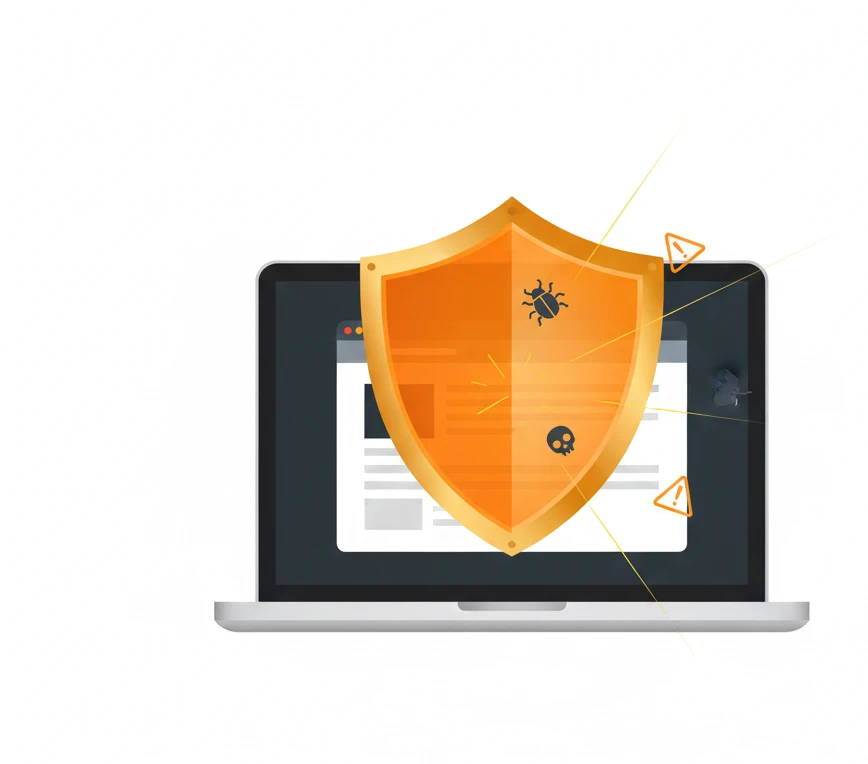
Your website is a target. Customer data, payment information, and business operations are all at risk. The good news? Most attacks are preventable with basic security measures.
Here’s how to protect your small business website from hackers, malware, and data breaches.
Why Small Businesses Are Prime Targets
Hackers love small businesses for three reasons:
1. Weaker security: Small businesses often lack dedicated IT staff and robust security measures.
2. Valuable data: Customer information, payment details, and business data are valuable regardless of company size.
3. Gateway to bigger targets: Small businesses often connect to larger companies as vendors or partners, providing a backdoor.
The myth that “we’re too small to be targeted” is exactly what hackers count on. Automated attacks don’t discriminate—they scan millions of websites looking for vulnerabilities, regardless of size.
The Real Cost of a Security Breach
A website hack isn’t just an inconvenience. The costs add up fast:
Immediate costs:
- Emergency IT response: $1,000 – $10,000+
- Website cleanup and restoration: $500 – $5,000
- Legal fees if customer data is compromised
- Potential regulatory fines
Ongoing costs:
- Lost business during downtime
- Damaged reputation and customer trust
- Lower search rankings (Google flags hacked sites)
- Increased insurance premiums
- Customer notification and credit monitoring (if required)
Long-term impact:
- Customers who never return
- Negative reviews and word-of-mouth
- Years rebuilding trust and reputation
Prevention is always cheaper than recovery.
Essential Security Measures Every Website Needs
1. SSL Certificate (HTTPS)
An SSL certificate encrypts data between your website and visitors. It’s the padlock icon in the browser address bar.
Why it matters:
- Protects customer information during transmission
- Required for processing payments
- Google ranking factor (non-SSL sites rank lower)
- Browsers warn visitors about “Not Secure” sites
How to get it: Most hosting providers offer free SSL certificates through Let’s Encrypt. If yours doesn’t, ask them to enable it or consider switching hosts.
Check yours: Look at your website URL. Does it show “https://” with a padlock, or “http://” with “Not Secure”?
2. Strong Passwords and User Management
Weak passwords are the #1 cause of website breaches. “Password123” and “admin” are practically invitations to hackers.
Password best practices:
- Minimum 12 characters
- Mix of uppercase, lowercase, numbers, and symbols
- Unique password for every account
- Never use dictionary words or personal information
User management:
- Delete unused admin accounts
- Use role-based access (not everyone needs admin)
- Change passwords when employees leave
- Enable two-factor authentication (2FA)
Pro tip: Use a password manager like LastPass, 1Password, or Bitwarden to generate and store strong passwords.
3. Keep Everything Updated
Outdated software is vulnerable software. Most hacks exploit known vulnerabilities that have already been patched—in software the victim never updated.
What to keep updated:
- WordPress core (or your CMS)
- All plugins and extensions
- Themes and templates
- PHP version
- Server software
Best practice: Enable automatic updates for minor releases. Check for major updates weekly. Remove any plugins or themes you’re not using.
4. Regular Backups
Backups are your insurance policy. If everything else fails, a good backup lets you restore your site quickly.
Backup essentials:
- Daily automated backups (minimum)
- Store backups off-site (not just on your server)
- Keep multiple backup versions (at least 30 days)
- Test restoring from backup periodically
Backup solutions:
- UpdraftPlus (WordPress plugin)
- BlogVault
- Hosting provider backups (check if included)
- Manual downloads to external storage
Remember: A backup you can’t restore is worthless. Test your backups!
5. Web Application Firewall (WAF)
A firewall monitors traffic and blocks suspicious activity before it reaches your website.
What a WAF blocks:
- SQL injection attacks
- Cross-site scripting (XSS)
- Brute force login attempts
- Malicious bots and scrapers
- DDoS attacks
Popular WAF options:
- Cloudflare (free tier available)
- Sucuri
- Wordfence (WordPress)
- SiteLock
A good firewall stops most automated attacks before they can do damage.
6. Secure Hosting
Your hosting provider is the foundation of your website security. Cheap hosting often means cheap security.
What to look for:
- Server-level firewalls
- Malware scanning
- DDoS protection
- Automatic backups
- SSL certificates included
- 24/7 security monitoring
- Isolated accounts (your site isn’t affected by others)
Red flags:
- No mention of security features
- Shared hosting with hundreds of sites per server
- No backup options
- Outdated server software
- Poor support response times
Spending an extra $10-20/month on quality hosting can save thousands in breach recovery.
7. Limit Login Attempts
Brute force attacks try thousands of password combinations until one works. Limiting login attempts stops them.
Implementation:
- Lock accounts after 3-5 failed attempts
- Implement CAPTCHA on login forms
- Add two-factor authentication
- Change the default login URL (WordPress: change from /wp-admin/)
- Use login attempt monitoring
WordPress plugins:
- Limit Login Attempts Reloaded
- Wordfence
- iThemes Security
8. Malware Scanning
Regular malware scans detect infections before they cause damage or spread.
What scanners look for:
- Malicious code injected into files
- Backdoors that allow unauthorized access
- Phishing pages hosted on your site
- SEO spam and hidden links
- Suspicious file changes
Scanning options:
- Sucuri SiteCheck (free online scan)
- Wordfence (WordPress)
- MalCare
- SiteLock
Best practice: Schedule automatic daily scans and address any findings immediately.
WordPress-Specific Security
WordPress powers 40%+ of all websites, making it a popular target. These additional measures help secure WordPress sites:
Change Default Settings
- Change admin username from “admin”
- Change login URL from /wp-admin/
- Change database table prefix from “wp_”
- Disable file editing in dashboard
Secure wp-config.php
This file contains your database credentials and security keys. Protect it:
- Move it above the web root if possible
- Set file permissions to 400 or 440
- Add security keys (use WordPress generator)
- Disable error display on live sites
Use Security Plugins
Top WordPress security plugins:
Wordfence — Firewall, malware scanner, login security Sucuri Security — Monitoring, malware cleanup, firewall iThemes Security — 30+ security features in one plugin All In One WP Security — Free comprehensive option
Choose ONE comprehensive security plugin. Multiple security plugins can conflict and cause issues.
Signs Your Website May Be Hacked
Watch for these warning signs:
Visible signs:
- Website redirects to strange sites
- Unknown content or ads appearing
- Homepage has been changed
- “This site may be hacked” warning in Google
- Customer complaints about spam emails from you
Behind-the-scenes signs:
- Unknown admin accounts
- Files modified without your knowledge
- Unexpected traffic spikes
- New pages you didn’t create
- Hosting provider warnings
- Blacklisted by Google or security services
If you suspect a hack:
- Don’t panic
- Change all passwords immediately
- Contact your hosting provider
- Run malware scans
- Restore from a clean backup if needed
- Identify and close the vulnerability
Creating a Security Routine
Security isn’t one-time—it’s ongoing. Create a routine:
Daily (Automated)
- Backups run automatically
- Malware scans run automatically
- Firewall monitors traffic
Weekly
- Check for WordPress/plugin updates
- Review security plugin reports
- Check uptime monitoring alerts
Monthly
- Review user accounts and access
- Test backup restoration
- Update passwords for critical accounts
- Review hosting and security logs
Quarterly
- Full security audit
- Review and remove unused plugins
- Update all passwords
- Check SSL certificate expiration
Security Checklist
Use this checklist to assess your current security:
Basic Security (Everyone Needs)
- SSL certificate installed and active
- Strong passwords on all accounts
- Two-factor authentication enabled
- WordPress and plugins updated
- Automatic backups configured
- Unused plugins/themes deleted
Intermediate Security (Recommended)
- Web application firewall active
- Login attempts limited
- Malware scanning scheduled
- File permissions correct
- Admin username changed from “admin”
- Security plugin installed
Advanced Security (High-Value Sites)
- Login URL changed
- Database prefix changed
- Security headers configured
- Content Security Policy set
- Regular penetration testing
- Security monitoring service
When to Get Professional Help
DIY security works for basics, but consider professional help when:
- You store sensitive customer data
- You process payments on your site
- You’ve been hacked before
- You don’t have time to manage security
- You need compliance (HIPAA, PCI, etc.)
- Your business depends heavily on your website
Professional security services provide:
- Expert configuration
- 24/7 monitoring
- Rapid response to incidents
- Compliance assistance
- Peace of mind
The Bottom Line
Website security isn’t optional anymore. With 43% of cyberattacks targeting small businesses, assuming you’re too small to be targeted is dangerous.
The good news? Most attacks are preventable with basic measures:
- SSL certificate
- Strong passwords and 2FA
- Regular updates
- Automatic backups
- Firewall protection
- Malware scanning
Start with the basics and build from there. Every security measure you add makes your website a harder target—and hackers move on to easier prey.
Don’t wait until after a breach to take security seriously. The cost of prevention is always less than the cost of recovery.
Worried about your website security? Contact us for a free security assessment, or get a quote for professional security setup and monitoring.