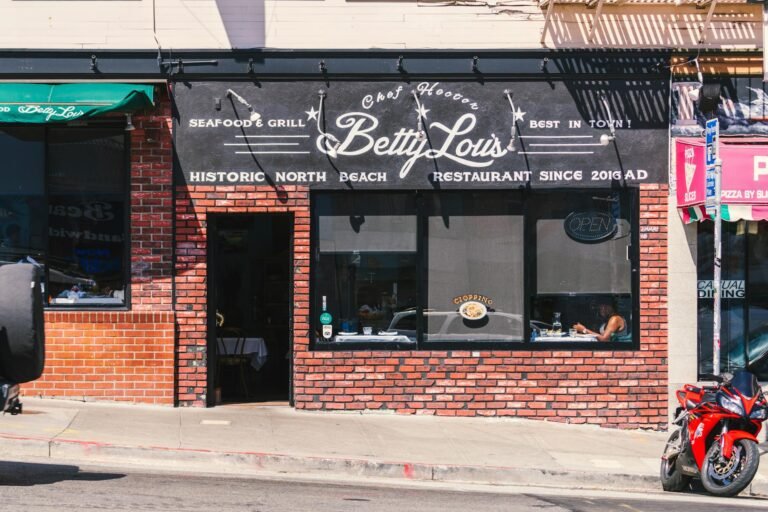
Picture a tourist standing on Hanover Street, phone in hand, thumbing in “best cannoli near me.” In the next two seconds, your restaurant either surfaces in the local pack with hours, ratings, and a tap-to-reserve button, or it doesn’t exist as far as that visitor is concerned. With roughly 1.5 billion “near me” searches happening every month and 76% of those searchers walking into a business within a day, the structured data sitting underneath your website is quietly deciding who gets the table.
For independent restaurants in the North End, on Beacon Hill, and in similar tourist-heavy Boston neighborhoods, that invisible layer of code is one of the highest-leverage marketing investments you can make. Schema markup tells Google exactly what your menu costs, when you’re open, whether you take reservations, and how diners have rated you. Done right, it pulls your listing into rich results, voice answers, and map cards before a competitor’s plain-text site even loads.
This article walks through why schema decides the tourist search, the core restaurant schema every location page needs, how to mark up your menu, the path from rating to reservation, multi-location and validation pitfalls, speakable schema for voice search, and a bottom-line action plan you can start on this week.
Why Schema Markup Decides Who Wins the Tourist Search
When a visitor walking down Hanover Street pulls out a phone to search “best cannoli near me,” the result page that loads in the next two seconds decides where they spend the next hour. Tourists in the North End and Beacon Hill rarely scroll past the first few options. They tap whatever catches their eye first, and what catches the eye is almost never a plain blue link.
Schema markup is the structured data layer that tells Google exactly what your restaurant is, where it sits, when it opens, what it serves, and how diners rate it. Without it, the search engine has to guess from messy page content. With it, your listing can surface hours, ratings, menu items, photos, and reservation buttons directly inside the result. That visual difference is the whole ballgame for a small restaurant competing against the place two doors down.
The Click-Through Gap Is Real
The numbers explain why this matters more than most owners realize. As of 2025, more than 72% of first-page Google results use schema markup, while less than 30% of websites have implemented it. That gap is exactly where small restaurants get pushed off the screen. Furthermore, rich results, the enhanced listings that schema makes possible, receive around 58% of clicks compared with 41% for standard blue-link results. Those percentages compound across every “best pasta Boston,” “Beacon Hill brunch,” and “near me” search a tourist runs.
Plain Listing vs. Rich Result
A plain text listing on a tourist search is a losing position. Consider what each side actually shows a hungry traveler:
Plain listing
– Pros: simple to publish, no technical setup required
– Cons: no hours, no ratings, no menu preview, no reservation link, easily ignored next to richer competitors
Rich result powered by schema
– Pros: can surface opening hours, star ratings, menu highlights, price range, and click-to-call or reserve buttons; becomes eligible for the local pack and other LocalBusiness rich features
– Cons: requires accurate structured data on each location page and ongoing maintenance whenever hours or menus change
For an owner-operator on Charles Street or Salem Street, that translates to the difference between a tourist tapping your reservation button and walking into the place next door. What this means for your business is straightforward: schema is no longer a nice-to-have technical detail. It is the entry fee for being seen during the few seconds a visitor decides where to eat tonight.
The Core Restaurant Schema Every Location Page Needs
Think of structured data as a fact sheet you hand directly to Google and the new wave of AI answer engines. For a North End trattoria or a Beacon Hill bistro, the foundation is straightforward: one Restaurant JSON-LD object per location page. That single block of code carries the non-negotiable details a hungry tourist needs before they tap “directions” or “reserve a table.”
The Properties That Have to Be There
At a minimum, your Restaurant schema should declare your business name, primary phone number, the cuisine or category you serve, your full physical address, your opening hours, and your website URL. These are the basics the Restaurant Schema Markup: Menu & Reservations Guide treats as the core clarity layer, the one that makes your NAP (name, address, phone), hours, geo coordinates, menus, and booking routes unambiguous to a machine. Furthermore, this is the same information that powers the right-hand business listing tourists see when they search a brand name or a neighborhood query like “pasta near Hanover Street.”
Skip any of those and you force Google to guess. Guessing is how you end up with the wrong hours surfaced on a Friday night, or a phone number pulled from a five-year-old directory page.
Restaurant vs. LocalBusiness: Where Each One Lives
Owners often ask whether they should use LocalBusiness schema or Restaurant schema. The honest answer is both, on different pages. Industry guidance is consistent that the LocalBusiness type should typically be used to mark up your homepage, while Restaurant (a more specific subtype) is the right fit for the location pages where a diner actually decides to walk in.
Quick comparison for owners weighing how to split it:
- LocalBusiness on the homepage
- Pros: Establishes the brand entity, supports rich result eligibility, ties together multiple branches.
- Cons: Too generic for a single dining room’s hours or address if you have more than one location.
- Restaurant on each location page
- Pros: Lets you specify hours, cuisine, and address per branch; aligns with how tourists actually search.
- Cons: Requires discipline to keep every page’s JSON-LD updated when something changes.
What This Means for Your Business
Translate the technical layer into outcomes. When your schema is clean, a visitor searching from a Back Bay hotel sees the right hours, the right phone number, and a working reservation link the first time. Consequently, you stop losing covers to the place next door simply because their structured data was tighter than yours. Adding LocalBusiness markup makes a site eligible for rich results, and rich results are what convert a casual scroll into a booked table. For a small operator on Salem Street or Charles Street, that is the difference between a quiet Tuesday and a full room.
Marking Up Your Menu So Google Can Read It
Your menu is the single most persuasive page on your site for a tourist standing on Hanover Street trying to decide where to eat. The problem is that Google reads HTML, not the gorgeous PDF your designer made. Menu schema fixes that by translating your offerings into a structured format the search engine can parse, index, and surface as a rich result. The recommended pattern is a nested hierarchy of Menu, MenuSection, and MenuItem, and that nesting is what makes the difference between a flat list and search results that actually showcase individual dishes.
Why the Nested Hierarchy Matters
Think of Menu as the container, MenuSection as your categories (Antipasti, Primi, Secondi, Dolci), and MenuItem as the individual dishes with their descriptions and prices. When a visitor types “lobster ravioli North End” into Google from their phone at the Old State House, the engine has a much easier time matching that query to a specific item on your site if the item is tagged as a discrete MenuItem rather than buried inside a paragraph of body copy. Furthermore, the nested structure preserves the relationship between a dish and its category, which helps Google understand context — a “clam chowder” listed under “Starters” reads differently than one listed under “Mains.”
How Granular Should a Small Operation Get
This is where small operators get stuck. You do not need to mark up every garnish and substitution. A practical floor is one MenuSection per category on your printed menu and one MenuItem per dish, with a name, short description, and price. A practical ceiling is adding suitableForDiet tags (vegetarian, gluten-free) and currency-formatted price values for the items tourists most often filter for. Anything beyond that is usually maintenance debt for a thirty-seat trattoria.
The other live decision is scope: do you mark up the entire menu, or just the signature dishes that bring people in the door?
Marking up the full menu
- Pros: Maximum surface area in search; every dish becomes individually findable; future-proof if Google expands menu rich results.
- Cons: More upfront work; every menu change requires a schema update; risk of stale prices if updates lag.
Highlighting signature dishes only
- Pros: Faster to implement; easier to keep accurate; concentrates SEO weight on the dishes that actually drive bookings.
- Cons: Misses long-tail searches for less famous items; competitors with full coverage outrank you on niche queries.
For most Beacon Hill and North End spots, a hybrid works best: full sections and items for the core menu, refreshed quarterly, with seasonal specials added only when they will run for at least a month. That way the schema stays accurate without becoming a second job.
Reservations, Ratings, and the Booking Path
For a tourist standing on Charles Street with a hungry family, the distance between “this place looks good” and “we have a table at 7:15” should be one tap. Schema markup is what collapses that distance. Two properties do most of the work here: potentialAction with a ReserveAction, and aggregateRating. Together they turn a passive listing into something the visitor can act on without ever opening your site, and they shape the moment of decision that happens entirely inside the search results page.
The Reserve Button That Lives in Search
A ReserveAction nested under potentialAction tells Google where your reservation flow lives. When implemented correctly, the rich result can surface a reservation button directly tied to your booking system, pulling the user from the search page into OpenTable, Resy, Tock, or your own form. For a North End spot competing with twenty other Italian restaurants on Hanover Street, that button is the difference between a confirmed cover and a tourist who got distracted by the next pin on the map.
Furthermore, the ReserveAction markup needs to point to a real, machine-readable target URL — usually a deep link into the reservation provider. Hand-wave the implementation and you get a rich result that promises a booking flow and delivers a broken page, which is worse than no markup at all.
Stars That Earn the Click
AggregateRating is the property that puts gold stars under your listing. It pulls in your review count and average score, and the visual weight of those stars on a results page is hard to overstate. Industry data suggests that rich results receive around 58% of total clicks compared to 41% for standard blue-link listings, and stars are a significant part of why.
A short comparison of how the two paths feel to a tourist:
Schema-enabled path (pros)
– Stars and review count visible before the click
– Reserve button surfaces inside search
– Tap-to-book without loading your homepage
Plain listing (cons)
– No visual differentiation from competitors
– User must visit site, find the menu, find the reservation page
– More steps means more drop-off
Tying It to the Right-Hand Knowledge Panel
Moreover, this schema work connects to the business listing that appears on the right-hand side of branded searches, the panel pulled from your Google Business Profile. When your site’s structured data agrees with your Profile — same address, same hours, same phone — Google has more confidence in both, and the knowledge panel tends to render with richer detail.
The ROI math is straightforward for an owner. A tourist who taps “Reserve” from the search result converts in seconds; a tourist routed through three pages converts only some of the time. Consequently, the booking path you most need to optimize is the one that happens before they ever reach your domain.
Handling Multi-Location and Validation Without Breaking Things
A North End trattoria with a sister spot on Beacon Hill, or a single brand running two storefronts on Hanover Street, faces a structured-data wrinkle the single-location places never hit. Each location needs its own distinct schema block with its own address, geo coordinates, phone number, opening hours, and ideally its own dedicated URL. The cleanest approach is one location page per restaurant, each carrying a Restaurant JSON-LD object tied to that page, rather than stuffing both into the homepage and hoping Google sorts it out. This is the multi-location deployment pattern that keeps each storefront eligible for its own rich result instead of cannibalizing the other in search.
What this means for your business
If you operate two locations and both are marked up on the homepage with no clear separation, you are essentially asking Google to guess which one the tourist searching “pasta near Faneuil Hall” should see. Therefore, build a /locations/north-end and a /locations/beacon-hill page, give each one its full Restaurant block, and let internal links from the homepage point traffic appropriately. Each page should mirror the on-page NAP exactly — the visible address and phone must match what is inside the JSON-LD, and both must match your Google Business Profile listing word for word.
Validation is a habit, not a launch task
Schema is fragile. Hours shift for Marathon Monday, a phone number changes, a menu item gets pulled, and suddenly the rich result is showing stale information to a tourist standing two blocks away. Furthermore, Google occasionally tightens its requirements for what qualifies for a rich result, so a markup that passed last summer can quietly stop earning the enhanced listing. Treat validation as a quarterly check, not a one-time setup.
The two free tools every owner should bookmark are Google’s Rich Results Test and the community-maintained Schema Markup Validator. Run your live URL through both whenever you update hours, swap a menu, or change a phone number. As structured data guidance for hospitality sites emphasizes, clarity around NAP, hours, geo, menus, and booking routes is the whole point — if a validator flags a warning, that is Google telling you the signal is muddy.
Common mistakes to avoid
- Pros of doing this right: each location ranks on its own merits, rich results stay accurate, tourists trust what they see, and Google trusts your site as a source.
- Cons of cutting corners: mismatched data trains Google to ignore your markup, and stale hours generate one-star reviews from tourists who showed up at a closed door.
The most frequent failure modes in the wild:
- Duplicated
Restaurantschema copy-pasted onto every page of the site, so blog posts and contact pages all claim to be the restaurant itself. - NAP that does not match the Google Business Profile — a different suite number, an old phone line, or the legal LLC name instead of the public brand name.
- Opening hours that were correct at launch and never updated for seasonal patio service, holiday closures, or the kitchen-closes-at-10 reality.
- Geo coordinates pulled from the wrong pin, sending Maps users to the alley behind the building.
Specifically, the NAP-mismatch problem is the silent killer. Google cross-checks your schema against your Business Profile and third-party citations; conflicting signals get downweighted rather than rewarded.
Speakable Schema and the Voice Search Tourist
Picture a couple stepping off the Freedom Trail near Hanover Street, phone in hand, asking aloud: “Hey Google, find Italian restaurants open now in the North End.” That query is not happening on a desktop with ten blue links — it is happening through a voice assistant that wants to read back one or two short, authoritative answers. Speakable schema is the structured data type that flags specific sentences on your page as suitable for assistants to speak aloud, and for a tourist-heavy block in Boston, it is worth understanding even if it is not your week-one priority.
How Speakable Markup Actually Works
Speakable is a property within the broader schema vocabulary that identifies which portions of a page a voice assistant can read. As one travel-focused guide on WordPress implementations puts it, you would add the Speakable schema to your site to identify those voice assistants, like Google Assistant, that can read it aloud. In practice, that means tagging the sentences a visitor most needs to hear — your hours, your address, your reservation policy, your signature dish — so the assistant has clean, short text to pull from rather than guessing at your paragraph structure.
This matters because tourist voice queries are different from typed ones. A walker on Charles Street is not typing “best North End cannoli reservation policy” — they are asking, naturally, “Can I get a table at a North End restaurant right now?” Furthermore, voice answers favor sites that have already established structured-data credibility, which ties Speakable back to the LocalBusiness and Restaurant schema work covered earlier in this article. The structured-data ecosystem rewards consistency across schema types more than depth in any single one.
Should a Single-Location Spot Bother?
Honest answer: it depends on your goals. Voice optimization is a long play, not a same-week conversion lever, and the realistic ROI varies sharply by business model.
Pros of implementing Speakable now:
– Positions you for the growing share of tourist-on-foot voice queries
– Reinforces the structured-data signals you are already sending Google
– Costs almost nothing to add if you have a developer already touching your schema
– Differentiates you from competitors who have not yet implemented it
Cons and where it gets thin:
– Voice search rarely produces measurable bookings in the first quarter
– Speakable is still treated as a limited, evolving feature by Google
– A single-location neighborhood bistro with strong walk-in traffic may see no incremental return
– It distracts from higher-leverage fundamentals if your basic LocalBusiness and Menu schema are not yet clean
Therefore, the call is straightforward. If you are a destination restaurant — the kind tourists specifically search for by name or category before they leave the hotel — Speakable schema deserves a place in your roadmap alongside your core Restaurant markup. If you are a beloved neighborhood spot whose foot traffic already comes from people standing on your sidewalk, fix your hours, your menu schema, and your Google Business Profile first. The voice search tourist will still find you through those signals, and you can layer Speakable in next quarter when the foundations are solid.
Need Help with Your Restaurant’s Website?
If you’re a restaurant owner looking to reduce dependency on third-party delivery platforms or improve your online ordering experience, we’d be happy to discuss your specific needs. Monir Tech Solutions specializes in restaurant websites and POS integration for small businesses across the Boston area and beyond — including Clover POS, WooCommerce, and custom online ordering.
Reach out anytime at info@monirtechsolutions.com and we’ll respond within 24 hours.
The Bottom Line
Schema markup is the difference between a restaurant website that simply exists online and one that actively competes for the tourist who is standing on Hanover Street with a phone in hand. Everything covered in this article — the core Restaurant JSON-LD, the nested Menu objects, the ReserveAction integration, the location-specific tuning for North End versus Beacon Hill, and the optional Speakable layer for voice search — points back to a single idea. Structured data translates what your business already knows about itself into a language that Google, Bing, and voice assistants can read with confidence. Without it, search engines guess. With it, they cite you.
Why the investment makes sense
The economics here are unusually favorable for a small restaurant. As of 2025, more than 72% of first-page Google results use schema markup while less than 30% of websites have implemented it, which means the gap between the average competitor and the schema-equipped one is wider than most owners realize. Rich results also draw roughly 58% of total clicks compared to 41% for standard blue links, so visibility translates directly into reservations and walk-ins. Furthermore, adding LocalBusiness schema can make your site eligible for rich results that generate higher click-through rates and more conversions — a few hours of careful developer work, not a quarterly retainer.
Pros of acting now:
– Low one-time cost relative to paid search or print advertising
– Compounds over time as Google trusts your structured signals
– Differentiates you from the 70%+ of restaurants with no schema at all
Cons of waiting:
– Competitors who implement first build authority you will have to outrun later
– Voice and AI-driven search increasingly require structured data to surface your business
– Manual JSON-LD edits get harder once menus, hours, and locations drift
Your next step this week
Open Google’s Rich Results Test in a browser, paste in your homepage URL, and then test one location or menu page. Write down exactly which Restaurant, Menu, and ReserveAction properties are missing or throwing warnings. That single list — usually fewer than ten items — becomes the scope document for a bounded conversation with your developer. Specifically, ask them to quote a fixed-fee Restaurant + Menu + ReserveAction implementation rather than an open-ended SEO retainer. The work is finite, the validation is automated, and the tourist searching for dinner two blocks away will start finding you on the page where the decision actually gets made.