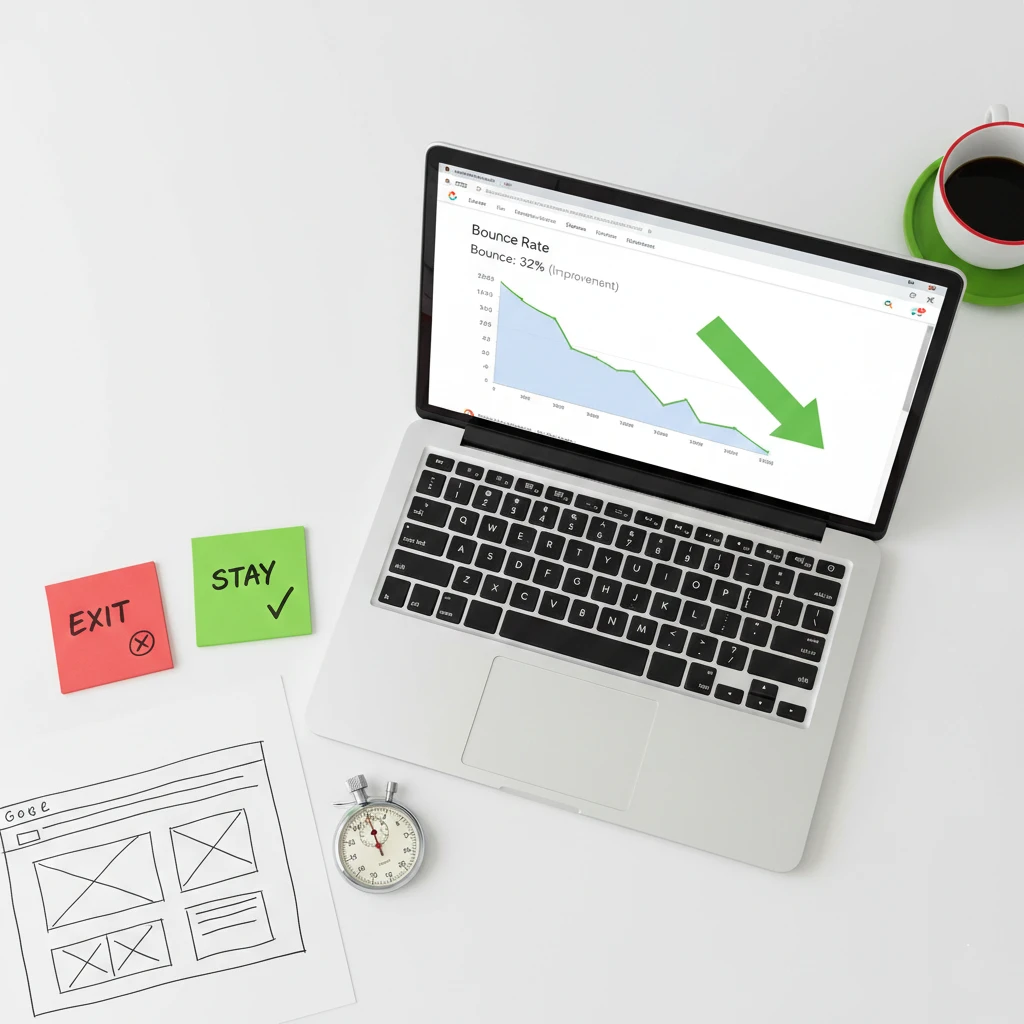
Learning how to reduce website bounce rate keeps more visitors engaged with your content and offerings. Bounce rate measures visitors who leave after viewing only one page. Furthermore, high bounce rates signal problems that cost you potential customers daily.
Every bouncing visitor represents lost opportunity for your small business. They arrived interested enough to click but left without exploring further. Consequently, understanding and reducing bounce rate directly impacts your business results.
This guide covers proven strategies to reduce website bounce rate effectively. You’ll learn why visitors leave, how to identify problems, and practical fixes that keep visitors engaged.
What Is Bounce Rate and Why It Matters
Understanding bounce rate fundamentals helps you interpret data correctly. Context matters significantly for meaningful analysis.
Defining Bounce Rate
Bounce rate represents the percentage of single-page sessions on your website. A “bounce” occurs when someone visits one page and leaves without interaction. Furthermore, bounces include no clicks, scrolls, or engagement tracked.
Google Analytics calculates bounce rate by dividing single-page sessions by total sessions. Multiply by 100 for percentage representation.
Why Bounce Rate Matters
High bounce rates often indicate visitor disappointment or confusion unfortunately. Visitors expected something different than what they found. Consequently, they leave without converting or exploring further.
However, bounce rate affects more than just engagement metrics significantly. Google considers user experience signals for ranking purposes. Poor engagement may hurt your search visibility.
What’s a Good Bounce Rate?
Bounce rate benchmarks vary significantly by industry and page type. Generally, 40-60% represents average website bounce rates. However, context determines whether your rate is problematic.
According to CXL research, different page types have different expectations:
| Page Type | Typical Bounce Rate |
|---|---|
| Blog posts | 70-90% |
| Landing pages | 60-90% |
| Service pages | 30-50% |
| Retail sites | 20-40% |
| Portals | 10-30% |
When High Bounce Rate Is Acceptable
Not all high bounce rates indicate problems necessarily. Blog visitors might find their answer and leave satisfied completely. Contact page visitors might call instead of browsing further.
Single-purpose pages often have naturally higher bounce rates appropriately. Evaluate bounce rate within context rather than absolute terms.
When High Bounce Rate Is Problematic
High bounce rates on conversion-focused pages signal serious problems specifically. Homepage bounces mean visitors reject your first impression entirely. Service page bounces indicate failed value communication.
Compare your bounce rates to page purposes specifically. Misalignment between purpose and bounce rate requires attention.
Common Causes of High Bounce Rate
Understanding why visitors leave helps you fix problems effectively. These common causes affect most high-bounce websites.
Slow Page Loading
Slow pages drive visitors away before content even appears unfortunately. Google research shows 53% of mobile visitors leave after 3 seconds. Furthermore, each additional second increases bounce probability significantly.
Speed problems compound other issues dramatically. Visitors won’t wait to discover whether content is valuable.
Poor Mobile Experience
Over 60% of traffic comes from mobile devices currently. Websites that don’t work well on phones frustrate the majority of visitors. Consequently, mobile problems cause massive bounce rate increases.
Tiny text, unclickable buttons, and horizontal scrolling all drive bounces. Mobile experience deserves primary attention.
Misleading Titles or Descriptions
Visitors arrive expecting specific content based on search results or ads. When reality doesn’t match expectations, they leave immediately disappointed. Therefore, alignment between promises and delivery matters enormously.
Clickbait tactics may drive clicks but destroy engagement completely. Honest, accurate titles build trust and reduce bounces.
Difficult Navigation
Visitors who can’t find what they need give up frustrated quickly. Confusing menus, missing search, and poor organization all cause bounces. Furthermore, visitors won’t work hard to explore your site.
Navigation should be intuitive and obvious to strangers completely. Test with people unfamiliar with your website.
Unappealing Design
Outdated or unprofessional design creates immediate negative impressions unfortunately. Visitors judge credibility based on visual appearance within seconds. Consequently, poor design drives bounces before content is evaluated.
First impressions happen faster than reading occurs naturally. Visual appeal earns the chance to communicate value.
Weak or Missing Value Proposition
Visitors need to understand why they should stay within seconds immediately. Unclear value propositions leave visitors confused about your offering. Therefore, they leave to find clearer alternatives elsewhere.
Your homepage especially must communicate value instantly clearly. Confusion equals bounces consistently.
Intrusive Pop-ups and Ads
Aggressive pop-ups frustrate visitors and trigger immediate exits frequently. Ads that block content or disrupt experience drive bounces significantly. Furthermore, Google penalizes intrusive interstitials specifically.
Balance monetization with user experience carefully always. Annoying visitors costs more than ads earn.
Poor Content Quality
Thin, unhelpful, or poorly written content disappoints visitors completely. They came seeking valuable information and found nothing useful. Consequently, they leave and won’t return.
Content must deliver on the promise that brought visitors originally. Quality determines whether visitors stay engaged.
Auto-Playing Media
Videos or audio that play automatically startle and annoy visitors instantly. Many browse in quiet environments or with others nearby. Therefore, unexpected sound causes immediate page abandonment.
Always let visitors choose when media plays appropriately. Auto-play damages experience and increases bounces.
Broken Elements
Broken images, dead links, and error messages signal neglect clearly. Visitors question whether your business is reliable or active. Furthermore, broken functionality prevents intended engagement.
Regular testing catches broken elements before they damage visitor experience. Maintain your website consistently.
How to Reduce Website Bounce Rate: Quick Wins
These improvements deliver immediate bounce rate reductions with relatively little effort. Start here for fast results.
Improve Page Speed
Faster pages keep more visitors engaged consistently. Compress images, enable caching, and minimize code aggressively. Furthermore, consider upgrading hosting for better performance.
Use Google PageSpeed Insights to identify specific speed improvements needed. Prioritize recommendations with highest impact.
Fix Mobile Experience
Test your website on actual mobile devices thoroughly immediately. Ensure text is readable without zooming required. Furthermore, verify buttons and links are easily tappable.
Mobile-first design ensures the majority of visitors have good experiences. Prioritize mobile over desktop optimization.
Match Content to Expectations
Audit your page titles, meta descriptions, and ad copy carefully. Ensure they accurately represent page content honestly. Furthermore, deliver on promises made in search results.
Visitors who find expected content stay and explore further. Alignment reduces bounces significantly.
Add Clear Calls to Action
Tell visitors what to do next on every page specifically. Clear CTAs guide engagement and reduce confusion effectively. Furthermore, they provide reasons to click deeper into your site.
“Learn More,” “See Our Services,” and “Get a Quote” all direct continued exploration. Don’t leave visitors wondering what’s next.
Remove or Reduce Pop-ups
Eliminate unnecessary pop-ups entirely if possible immediately. If pop-ups are essential, delay them significantly after page load. Furthermore, make closing them easy and obvious.
Exit-intent pop-ups are less intrusive than immediate ones typically. Test whether pop-ups actually improve results.
Improve Above-the-Fold Content
The content visitors see before scrolling determines whether they stay. Make value proposition immediately clear and compelling. Furthermore, include engaging visuals that capture attention.
If visitors must scroll to understand your offering, you’ve likely lost them. Front-load your most important content.
How to Reduce Website Bounce Rate: Content Strategies
Content quality and presentation significantly impact bounce rates. Apply these content strategies consistently.
Write Compelling Headlines
Headlines determine whether visitors continue reading content specifically. Weak headlines fail to capture attention and motivate engagement. Therefore, invest time crafting headlines that hook readers.
Use benefit-focused language promising value clearly. Questions, numbers, and power words all improve headline performance.
Improve Content Readability
Dense, difficult-to-read content drives visitors away quickly unfortunately. Use short paragraphs, subheadings, and bullet points appropriately. Furthermore, write at appropriate reading level for your audience.
Hemingway Editor helps simplify complex writing effectively. Readable content keeps visitors engaged longer.
Add Visual Content
Walls of text overwhelm and bore visitors unnecessarily. Break up content with relevant images, videos, and graphics. Furthermore, visuals communicate information faster than text.
Images should support and enhance written content specifically. Random decorative images add little value.
Use Internal Linking
Link to related content throughout your pages strategically. Internal links encourage deeper exploration naturally. Furthermore, they help visitors find additional valuable content.
“Related Articles” and “You Might Also Like” sections reduce bounces effectively. Guide visitors toward more content.
Update Outdated Content
Old content with outdated information disappoints visitors seeking current answers. Review and update content regularly for accuracy. Furthermore, refresh dated examples and statistics.
Content freshness signals active, maintained website presence. Outdated content damages trust and increases bounces.
Match Content Depth to Intent
Some queries need quick answers while others require comprehensive coverage. Match your content depth to visitor intent appropriately. Furthermore, don’t pad content unnecessarily for length.
Visitors seeking quick answers bounce from overly long content. Visitors seeking depth bounce from superficial coverage.
Design Changes That Reduce Bounce Rate
Visual design impacts engagement before visitors read anything. Apply these design principles consistently.
Create Visual Hierarchy
Guide visitors through your page with clear visual hierarchy. Important elements should stand out prominently. Furthermore, hierarchy helps visitors find information quickly.
Size, color, and position create hierarchy naturally. Use them to emphasize what matters most.
Improve Color Contrast
Low contrast makes text difficult to read unfortunately. Visitors won’t strain their eyes to consume your content. Therefore, ensure sufficient contrast throughout.
WebAIM Contrast Checker verifies accessibility standards compliance. Good contrast benefits everyone.
Use White Space Effectively
Cluttered designs overwhelm and confuse visitors unnecessarily. White space helps content breathe and feel approachable. Furthermore, it improves focus on important elements.
Don’t fear empty space on your pages specifically. Strategic white space improves rather than wastes space.
Make Navigation Obvious
Navigation should be immediately visible and understandable clearly. Hide navigation behind icons only when space truly requires it. Furthermore, maintain consistent navigation throughout.
Visitors who can’t navigate leave frustrated quickly. Obvious navigation keeps them exploring.
Ensure Responsive Design
Your design must adapt gracefully to all screen sizes consistently. Broken layouts on any device cause immediate bounces. Therefore, test responsiveness thoroughly across devices.
Responsive design is standard expectation now universally. Non-responsive sites feel outdated and untrustworthy.
Choose Readable Fonts
Decorative fonts may look creative but often reduce readability significantly. Choose clean, readable fonts for body text specifically. Furthermore, ensure font sizes are large enough.
Minimum 16px body text works well for most screens typically. Smaller text causes squinting and bouncing.
Technical Fixes to Reduce Bounce Rate
Technical problems cause bounces that content improvements can’t fix. Address these technical issues specifically.
Enable Browser Caching
Caching stores files locally so return visitors experience faster loading. Configure proper cache headers for static assets. Furthermore, most caching plugins handle this automatically.
Faster return visits encourage continued engagement over time. Caching improves experience for repeat visitors.
Compress Images Properly
Large image files slow pages significantly and unnecessarily. Compress all images before uploading to your website. Furthermore, serve appropriately sized images for different devices.
TinyPNG and similar tools reduce file sizes without visible quality loss. Compressed images load faster.
Minimize HTTP Requests
Each file your page loads requires a separate server request. Too many requests slow loading even with small files. Therefore, combine and minimize files where possible.
Audit your page requests using browser developer tools specifically. Reduce unnecessary requests.
Use Content Delivery Network
CDNs distribute your content across global servers strategically. Visitors receive files from nearest locations automatically. Consequently, loading times improve for distant visitors.
Cloudflare offers free CDN services for most websites helpfully. CDN implementation dramatically improves global performance.
Fix Broken Links and Images
Broken elements frustrate visitors and damage credibility significantly. Regularly scan your website for broken links and images. Furthermore, fix problems immediately when discovered.
Broken Link Checker identifies broken elements automatically. Regular checks prevent accumulating problems.
Ensure HTTPS Security
Insecure sites display browser warnings that immediately trigger bounces. SSL certificates are free and expected universally now. Furthermore, HTTPS is a Google ranking factor.
Visitors won’t trust sites marked “Not Secure” by browsers obviously. Secure your site if you haven’t already.
Reduce Bounce Rate for Specific Page Types
Different pages require different bounce reduction approaches specifically. Apply targeted strategies appropriately.
Homepage Bounce Reduction
Homepages must communicate value proposition instantly and clearly. Include obvious navigation to key sections prominently. Furthermore, feature compelling visuals that capture attention.
Multiple clear CTAs guide visitors toward relevant content specifically. Don’t make visitors guess where to go.
Blog Post Bounce Reduction
Blog posts naturally have higher bounce rates but can still improve. Include related post suggestions at article end consistently. Furthermore, add internal links throughout content.
Email signup offers give visitors reason to connect beyond single posts. Build ongoing relationships through subscriptions.
Service Page Bounce Reduction
Service pages should clearly explain offerings and next steps specifically. Include social proof like testimonials and case studies prominently. Furthermore, make contact options obvious and easy.
Visitors on service pages are considering purchase actively. Remove friction from their conversion path.
Landing Page Bounce Reduction
Landing pages should match traffic source messaging precisely exactly. Single focused CTA eliminates confusion about next steps. Furthermore, remove navigation that enables escape.
Landing page bounces often indicate messaging misalignment specifically. Test different headlines and offers.
Product Page Bounce Reduction
Product pages need compelling images, clear descriptions, and easy purchase options. Include customer reviews and ratings prominently. Furthermore, show related products for continued browsing.
Trust indicators near purchase buttons reduce checkout anxiety. Make buying feel safe and easy.
Analyzing and Monitoring Bounce Rate
Data helps you understand problems and measure improvements accurately. Apply these analysis approaches consistently.
Segment Bounce Rate Data
Overall bounce rate hides important patterns unfortunately. Segment by traffic source, device type, and page category specifically. Furthermore, identify which segments have problematic rates.
Mobile bounce rates often differ significantly from desktop specifically. Source-specific rates reveal channel problems.
Identify High-Bounce Pages
Find specific pages with unusually high bounce rates particularly. Navigate to Behavior > Site Content > All Pages in Google Analytics. Sort by bounce rate to identify problem pages.
Focus improvement efforts on high-traffic, high-bounce pages specifically. These pages offer biggest improvement opportunities.
Compare Before and After
Before making changes, document current bounce rates accurately. After implementing changes, compare new rates to baselines. Furthermore, allow sufficient time for meaningful data.
Improvement validation requires statistical significance properly. Don’t declare victory prematurely.
Use Heatmaps and Recordings
Hotjar and similar tools show actual visitor behavior visually. Heatmaps reveal where visitors click and scroll specifically. Recordings show complete visitor sessions.
These tools reveal why visitors bounce beyond what numbers show. Visual data complements quantitative analytics.
Monitor Trends Over Time
Single data points don’t indicate patterns meaningfully. Track bounce rate trends over weeks and months specifically. Furthermore, correlate changes with website modifications.
Sudden bounce rate increases signal new problems requiring investigation. Gradual improvements indicate successful optimization.
Common Bounce Rate Mistakes to Avoid
Many businesses make these errors when addressing bounce rate problems. Learn from their mistakes proactively.
Obsessing Over Numbers
Bounce rate is one metric among many importantly. Obsessing over bounce rate alone ignores bigger picture entirely. Therefore, consider bounce rate alongside conversion metrics.
Low bounce rate with zero conversions isn’t success obviously. Focus on business results ultimately.
Ignoring Page Context
Comparing bounce rates across different page types misleads conclusions significantly. Blog posts and checkout pages have different expectations naturally. Therefore, compare within page categories only.
Context determines whether bounce rates are problematic specifically. Evaluate appropriately.
Making Changes Without Data
Random changes hoping to improve bounce rate waste time unfortunately. Use analytics to identify specific problems first accurately. Then make targeted changes addressing those problems.
Data-driven changes produce better results than guessing consistently. Analyze before acting.
Expecting Instant Results
Bounce rate improvements take time to materialize significantly. Small visitor samples produce unreliable data initially. Therefore, patience and consistent effort matter.
Allow several weeks minimum before evaluating changes properly. Premature conclusions mislead optimization efforts.
Sacrificing Conversions for Bounce Rate
Some tactics reduce bounce rate while hurting conversions unfortunately. Misleading visitors to click more pages doesn’t help business. Therefore, prioritize conversions over bounce rate.
Engaged visitors who convert matter more than bouncing visitors. Keep business goals primary.
The Bottom Line
Learning how to reduce website bounce rate keeps more visitors engaged with your business. Lower bounce rates indicate visitors find value and want to explore further. Furthermore, engaged visitors are more likely to convert.
Start by identifying your highest-bounce pages through analytics specifically. Analyze why visitors might leave those pages prematurely. Then apply targeted fixes addressing specific problems identified.
Remember that bounce rate is a symptom rather than the disease itself. Focus on improving visitor experience genuinely throughout. Better experiences naturally reduce bounce rates over time.
Your competitors are likely working to reduce their bounce rates actively. Therefore, improving yours should become a priority for your business. Start implementing these strategies today and watch engagement improve.
Need help reducing your website bounce rate? Get a free quote or contact us to discuss your website optimization needs.