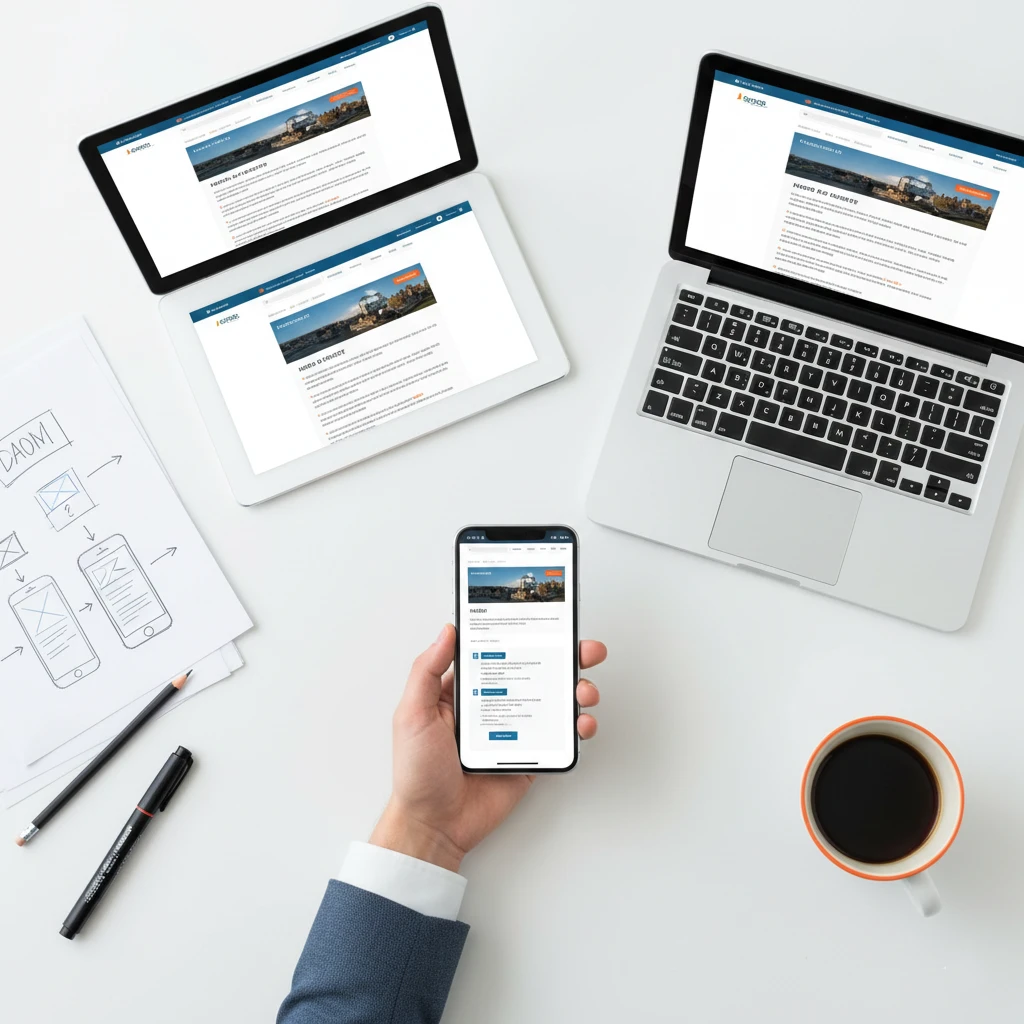
Mobile-first website design starts with the smallest screen and scales up to larger devices. This approach ensures your website works perfectly for the majority of visitors. Furthermore, Google now uses mobile versions for indexing and ranking primarily.
Over 60% of web traffic comes from mobile devices nowadays consistently. If your website doesn’t work well on phones, you’re losing most potential customers. Consequently, mobile-first design has become essential rather than optional.
This guide shows you how to implement mobile-first website design for your small business. You’ll learn practical strategies that improve experience for all visitors regardless of device.
Why Mobile-First Website Design Matters
Understanding mobile-first importance motivates proper implementation throughout your website. The benefits extend far beyond just mobile users.
Most Visitors Use Mobile Devices
Mobile traffic surpassed desktop years ago and keeps growing steadily. Statista research shows mobile accounts for over 58% of global web traffic. Therefore, designing for mobile means designing for most visitors.
Your specific audience might skew even more heavily toward mobile usage. Check your analytics to understand your actual visitor breakdown accurately.
Google Prioritizes Mobile Experience
Google uses mobile-first indexing for all websites currently. This means Google primarily uses your mobile site version for ranking. Consequently, poor mobile experience directly hurts your search visibility.
Google’s documentation explains mobile-first indexing thoroughly and clearly. Understanding this policy emphasizes mobile optimization importance.
Mobile Users Have Different Needs
Mobile visitors often have different intentions than desktop visitors typically. They want quick answers, directions, or contact information immediately. Therefore, mobile design must prioritize these common needs.
Mobile context also differs significantly from desktop usage patterns. People browse on phones while commuting, waiting, or multitasking constantly. Short attention spans require streamlined experiences.
Poor Mobile Experience Costs Sales
Visitors won’t struggle with difficult mobile websites patiently. They’ll leave and find competitors with better mobile experiences instead. Consequently, poor mobile design directly costs you revenue.
Google research shows 53% of mobile visitors leave pages taking over 3 seconds. Speed and usability both matter enormously for mobile.
Mobile-First Benefits Desktop Too
Designing mobile-first forces prioritization and simplification beneficially. You identify what truly matters when screen space is limited. Consequently, desktop versions become cleaner and more focused too.
Constraints breed creativity and clarity simultaneously. Mobile-first thinking improves overall design quality consistently.
Mobile-First vs Responsive Design
Understanding the difference helps you approach design correctly from the start.
What Is Responsive Design?
Responsive design makes websites adapt to different screen sizes automatically. Content rearranges and resizes based on viewport dimensions. However, responsive doesn’t specify which screen size comes first.
Many responsive sites are designed desktop-first then adapted for mobile. This approach often creates compromised mobile experiences unfortunately.
What Is Mobile-First Design?
Mobile-first design begins with the smallest screen specifically. Designers create the mobile experience first and completely. Then they enhance and expand for larger screens progressively.
This approach ensures mobile visitors get a purposefully designed experience. Nothing is crammed or compromised for smaller screens.
Why Mobile-First Is Better
Desktop-first design often results in cluttered mobile experiences unfortunately. Features that work on desktop become problems on mobile frequently. Therefore, mobile-first prevents these issues proactively.
Mobile-first also forces content prioritization decisions early beneficially. You determine what matters most when space is severely limited.
Progressive enhancement beats graceful degradation for user experience consistently. Building up works better than cutting down.
Core Principles of Mobile-First Website Design
Follow these fundamental principles when implementing mobile-first design strategies.
Prioritize Content Ruthlessly
Mobile screens can’t display everything simultaneously obviously. Determine what visitors need most and prioritize accordingly. Secondary content can appear on larger screens only.
Ask yourself: “If visitors could only see one thing, what should it be?” Answer that question for every page specifically.
Remove anything that doesn’t serve visitor needs directly. Clutter is worse on mobile than desktop significantly.
Design for Touch Interaction
Mobile visitors use fingers, not mouse cursors precisely. Touch targets need sufficient size for accurate tapping easily. Small buttons frustrate mobile users considerably.
Apple’s guidelines recommend minimum 44×44 pixel touch targets specifically. Anything smaller causes accidental taps and frustration.
Spacing between touch targets matters equally importantly. Crowded buttons lead to wrong selections frequently.
Optimize for Speed
Mobile connections are often slower than desktop connections significantly. Large files take forever to download on cellular networks. Therefore, speed optimization is even more critical for mobile.
Compress images aggressively for mobile delivery specifically. Consider serving different image sizes based on device.
Minimize code, reduce requests, and leverage caching extensively. Every millisecond matters more on mobile than desktop.
Simplify Navigation
Complex navigation menus don’t work well on small screens unfortunately. Hamburger menus hide navigation but save precious space effectively. However, ensure hidden navigation remains discoverable.
Limit top-level navigation items to five or fewer ideally. Deep navigation structures frustrate mobile users quickly.
Consider sticky navigation that remains accessible while scrolling continuously. Easy access to navigation improves mobile experience significantly.
Use Readable Typography
Small screens require careful typography considerations specifically. Font sizes must be large enough to read without zooming. Additionally, line lengths should accommodate narrow viewports.
Minimum 16px body text is recommended for mobile readability generally. Smaller text causes eye strain and frustration.
Sufficient line height improves readability on all screen sizes. Cramped text is harder to read on mobile especially.
Implementing Mobile-First Design: Step by Step
Follow this process to implement mobile-first website design effectively.
Step 1: Audit Current Mobile Experience
Start by evaluating your existing mobile experience honestly. Test your website on actual mobile devices thoroughly. Note every frustration and difficulty you encounter.
Use Google’s Mobile-Friendly Test for technical evaluation additionally. This tool identifies specific mobile usability issues clearly.
Document all problems discovered during your audit completely. This list becomes your improvement roadmap.
Step 2: Identify Core Content and Actions
Determine what mobile visitors need most from your website. Contact information, key services, and primary CTAs typically top the list. These elements deserve prominent mobile placement.
Review analytics to understand actual mobile visitor behavior specifically. What pages do they visit? What actions do they take?
Prioritize based on business goals and visitor needs together. Both perspectives matter for effective prioritization.
Step 3: Create Mobile Wireframes First
Design mobile layouts before considering desktop versions entirely. Sketch or wireframe key pages at mobile dimensions specifically. Force yourself to make prioritization decisions early.
This constraint reveals what truly matters on each page clearly. Desktop wireframes become easier after mobile decisions.
Test mobile wireframes with real users if possible ideally. Early feedback prevents costly redesign later.
Step 4: Design Mobile Visual Elements
Create visual designs starting with mobile dimensions specifically. Choose colors, typography, and imagery that work on small screens. Ensure contrast and readability meet mobile requirements.
Design touch-friendly buttons and interactive elements carefully. Size and spacing must accommodate finger taps accurately.
Mobile designs should feel complete, not stripped-down versions. Visitors should enjoy the mobile experience fully.
Step 5: Progressively Enhance for Larger Screens
Once mobile design is complete, expand for tablet and desktop progressively. Add content and features that larger screens accommodate easily. However, maintain the prioritization established for mobile.
Desktop versions can include additional navigation, sidebars, and features. These enhancements improve larger screen experience.
Never compromise mobile design to accommodate desktop preferences though. Mobile-first means mobile remains the priority always.
Step 6: Test Across All Devices
Test your mobile-first design on actual devices thoroughly and completely. Emulators help but don’t catch everything unfortunately. Real device testing reveals real-world issues.
Test on both iOS and Android devices specifically. Different operating systems render differently sometimes.
Include older devices and slower connections in testing too. Not everyone has the newest, fastest devices.
Essential Mobile-First Design Elements
Include these elements to create effective mobile-first experiences consistently.
Click-to-Call Phone Numbers
Mobile visitors should call you with a single tap instantly. Link phone numbers so they’re clickable on mobile devices. This simple feature removes friction for mobile callers.
Format: <a href="tel:+15551234567">555-123-4567</a> for clickable numbers. Test that calls initiate correctly on actual phones.
Mobile-Friendly Forms
Forms are notoriously difficult on mobile devices unfortunately. Minimize form fields to absolute essentials only strictly. Every extra field reduces completion rates measurably.
Use appropriate input types for better mobile keyboards automatically. Email fields should trigger email keyboards specifically. Phone fields should show number pads.
Large input fields and buttons accommodate touch interaction properly. Autofill support speeds form completion significantly.
Thumb-Friendly Navigation
Consider how people hold phones when designing navigation placement. Most users hold phones in one hand primarily. Therefore, important elements should be reachable by thumb.
Bottom navigation places key actions within easy thumb reach conveniently. This pattern has become increasingly popular for good reason.
Avoid placing critical elements in hard-to-reach corners specifically. Top corners require hand repositioning to access awkwardly.
Compressed and Optimized Images
Images often cause the biggest mobile performance problems directly. Serve appropriately sized images for mobile screens specifically. Don’t load desktop-sized images on mobile devices wastefully.
Use modern formats like WebP for better compression automatically. Implement lazy loading for images below the fold.
Consider using CSS for decorative elements instead of images. Vector graphics scale perfectly and load quickly.
Readable Content Blocks
Long paragraphs feel overwhelming on small screens unfortunately. Break content into short, scannable chunks consistently. Mobile readers prefer easily digestible information.
Use headings liberally to help mobile visitors scan content quickly. Bold key phrases to highlight important information.
Bullet points work well for mobile reading patterns specifically. They’re easier to scan than dense paragraphs.
Mobile-First Website Design Best Practices
Follow these guidelines to maximize mobile-first effectiveness consistently.
Test on Real Devices Regularly
Desktop browser tools simulate mobile but miss real-world issues frequently. Actual device testing reveals touch problems, performance issues, and rendering differences. Therefore, test on real phones and tablets regularly.
Maintain a collection of test devices representing your audience specifically. Include both iOS and Android devices minimally.
Test on older devices too, not just newest models exclusively. Your visitors use various device ages.
Monitor Mobile Analytics Separately
Track mobile visitor behavior separately from desktop visitors specifically. Mobile users may behave differently in important ways. Therefore, segment your analytics appropriately.
Watch mobile bounce rates, conversion rates, and popular pages specifically. These metrics reveal mobile experience quality.
Compare mobile versus desktop performance regularly for insights. Large gaps indicate optimization opportunities.
Prioritize Mobile Page Speed
Mobile speed matters even more than desktop speed significantly. Mobile connections are slower and less reliable typically. Therefore, optimize aggressively for mobile performance.
Use PageSpeed Insights to test mobile speed specifically. Focus on mobile scores and recommendations primarily.
Set mobile speed budgets and enforce them strictly. Don’t let new features slow mobile experience.
Avoid Mobile-Unfriendly Elements
Certain elements simply don’t work well on mobile devices at all. Avoid Flash entirely since it doesn’t work on most mobile devices. Similarly, avoid hover-dependent interactions that touch screens can’t trigger.
Popup windows frustrate mobile users and hurt SEO significantly. Use alternatives like slide-ins or inline content instead.
Fixed elements can consume too much precious mobile screen space. Use them sparingly and thoughtfully only.
Keep Forms Short and Simple
Mobile form completion is tedious and error-prone unfortunately. Every field you remove increases completion rates measurably. Therefore, ask only for absolutely essential information.
Enable autofill to speed form completion significantly automatically. Mobile browsers can populate common fields instantly.
Use appropriate input types for mobile keyboard optimization always. Date pickers, number pads, and email keyboards improve experience.
Common Mobile-First Design Mistakes
Avoid these frequent errors that damage mobile experience significantly.
Tiny Touch Targets
Buttons and links that work fine with mouse cursors fail with fingers completely. Tiny touch targets cause frustration and accidental taps constantly. Therefore, size all interactive elements for touch generously.
Remember the 44×44 pixel minimum for touch targets consistently. Err on the side of larger rather than smaller always.
Unreadable Text
Text that’s readable on desktop often fails on mobile screens unfortunately. Small fonts strain eyes and frustrate visitors quickly. Therefore, use sufficiently large text throughout.
16px minimum for body text is standard recommendation generally. Consider even larger sizes for improved readability.
Horizontal Scrolling
Mobile websites should never require horizontal scrolling ever. Content wider than viewport indicates layout problems specifically. Fix any elements causing horizontal overflow immediately.
Test at various widths to ensure no horizontal scrolling anywhere. This issue often appears only at certain dimensions.
Intrusive Pop-ups
Pop-ups that work on desktop often overwhelm mobile screens entirely. They block content and frustrate visitors significantly. Furthermore, Google penalizes intrusive mobile pop-ups directly.
If pop-ups are necessary, make them easy to close immediately. Better yet, use less intrusive alternatives entirely.
Ignoring Page Speed
Slow mobile pages lose visitors before they even load completely. Speed optimization often gets neglected for mobile unfortunately. Therefore, prioritize mobile speed aggressively.
Test mobile speed regularly and address issues immediately. Speed degradation accumulates without constant attention.
Desktop-First Retrofitting
Trying to squeeze desktop designs into mobile screens fails consistently. This approach creates compromised, frustrating mobile experiences. Therefore, design mobile-first from the beginning.
If redesigning, start fresh with mobile rather than adapting existing designs. True mobile-first requires mobile-first thinking throughout.
Mobile-First Design Tools and Resources
These tools help implement mobile-first website design effectively.
Design Tools
Figma: Excellent for responsive design with mobile-first frames specifically. Free tier offers substantial capabilities generously.
Adobe XD: Mobile design features with preview on actual devices included. Integrates well with other Adobe products.
Sketch: Popular Mac design tool with responsive design capabilities. Strong plugin ecosystem extends functionality.
Testing Tools
BrowserStack: Test on real devices remotely without owning them all. Extensive device library covers most scenarios.
Chrome DevTools: Built-in device simulation for quick testing conveniently. Useful but doesn’t replace real device testing.
Google Mobile-Friendly Test: Quick assessment of mobile-friendliness specifically. Identifies specific issues to address.
Performance Tools
PageSpeed Insights: Google’s tool for mobile speed analysis specifically. Provides actionable recommendations clearly.
GTmetrix: Detailed performance analysis with mobile testing options. Waterfall views reveal specific issues.
WebPageTest: Advanced testing from mobile devices in various locations. Highly detailed technical information.
The Bottom Line
Mobile-first website design ensures the majority of visitors have excellent experiences. Starting with mobile forces prioritization and creates focused, effective websites. Furthermore, Google rewards mobile-friendly sites with better search rankings.
Begin by auditing your current mobile experience honestly and thoroughly. Identify the most important content and actions for mobile visitors specifically. Then design from mobile up rather than desktop down.
Remember that mobile-first benefits all visitors ultimately, not just mobile users. Cleaner, faster, more focused websites perform better everywhere. Therefore, mobile-first thinking improves your entire online presence.
Your competitors are likely optimizing for mobile already actively. Therefore, catching up should become an immediate priority for your business. Start implementing mobile-first website design strategies today.
Need help creating a mobile-first website? Get a free quote or contact us to discuss your mobile optimization needs.