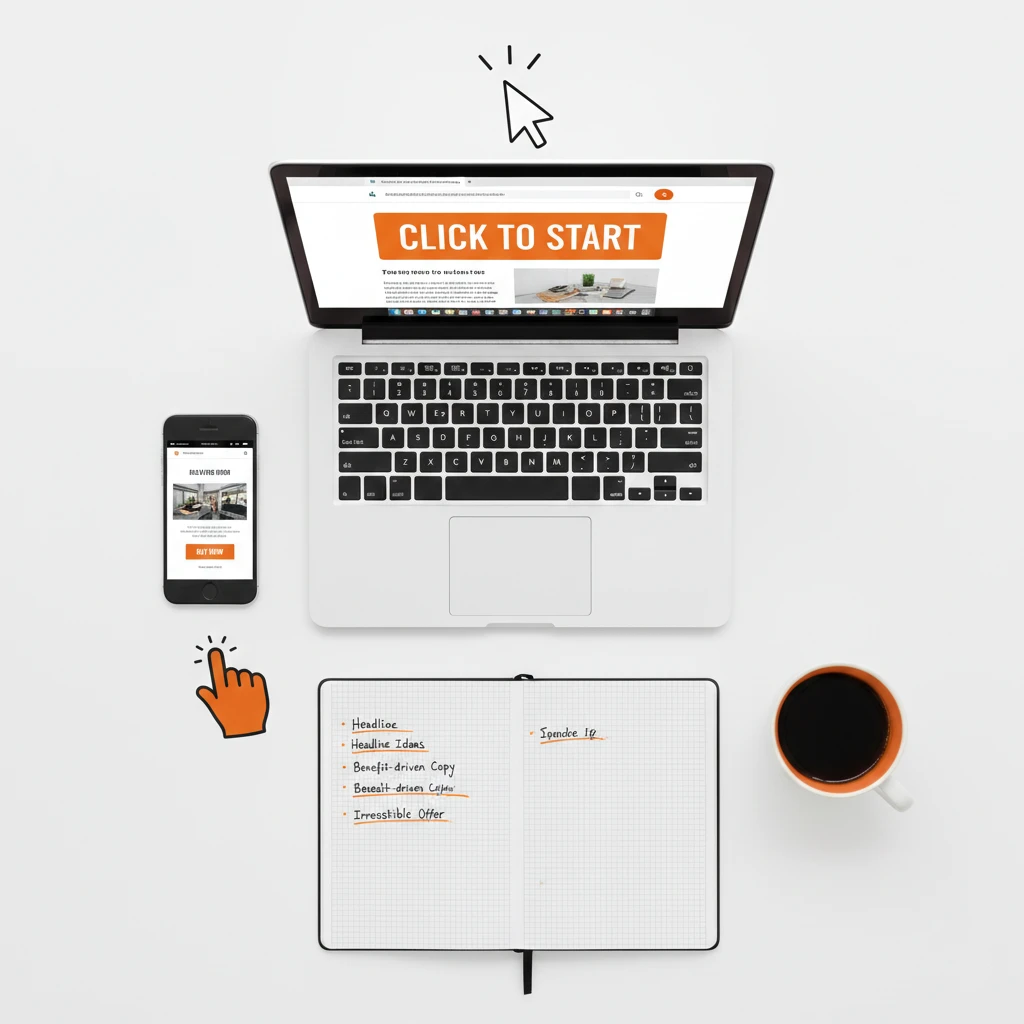
Article 23: How to Create Effective Calls to Action for Your Small Business Website
Effective Calls to Action: How to Get Website Visitors to Take Action
Effective calls to action transform passive website visitors into active customers and leads. Without them, visitors browse your site and leave without doing anything valuable. Consequently, you lose potential business every single day unnecessarily.
A call to action tells visitors exactly what to do next clearly. It might be “Buy Now,” “Get a Quote,” or “Schedule a Consultation” specifically. However, creating calls to action that actually work requires strategy and psychology.
This guide shows you how to create effective calls to action that drive real results. You’ll learn what makes people click and how to apply these principles immediately.
Why Effective Calls to Action Matter
Many small business websites lack clear direction for visitors entirely. Understanding why CTAs matter motivates proper implementation throughout your site.
They Guide Visitor Behavior
Visitors often don’t know what to do next on websites naturally. Without guidance, they wander aimlessly and eventually leave confused. However, clear CTAs direct them toward valuable actions specifically.
Think of CTAs as signposts pointing visitors toward their destination. Without signs, people get lost and give up frustrated.
They Increase Conversions
Websites with strong CTAs convert significantly more visitors than those without them. HubSpot research shows personalized CTAs convert 202% better than generic ones. Therefore, investing in better CTAs pays off dramatically.
Even small improvements in conversion rates impact revenue significantly. A 1% increase means substantially more customers over time.
They Clarify Your Value Proposition
Effective calls to action communicate what visitors get by taking action. “Get Your Free Quote” tells visitors exactly what they’ll receive. Consequently, expectations are clear before they click.
Vague CTAs like “Submit” provide no motivation or clarity whatsoever. Specific CTAs explain the benefit of clicking immediately.
They Create Urgency
Well-crafted CTAs motivate immediate action rather than procrastination. Without urgency, visitors plan to return later but never do. Therefore, CTAs that create urgency capture more conversions.
Psychology shows people respond strongly to limited time and scarcity. Effective CTAs leverage these triggers appropriately.
They Measure Marketing Effectiveness
CTAs provide clear metrics for measuring website performance accurately. Click-through rates show how compelling your offers are specifically. Furthermore, conversion tracking reveals what’s actually working.
Without trackable CTAs, you’re guessing about effectiveness entirely. Data-driven decisions require measurable actions.
Elements of Effective Calls to Action
Strong CTAs share common characteristics that make them work. Include these elements for maximum effectiveness consistently.
Action-Oriented Language
Start your CTA with a strong action verb that commands attention. Words like “Get,” “Start,” “Download,” “Join,” and “Discover” motivate action. Conversely, passive language fails to inspire clicks.
Compare these examples for clarity:
- Weak: “Our Newsletter”
- Strong: “Join 5,000+ Subscribers”
The strong version tells visitors exactly what action to take immediately.
Clear Benefit Statement
Visitors need to know what they’ll get before clicking willingly. Your CTA should communicate the benefit clearly and specifically. Therefore, focus on what visitors receive rather than what you want.
“Get Your Free Guide” beats “Download” because it specifies the reward. Benefits motivate action far better than commands alone.
Appropriate Urgency
Urgency motivates immediate action rather than delayed consideration. Phrases like “Today Only,” “Limited Time,” and “Only 3 Left” create urgency. However, use genuine urgency only to maintain trust.
Fake urgency damages credibility when visitors recognize manipulation. Therefore, reserve urgency language for truly time-sensitive offers.
Visual Prominence
CTAs must stand out visually from surrounding page elements clearly. Use contrasting colors that draw attention immediately. Additionally, ensure buttons are large enough to notice and click easily.
A CTA that blends into the page gets ignored completely. Visual distinction is essential for effectiveness.
Strategic Placement
Position CTAs where visitors naturally encounter them during browsing. Above the fold ensures visibility without scrolling required. However, CTAs after compelling content also perform well.
Multiple CTAs throughout longer pages capture visitors at different engagement points. Don’t rely on a single CTA placement alone.
Writing Effective Calls to Action Copy
The words you choose dramatically impact CTA performance. Follow these copywriting principles carefully.
Use First Person Language
First person CTAs outperform second person consistently according to research. “Start My Free Trial” converts better than “Start Your Free Trial” typically. This subtle shift increases personal connection somehow.
Unbounce testing confirmed this phenomenon across multiple studies. Therefore, test first person language in your CTAs.
Keep It Short
Effective CTAs use minimal words for maximum impact consistently. Two to five words works best for most situations typically. Longer CTAs lose attention and clarity unnecessarily.
Every word must earn its place in the limited space available. Remove anything that doesn’t directly contribute to the action.
Be Specific About the Outcome
Vague CTAs generate vague results unfortunately. Specific CTAs set clear expectations that motivate clicks. Therefore, tell visitors exactly what happens after clicking.
Compare these approaches:
- Vague: “Learn More”
- Specific: “See Our 50+ Website Examples”
Specificity builds confidence and increases click-through rates measurably.
Address Objections Directly
Visitors have concerns that prevent them from clicking immediately. Address these objections within or near your CTA strategically. Common objections include cost, time commitment, and spam fears.
“Get Your Free Quote (No Obligation)” addresses the commitment objection directly. “Join Free – No Credit Card Required” handles the cost concern.
Test Different Variations
You can’t know what works best without testing different options systematically. A/B test CTA copy to find winning variations specifically. Small word changes can dramatically impact results surprisingly.
Test one element at a time for clear conclusions always. Multiple simultaneous changes confuse your results entirely.
Designing Calls to Action That Convert
Visual design significantly impacts CTA effectiveness measurably. Follow these design principles carefully.
Choose Contrasting Colors
Your CTA button must contrast with surrounding page colors dramatically. If your site is blue, try orange or green buttons instead. Contrast draws eyes to the CTA automatically.
Color psychology influences emotions and actions subtly but powerfully. Red creates urgency while green suggests safety typically. However, contrast matters more than specific colors ultimately.
Make Buttons Obviously Clickable
Visitors should recognize CTAs as clickable buttons instantly and clearly. Use shadows, borders, or hover effects to indicate interactivity. Flat designs sometimes confuse visitors about what’s clickable.
Test your CTAs with real users to ensure clarity completely. What seems obvious to you might confuse others.
Size Appropriately
CTA buttons need sufficient size to notice and click easily. Too small buttons get overlooked or prove difficult to tap. However, overly large buttons look unprofessional and desperate.
Mobile visitors need larger tap targets than desktop users require. Ensure buttons work on all device sizes properly.
Include White Space
Surround CTAs with white space to help them stand out visually. Crowded pages make CTAs compete for attention unnecessarily. Therefore, give important CTAs room to breathe.
White space also improves overall page readability significantly. Visitors process information better on uncluttered pages.
Add Supporting Elements
Icons, arrows, and images can reinforce CTA messages effectively. A download icon next to “Download Free Guide” adds visual clarity. Arrows pointing toward buttons direct attention appropriately.
However, avoid cluttering CTAs with too many visual elements unnecessarily. Support the message without overwhelming it.
Effective Calls to Action Placement Strategies
Where you place CTAs affects how many visitors see and click them. Consider these placement strategies carefully.
Above the Fold
Place primary CTAs where visitors see them without scrolling immediately. This ensures maximum visibility for your most important actions. However, visitors might not be ready to act immediately.
Above-the-fold CTAs work best for simple, low-commitment offers specifically. Free downloads and newsletter signups perform well here.
After Value Demonstration
CTAs following compelling content benefit from built-up interest significantly. Visitors who’ve read persuasive copy are more ready to act. Therefore, place CTAs after explaining your value proposition.
This placement works excellently for higher-commitment actions specifically. Service inquiries and purchase CTAs benefit from preceding content.
At Natural Decision Points
Identify where visitors naturally make decisions during their journey. End of blog posts, bottom of service pages, and checkout flows present opportunities. Place CTAs at these decision points strategically.
Visitors expect CTAs at certain locations based on experience. Meeting expectations improves click-through rates naturally.
Multiple Placements
Don’t rely on single CTA placements for important actions exclusively. Multiple placements capture visitors at different engagement levels effectively. However, avoid overwhelming pages with excessive CTAs.
Vary CTA styles slightly across placements for visual interest. Same message with different presentations prevents banner blindness.
Sticky or Fixed CTAs
Sticky CTAs remain visible as visitors scroll through content continuously. They ensure CTAs stay accessible regardless of page position. This technique works well for key conversion actions.
However, sticky elements can annoy visitors if implemented poorly. Use sparingly and ensure they don’t obstruct content.
Types of Calls to Action for Small Business Websites
Different page types require different CTA approaches specifically. Match your CTAs to context appropriately.
Homepage CTAs
Homepage CTAs should reflect your primary business goal directly. Lead generation businesses need “Get a Quote” prominently displayed. E-commerce sites should feature “Shop Now” or category CTAs.
Keep homepage CTAs focused on one or two primary actions maximum. Too many options create decision paralysis unfortunately.
Service Page CTAs
Service pages should include consultation or quote request CTAs prominently. Visitors on these pages are actively considering your services. Therefore, make taking the next step easy and obvious.
“Schedule Your Free Consultation” works excellently for service businesses specifically. Include contact information as an alternative for phone-preferring visitors.
Blog Post CTAs
Blog CTAs should relate to the content visitors just consumed logically. Offer relevant lead magnets or related services specifically. Generic CTAs ignore the context that brought visitors there.
“Download Our Complete Guide to [Topic]” continues the value already provided. This relevance increases conversion rates significantly.
Product Page CTAs
Product pages need clear purchase CTAs with minimal friction present. “Add to Cart” and “Buy Now” are standard and expected universally. Additionally, include secondary CTAs for undecided visitors.
“Save for Later” or “Compare Products” captures visitors not ready to buy yet. These alternatives keep potential customers engaged.
Contact Page CTAs
Contact page CTAs should encourage form submission specifically. “Send Message” or “Get in Touch” are clear and appropriate. Additionally, include alternative contact methods for different preferences.
Some visitors prefer calling over filling out forms entirely. Display phone numbers prominently alongside form CTAs.
Creating Effective Calls to Action for Different Goals
Your CTA strategy depends on what you’re trying to achieve specifically. Tailor your approach to your goals.
Lead Generation CTAs
Lead generation CTAs exchange value for contact information directly. Offer something valuable enough to justify sharing email addresses. Free guides, templates, and tools work excellently for this purpose.
“Get Your Free [Valuable Resource]” clearly states the exchange offered. Ensure your lead magnet delivers genuine value as promised.
Sales CTAs
Sales CTAs should reduce purchase anxiety and friction significantly. Free trials, money-back guarantees, and easy returns address common concerns. Consequently, visitors feel safer clicking buy buttons.
“Start Your 30-Day Free Trial” removes financial risk entirely. “Buy Now – 100% Satisfaction Guaranteed” addresses quality concerns.
Engagement CTAs
Engagement CTAs encourage interaction without immediate conversion expectations. Comments, shares, and subscriptions build relationships over time. These CTAs suit top-of-funnel content perfectly.
“Join the Conversation” encourages comments on blog posts naturally. “Share This With Someone Who Needs It” prompts social sharing.
Retention CTAs
Retention CTAs keep existing customers engaged and returning consistently. Loyalty programs, exclusive content, and special offers work well. These CTAs appear in emails and customer account areas.
“Unlock Your Exclusive Member Discount” rewards continued engagement specifically. Retention costs less than acquisition typically.
Testing and Optimizing Your Calls to Action
Continuous improvement separates good CTAs from great ones ultimately. Implement testing processes systematically.
A/B Testing Fundamentals
A/B testing compares two CTA versions to determine which performs better. Change one element at a time for clear conclusions always. Run tests until you achieve statistical significance.
Google Optimize offers free A/B testing capabilities helpfully. Alternatively, tools like Optimizely provide advanced features.
Elements to Test
Test these CTA elements systematically over time:
Copy: Different words, lengths, and benefit statements
Colors: Various button colors and contrast levels
Size: Larger versus smaller buttons
Placement: Different positions on the page
Design: Buttons versus text links versus images
Analyzing Results
Look beyond click-through rates to actual conversions downstream. High clicks with low conversions indicate messaging misalignment problems. Therefore, track the complete customer journey.
Calculate statistical significance before declaring winners officially. This calculator helps determine when tests are conclusive.
Implementing Winners
Once tests reach significance, implement winning variations permanently. Then start testing new elements against your new baseline. This continuous improvement process compounds over time.
Document what you learn from each test systematically. Patterns emerge that inform future CTA creation.
Common Calls to Action Mistakes to Avoid
Many businesses make these same errors repeatedly unfortunately. Learn from their mistakes proactively.
Too Many CTAs
Overwhelming visitors with options causes decision paralysis immediately. They can’t choose when facing too many possibilities. Therefore, limit CTAs to one or two primary options per page.
Secondary CTAs can exist but shouldn’t compete with primary actions. Visual hierarchy should make priorities clear.
Vague Language
Generic CTAs like “Submit” or “Click Here” provide no motivation. Visitors don’t know what they’ll get or why they should care. Therefore, always communicate specific benefits clearly.
Every CTA should answer “What’s in it for me?” immediately. If it doesn’t, rewrite it until it does.
Poor Visibility
CTAs that blend into page design get ignored completely unfortunately. Low contrast, small size, and cluttered surroundings hide CTAs. Consequently, visitors miss opportunities to convert.
Test CTA visibility by squinting at your page literally. CTAs should still stand out even with blurred vision.
Mismatched Expectations
CTAs promising one thing but delivering another destroy trust immediately. “Free Download” that requires credit card information frustrates visitors. Therefore, ensure CTAs accurately represent what follows.
Honesty builds trust and improves long-term conversion rates significantly. Short-term tricks damage reputation permanently.
Ignoring Mobile Users
CTAs that work on desktop often fail on mobile devices unfortunately. Small buttons are impossible to tap accurately on phones. Therefore, test all CTAs on mobile devices thoroughly.
Mobile visitors represent the majority of traffic nowadays. Their experience matters most for most businesses.
Measuring CTA Success
Track these metrics to understand CTA performance accurately and completely.
Click-Through Rate
CTR measures what percentage of viewers click your CTA specifically. Calculate by dividing clicks by impressions and multiplying by 100. Higher CTRs indicate compelling offers and good visibility.
Industry averages vary, but 2-5% is typical for most CTAs generally. Significantly lower rates indicate problems needing attention.
Conversion Rate
Conversion rate measures how many clickers complete the desired action ultimately. High CTR with low conversion indicates messaging misalignment specifically. Therefore, track beyond clicks to actual outcomes.
Optimize the entire funnel, not just the CTA itself necessarily. Landing pages and forms affect conversion rates significantly.
Bounce Rate After Click
If visitors leave immediately after clicking, something’s wrong clearly. The destination didn’t match expectations unfortunately. Therefore, monitor bounce rates on CTA destination pages.
Align CTA promises with landing page content carefully. Consistency builds trust and improves conversions.
Revenue Attribution
Ultimately, CTAs should drive revenue for your business directly. Track which CTAs generate actual paying customers specifically. This data reveals true CTA value accurately.
Not all conversions are equal in value necessarily. Focus optimization on high-revenue CTAs primarily.
The Bottom Line
Effective calls to action guide visitors toward valuable actions consistently. They transform passive browsers into active customers and leads. Therefore, investing in better CTAs pays significant dividends.
Start by auditing your current CTAs across your website thoroughly. Identify weak performers using vague language or poor visibility. Then apply the principles from this guide systematically.
Remember that CTA optimization is ongoing rather than one-time effort. Test continuously and implement improvements regularly. Small gains compound into significant results over time.
Your competitors are optimizing their CTAs right now probably. Therefore, improving yours should become a priority immediately. Start implementing these strategies today and watch conversions grow.
Need help creating effective calls to action for your website? Get a free quote or contact us to discuss your conversion optimization needs.