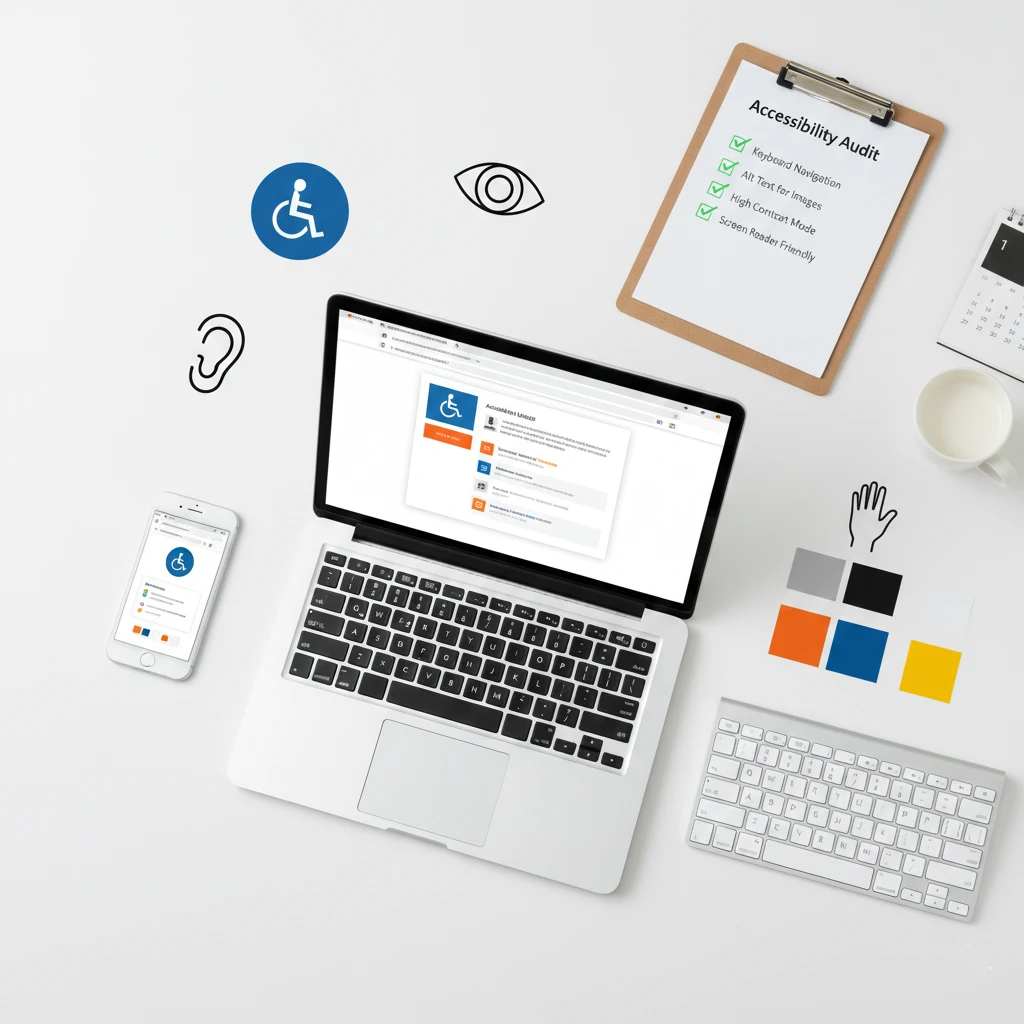
Over one billion people worldwide live with some form of disability. Many of them visit websites every single day. Unfortunately, most small business websites create barriers that prevent these visitors from becoming customers.
Website accessibility removes those barriers completely. It ensures everyone can use your website regardless of their abilities. Additionally, accessible websites often perform better for all visitors.
This guide explains what accessibility means and how to implement it effectively. Fortunately, you don’t need technical expertise to make meaningful improvements.
What Is Website Accessibility?
Website accessibility means designing sites that everyone can use successfully. This includes people with visual, hearing, motor, and cognitive disabilities. Furthermore, it helps people using older technology or slow internet connections.
Consider how different people experience websites differently. Someone who is blind uses a screen reader to hear content aloud. Meanwhile, a person with limited mobility might navigate using only a keyboard. Similarly, someone with color blindness sees your design very differently than you do.
Accessible websites accommodate all these different needs automatically. Therefore, more people can engage with your business successfully.
Why Accessibility Matters for Small Businesses
Some business owners view accessibility as unnecessary extra work. However, the benefits far outweigh the effort required significantly.
Reach More Customers
People with disabilities represent a massive market segment globally. In the United States alone, over 61 million adults live with disabilities. Moreover, their combined spending power exceeds $500 billion annually.
An inaccessible website turns away these potential customers entirely. Conversely, an accessible website welcomes them with open arms. As a result, accessibility directly impacts your potential revenue.
Improve Experience for Everyone
Accessibility improvements help all visitors, not just those with disabilities. For instance, captions help people watching videos in noisy environments. Likewise, clear navigation helps everyone find information faster. Additionally, readable fonts benefit visitors of all ages equally.
Making your site accessible essentially makes it better for everyone. Consequently, you’ll see improved engagement across all visitor segments.
Avoid Legal Problems
Website accessibility lawsuits have increased dramatically in recent years. Thousands of businesses face legal action for inaccessible websites annually. Unfortunately, these lawsuits can result in expensive settlements and legal fees.
The Americans with Disabilities Act applies to business websites increasingly. Courts have ruled that websites must be accessible to disabled users. Therefore, accessibility is becoming a legal requirement rather than just a nice option.
Boost Your SEO Performance
Interestingly, accessibility and SEO share many common best practices. Search engines can’t see images, so they rely on alt text instead. Similarly, clear heading structures help both screen readers and search crawlers effectively.
Accessible websites often rank higher in search results naturally. Consequently, investing in accessibility simultaneously improves your visibility online.
Demonstrate Your Values
Accessibility shows that your business cares about all customers genuinely. This commitment resonates strongly with modern consumers increasingly. In fact, people prefer supporting businesses that prioritize inclusion actively.
Your accessibility efforts become part of your brand story positively. As a result, you build goodwill and customer loyalty over time.
Understanding Common Disabilities
Creating accessible websites requires understanding how disabilities affect web use. Here are the main categories to consider carefully.
Visual Impairments
Visual disabilities range from complete blindness to partial color blindness. Blind users rely entirely on screen readers to navigate websites effectively. Meanwhile, low-vision users might zoom in significantly on content to read it.
Color blind users struggle to distinguish certain color combinations clearly. Specifically, red-green color blindness affects approximately 8% of men. Therefore, relying solely on color to convey information excludes many visitors unintentionally.
Hearing Impairments
Deaf and hard-of-hearing users cannot access audio content normally. Videos without captions exclude these visitors completely from your message. Likewise, podcast content without transcripts remains inaccessible to them entirely.
Approximately 15% of adults report some hearing difficulty globally. Consequently, providing text alternatives for audio content reaches significantly more people.
Motor Impairments
Some people cannot use a mouse due to various motor disabilities. Instead, they might navigate using only a keyboard or voice commands. Others use specialized assistive devices for computer interaction daily.
Websites requiring precise mouse movements create barriers for these users. Therefore, ensuring keyboard accessibility is absolutely essential for inclusion.
Cognitive Disabilities
Cognitive disabilities include dyslexia, ADHD, and various learning disabilities. These conditions affect how people process and understand information differently. Particularly, complex layouts and confusing navigation challenge these users significantly.
Clear, simple design helps visitors with cognitive disabilities tremendously. Furthermore, this simplicity benefits all users experiencing information overload.
Web Accessibility Standards Explained
Accessibility standards provide guidelines for making websites accessible properly. Understanding these standards helps you implement improvements correctly.
WCAG Guidelines
WCAG stands for Web Content Accessibility Guidelines specifically. The World Wide Web Consortium develops and maintains these important standards. Currently, WCAG 2.1 is the most widely adopted version available.
WCAG organizes requirements around four main principles remembered as POUR:
Perceivable: Users must be able to perceive all content presented clearly.
Operable: Users must be able to operate all interface elements easily.
Understandable: Users must be able to understand all content and navigation fully.
Robust: Content must work with various assistive technologies reliably.
Compliance Levels
WCAG defines three compliance levels for websites to achieve progressively:
Level A: Basic accessibility requirements that all sites should meet minimally.
Level AA: Standard compliance level that most laws reference specifically.
Level AAA: Highest accessibility level reserved for specialized situations.
Most businesses should aim for Level AA compliance initially. This level addresses the majority of accessibility barriers effectively.
ADA Requirements
The Americans with Disabilities Act doesn’t specify exact technical standards currently. However, courts increasingly reference WCAG as the appropriate benchmark. Therefore, following WCAG guidelines generally satisfies ADA requirements adequately.
State and local laws may have additional accessibility requirements too. Consequently, check regulations specific to your location for complete compliance.
Essential Accessibility Improvements
You can make significant accessibility improvements without extensive technical knowledge. Start with these high-impact changes first for best results.
Add Alt Text to All Images
Alt text describes images for people who cannot see them visually. Screen readers announce this text when encountering images on pages. Consequently, missing alt text leaves blind users completely uninformed about visual content.
Write alt text that describes the image’s purpose and content clearly. For example, for a photo of your team, write “The Smith Plumbing team standing outside our office.” Avoid generic descriptions like “image” or “photo” entirely.
Decorative images that add no information can have empty alt text. This approach tells screen readers to skip them appropriately.
Use Proper Heading Structure
Headings create a document outline that screen readers navigate efficiently. Users can jump between headings to find content quickly and easily. However, skipping heading levels breaks this navigation completely.
Always use headings in order without skipping any levels. Start with H1 for your page title specifically and consistently. Then use H2 for main sections and H3 for subsections throughout.
Never use headings just to make text look bigger visually. Instead, use CSS for styling rather than misusing heading elements.
Ensure Sufficient Color Contrast
Text must contrast enough against its background for proper readability. Low contrast makes reading difficult for many visitors unnecessarily. Additionally, it becomes nearly impossible for low-vision users to read.
WCAG requires a contrast ratio of at least 4.5:1 for normal text. Large text can have slightly lower contrast at 3:1 minimum. Fortunately, free tools like WebAIM’s Contrast Checker verify your color choices easily.
Make Links Descriptive
Screen reader users often navigate by jumping between links directly. Generic link text like “click here” provides no useful context whatsoever. Consequently, users don’t know where links will take them.
Write link text that describes the destination clearly instead. For example, change “Click here to see our services” to “View our plumbing services.” This approach helps everyone understand link purposes immediately.
Enable Keyboard Navigation
Every interactive element must be accessible via keyboard alone completely. This requirement includes links, buttons, forms, and menus without exception. Users should be able to tab through elements in a logical order.
Test your website by unplugging your mouse temporarily today. Can you access everything using only Tab and Enter keys? If not, keyboard users cannot use your site properly at all.
Add Captions to Videos
Videos need captions for deaf and hard-of-hearing viewers specifically. Additionally, captions help viewers in sound-sensitive environments significantly. In fact, many people prefer watching videos with captions enabled regardless of hearing ability.
YouTube and most video platforms offer automatic captioning features conveniently. However, always review and correct auto-generated captions for accuracy. Incorrect captions frustrate users and damage your credibility unnecessarily.
Create Readable Content
Complex language excludes visitors with cognitive disabilities unnecessarily. Furthermore, it frustrates everyone trying to find information quickly.
Write at an eighth-grade reading level or lower ideally. Use short sentences and familiar words consistently throughout. Also, break long paragraphs into smaller, digestible chunks for easier reading.
Testing Your Website for Accessibility
You should test your website’s accessibility before and after making improvements. Fortunately, several free tools make testing straightforward.
Automated Testing Tools
Automated tools scan your website for common accessibility issues quickly. They identify problems like missing alt text and color contrast failures automatically.
WAVE (wave.webaim.org) provides free, detailed accessibility reports instantly. Simply enter your URL and review the results carefully afterward.
axe DevTools is a browser extension available for Chrome and Firefox. It integrates with developer tools for technical analysis conveniently.
Lighthouse is built into Chrome’s developer tools already. Run an accessibility audit alongside performance testing easily.
However, automated tools catch only about 30% of accessibility issues typically. Therefore, manual testing remains essential for complete evaluation.
Manual Testing Methods
Test keyboard navigation by using your site without a mouse entirely. Tab through all pages and verify everything is accessible properly. Also, check that focus indicators show your current position clearly.
Test with a screen reader to understand the blind user experience directly. NVDA is free for Windows users specifically and works well. Meanwhile, VoiceOver comes built into Mac and iOS devices already.
Check your site at different zoom levels up to 200% magnification. Ensure content remains readable and functional when enlarged significantly.
User Testing
Nothing replaces testing with actual users who have disabilities personally. They identify real-world issues that tools and developers miss consistently. Consider recruiting testers from disability communities specifically for feedback.
Even informal feedback from disabled friends or colleagues helps tremendously. They notice barriers that seem invisible to non-disabled users entirely.
Common Accessibility Mistakes to Avoid
Many websites share the same accessibility problems repeatedly. Avoiding these common mistakes prevents most barriers effectively.
Missing Form Labels
Form fields need associated labels for screen reader users specifically. Without labels, users don’t know what information to enter correctly. Consequently, they cannot complete forms successfully at all.
Every input field needs a corresponding label element programmatically connected. Placeholder text alone is not sufficient as a label replacement ever.
Auto-Playing Media
Videos and audio that play automatically create serious problems immediately. Screen reader users suddenly hear competing audio streams simultaneously. Additionally, unexpected sounds disturb everyone nearby in shared spaces.
Never auto-play media with sound enabled on your website. If auto-play is absolutely necessary, start muted with clear controls visible prominently.
Poor Focus Indicators
Focus indicators show keyboard users their current position visually on screen. Some designers remove these indicators because they seem unattractive. However, removing them makes keyboard navigation completely impossible.
Keep default focus indicators or design better custom alternatives instead. Never remove focus styling without providing clear replacements visibly.
Inaccessible PDFs
PDFs often lack proper accessibility structure entirely unfortunately. Screen readers cannot navigate unstructured PDFs effectively at all. Therefore, information trapped in PDFs remains inaccessible to many users.
Create accessible PDFs using proper heading structures and alt text consistently. Alternatively, provide HTML versions of important document content instead.
Time Limits
Some websites log users out after periods of inactivity automatically. This feature creates problems for users who need more time to complete tasks. Specifically, people using assistive technology often work more slowly than others.
Provide options to extend or disable time limits when possible. At minimum, warn users before sessions expire unexpectedly.
Moving or Flashing Content
Animated content can trigger seizures in people with photosensitive epilepsy dangerously. Additionally, moving elements distract users with attention difficulties significantly. Particularly, autoplay carousels frustrate many visitors regardless of ability.
Avoid flashing content that flashes more than three times per second. Also, provide controls to pause, stop, or hide moving content easily.
Creating an Accessibility Plan
Accessibility improvements work best with a structured approach overall. Create a simple plan to guide your efforts effectively over time.
Audit Your Current Site
Start by assessing your website’s current accessibility status thoroughly. Use automated tools to identify obvious problems initially. Then conduct manual testing for deeper evaluation afterward.
Document all issues discovered during your audit thoroughly. Prioritize problems by severity and ease of fixing logically.
Prioritize High-Impact Fixes
Focus first on issues affecting the most users significantly. Missing alt text and keyboard navigation problems deserve immediate attention. Likewise, color contrast issues impact many visitors noticeably.
Quick fixes provide immediate improvements efficiently. Meanwhile, complex issues can wait for later phases appropriately.
Set Realistic Goals
You probably cannot fix everything immediately with limited resources available. Therefore, set achievable milestones for improvement over time realistically.
Aim for WCAG Level A compliance as your first milestone initially. Then work toward Level AA compliance gradually afterward.
Train Your Team
Everyone who creates website content needs accessibility awareness training. Writers should understand alt text and heading structure requirements. Similarly, designers need to know contrast requirements and focus states thoroughly.
Brief training sessions prevent new accessibility problems effectively. After all, prevention is always easier than fixing issues later.
Monitor Ongoing Compliance
Accessibility requires ongoing attention rather than just one-time fixes. New content can introduce new accessibility problems unintentionally over time. Therefore, regular audits maintain your progress consistently.
Include accessibility checks in your content publishing workflow routinely. Review new pages before they go live publicly always.
Resources for Learning More
Website accessibility is a broad topic with much more to explore. These resources help you continue learning effectively.
Official Guidelines
The W3C Web Accessibility Initiative maintains WCAG guidelines officially. Their website (w3.org/WAI) provides comprehensive documentation and tutorials. Start here for authoritative information directly from the source.
Testing Tools
WebAIM (webaim.org) offers excellent free tools and resources generously. Their contrast checker and WAVE tool are particularly useful for testing. Additionally, their articles explain accessibility concepts clearly for beginners.
Training Resources
Deque University offers free accessibility training courses online conveniently. Their content covers both basic and advanced topics thoroughly. Consider their courses for developing deeper understanding.
Community Support
The accessibility community welcomes newcomers warmly and generously. Twitter hashtags like #a11y connect you with experts easily. Additionally, many accessibility professionals offer free advice to those asking.
The Bottom Line
Website accessibility ensures everyone can use your website successfully regardless of ability. It reaches more customers, avoids legal problems, and improves experience for all visitors simultaneously.
Start with simple improvements like alt text and color contrast today. Then gradually address more complex issues over time systematically. Remember, every improvement helps real people access your business.
Accessibility isn’t just about compliance with laws or guidelines ultimately. It’s about treating all potential customers with respect and dignity equally. Your business benefits, and so does everyone who visits your website.
Make accessibility a priority starting today. The improvements you make will benefit your business for years to come.
Need help making your website accessible? Get a free quote or contact us to discuss your accessibility needs.