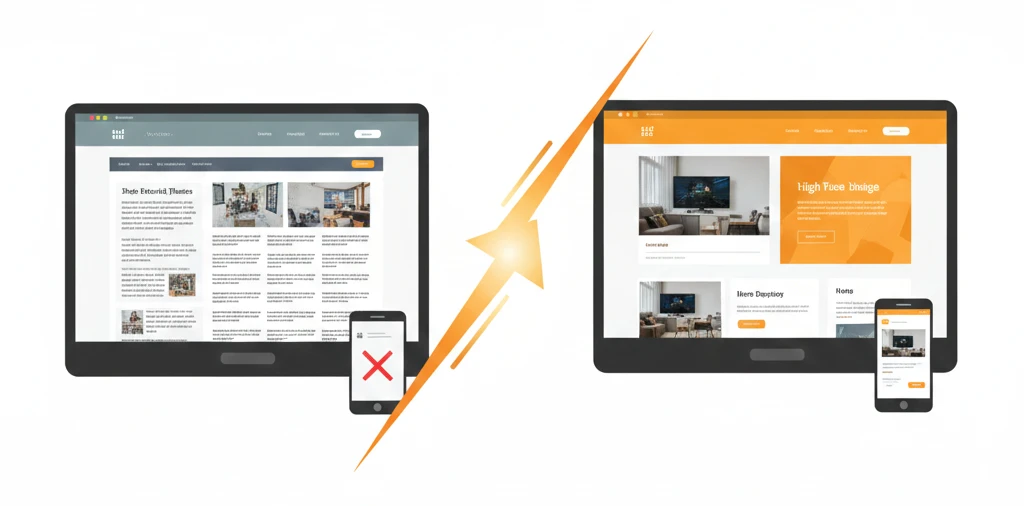
Your website might be hurting your business without you even knowing it.
An outdated website doesn’t just look bad—it actively drives customers to your competitors. It ranks lower in search results, frustrates visitors, and undermines your credibility.
But how do you know when it’s time for a redesign versus just a few tweaks? Here are eight clear signs your website needs a redesign—and what to do about each one.
1. Your Website Isn’t Mobile-Friendly
This is the most critical sign. If your website doesn’t work properly on phones and tablets, you’re losing more than half your potential visitors.
Warning signs:
- Text is too small to read without zooming
- Buttons are hard to tap accurately
- You have to scroll sideways to see content
- Images overflow the screen
- The menu doesn’t work on mobile
Why it matters: Google now uses mobile-first indexing, meaning they rank websites based on the mobile version. A non-mobile-friendly site will rank poorly regardless of how good the desktop version looks.
What to do: A mobile-responsive redesign is essential. This isn’t a minor update—it requires rebuilding your site with mobile as the priority.
2. It Takes Forever to Load
Slow websites kill conversions. If your pages take more than 3 seconds to load, 40% of visitors leave before seeing anything.
Warning signs:
- You can count seconds while waiting for pages
- Images load slowly or in chunks
- Visitors complain about speed
- Google PageSpeed Insights score below 50
Why it matters: Page speed affects both user experience and search rankings. Google penalizes slow websites, pushing them down in results.
What to do: Sometimes speed issues can be fixed with optimization—compressing images, better hosting, cleaning up code. But if your site was built with outdated technology or bloated themes, a redesign with speed as a priority may be more effective than endless patching.
3. Your Design Looks Dated
Web design trends evolve constantly. What looked cutting-edge five years ago now screams “outdated.”
Signs of dated design:
- Flash animations or auto-playing media
- Cluttered layouts with too much happening
- Tiny text and busy backgrounds
- Stock photos that look obviously fake
- Gradients, bevels, and drop shadows everywhere
- Comic Sans, Papyrus, or other dated fonts
Why it matters: Visitors judge your business by your website within seconds. An outdated design signals that your business might be outdated too—behind on trends, technology, and customer expectations.
What to do: If your site is more than 4-5 years old and hasn’t been updated, it’s time for a fresh design. Modern web design favors clean layouts, plenty of white space, bold typography, and authentic imagery.
4. Your Bounce Rate Is High
Bounce rate measures the percentage of visitors who leave after viewing only one page. A high bounce rate suggests your website isn’t engaging visitors.
Warning signs:
- Bounce rate above 70%
- Average session duration under 30 seconds
- Visitors don’t explore beyond the homepage
- Traffic isn’t converting to leads or sales
Why it matters: If people leave immediately, your website isn’t doing its job. You’re paying for traffic (through SEO effort or advertising) that goes nowhere.
What to do: Analyze where visitors drop off. Is it confusing navigation? Slow loading? Unappealing design? Poor content? Often, high bounce rates indicate fundamental problems that require redesign rather than small fixes.
5. You Can’t Update It Yourself
Your website should be easy to update. If making simple changes requires a developer every time, something is wrong.
Warning signs:
- Adding a blog post feels impossible
- Updating your phone number requires technical help
- You avoid making changes because it’s too complicated
- Your developer is the only one who understands the backend
Why it matters: Websites need regular updates—new content, updated information, fresh images. If updates are difficult, they don’t happen, and your site becomes stagnant.
What to do: Modern content management systems like WordPress make updates simple enough for anyone. If your current site uses outdated technology or custom code that only one person understands, a rebuild on a user-friendly platform is worthwhile.
6. It Doesn’t Reflect Your Business Anymore
Businesses evolve. Services change. Brands mature. But often, websites get left behind.
Warning signs:
- You offer services not mentioned on your website
- Your branding has changed but the website hasn’t
- The “About” page describes who you were, not who you are
- Photos show old locations, old team members, or discontinued products
Why it matters: A mismatch between your website and reality confuses customers and damages trust. If someone visits expecting one thing and finds another when they contact you, they question your credibility.
What to do: If the changes are minor (updating a few pages, swapping photos), updates might suffice. But if your entire business direction has shifted, a comprehensive redesign ensures your website tells your current story.
7. Your Competitors Look Better Online
Take an honest look at your competitors’ websites. If they’ve modernized while you haven’t, you’re at a disadvantage.
Warning signs:
- Competitor sites look more professional
- They have features you don’t (booking, chat, better galleries)
- They rank higher in search results
- Customers mention competitor websites positively
Why it matters: Customers compare. If your website looks amateur next to competitors, they’ll assume your service is inferior too—even if it isn’t.
What to do: Study what competitors do well. Note features, designs, and content that impress you. Use this research to inform your redesign goals. You don’t need to copy them, but you do need to compete.
8. It’s Not Generating Results
Ultimately, your website exists to produce results—leads, sales, calls, appointments. If it’s not delivering, something needs to change.
Warning signs:
- Leads from the website have declined
- Traffic is steady but conversions are dropping
- You can’t remember the last website inquiry
- Advertising sends traffic that doesn’t convert
Why it matters: A website that doesn’t generate business is just an expense. It should be an investment that produces returns.
What to do: First, ensure you’re tracking results properly. Then analyze where the breakdown occurs. Are visitors not finding you (SEO problem)? Finding you but leaving immediately (design/content problem)? Engaging but not converting (call-to-action problem)? The answers guide whether you need a full redesign or targeted improvements.
Redesign vs. Refresh: Which Do You Need?
Not every issue requires a complete redesign. Here’s how to decide:
A Refresh Is Enough When:
- The basic structure and platform work well
- You need updated content and images
- Small design tweaks would modernize the look
- The site is already mobile-responsive
- Loading speed is acceptable
Cost: $500 – $2,000
A Full Redesign Is Needed When:
- The site isn’t mobile-responsive
- It’s built on outdated technology
- Multiple serious issues exist simultaneously
- Your business has fundamentally changed
- You can’t update content yourself
- Core functionality is missing
Cost: $3,000 – $15,000+
The Real Cost of Waiting
Every month with an underperforming website costs you money:
- Lost search rankings — Competitors with better sites climb higher
- Lost credibility — Visitors choose more professional-looking alternatives
- Lost conversions — Traffic you worked for goes to waste
- Lost time — Staff struggling with difficult updates
A $5,000 redesign that increases leads by just 2-3 per month pays for itself quickly. Waiting another year costs far more than acting now.
Planning Your Redesign
Ready to move forward? Here’s how to approach it:
Step 1: Document what’s not working. Be specific about problems you want solved.
Step 2: Identify what IS working. Don’t throw away effective elements.
Step 3: Research competitors and sites you admire. Gather examples of what you want.
Step 4: Define your goals. What should the new site accomplish?
Step 5: Get quotes. Compare options from freelancers and agencies.
Step 6: Plan for content. Will you write it or need help?
Step 7: Set a timeline. When do you need to launch?
The Bottom Line
Your website is often your first impression. If it’s showing any of these warning signs, potential customers are forming negative opinions before they ever talk to you.
The good news? A redesign is an opportunity. It’s a chance to present your business at its best, with modern design, better functionality, and improved performance.
Don’t let an outdated website hold your business back. Recognize the signs, make the decision, and invest in a digital presence that represents who you are today.
Not sure if your website needs a refresh or full redesign? Get a free website audit and we’ll give you honest recommendations based on your specific situation.